Department of Intelligent Systems, University of Lahore
What is an Image and how is it formed?
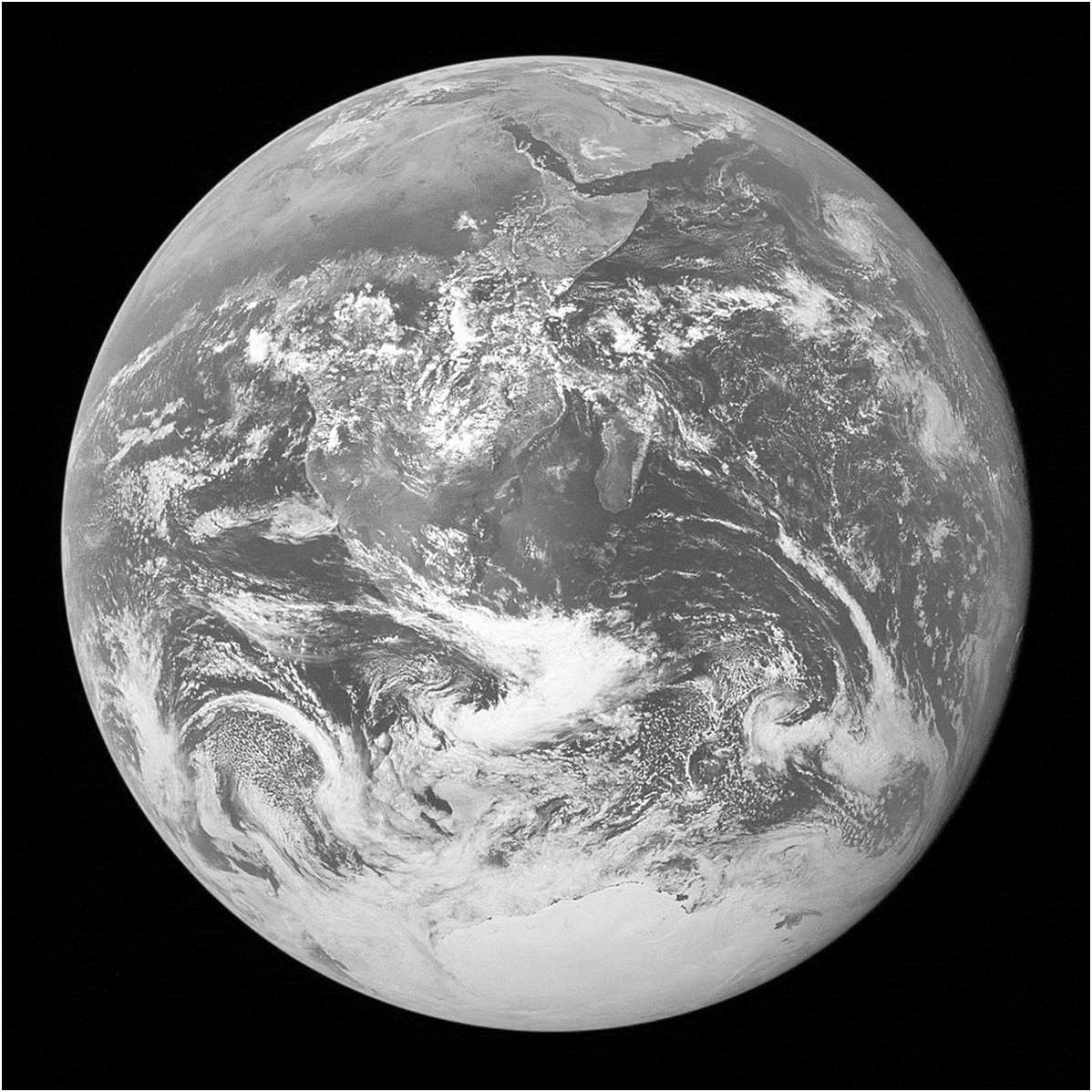
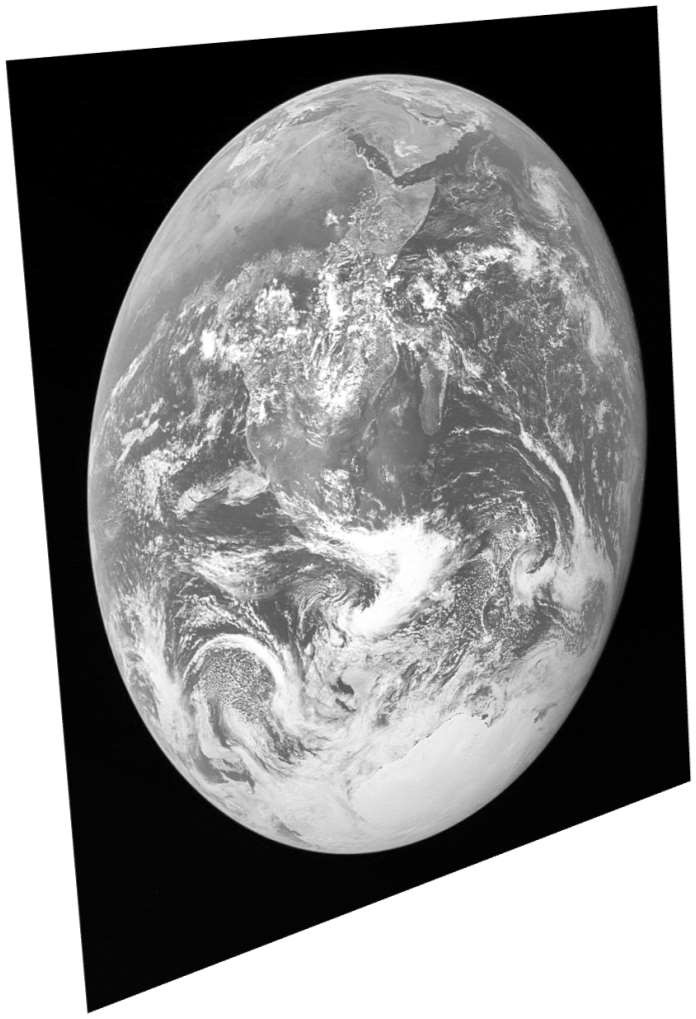
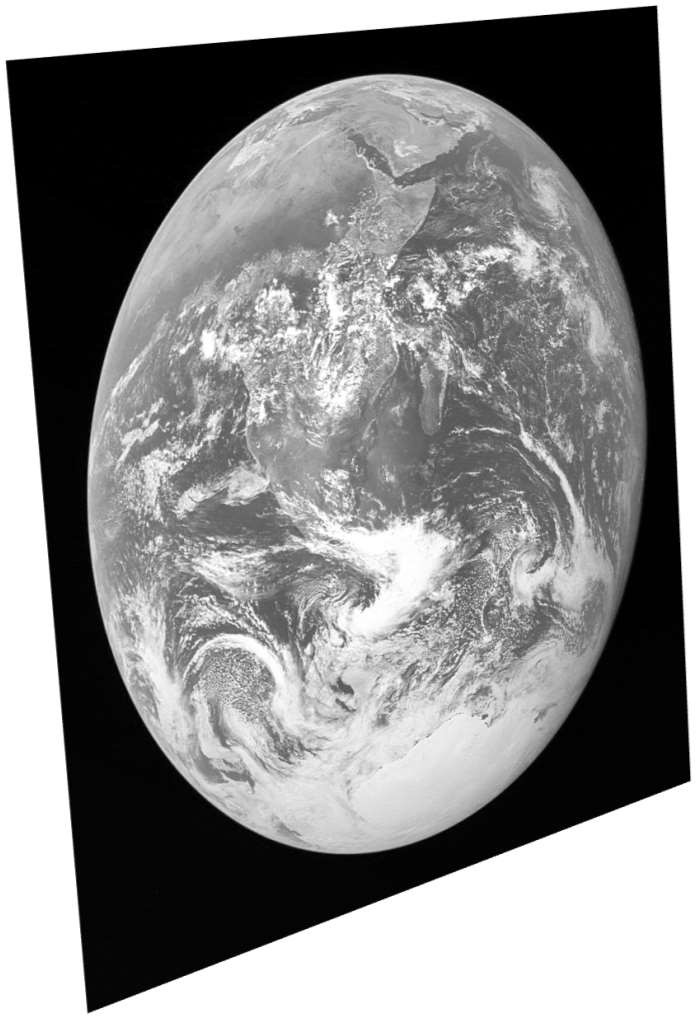
Blue Marble, NASA / Apollo 17
Image Formation
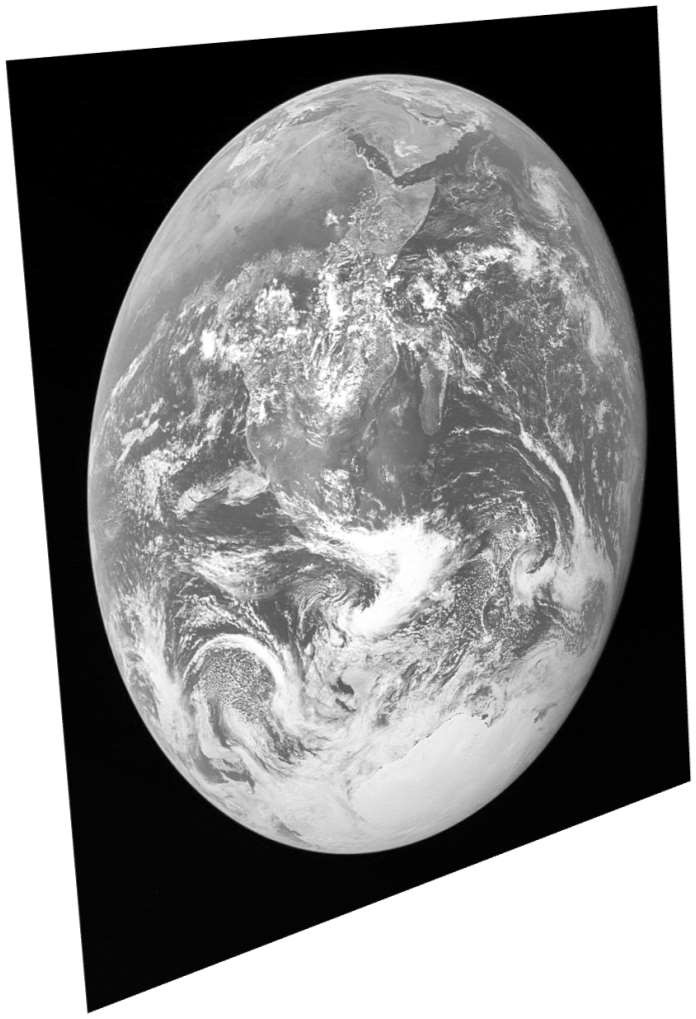
Scene / object
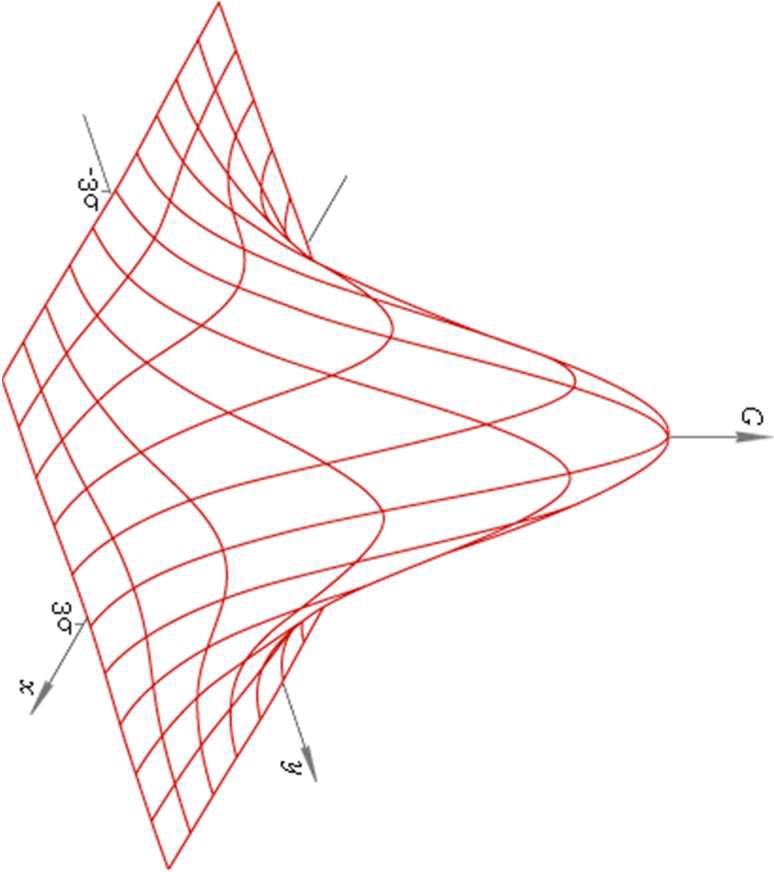
Light as a signal
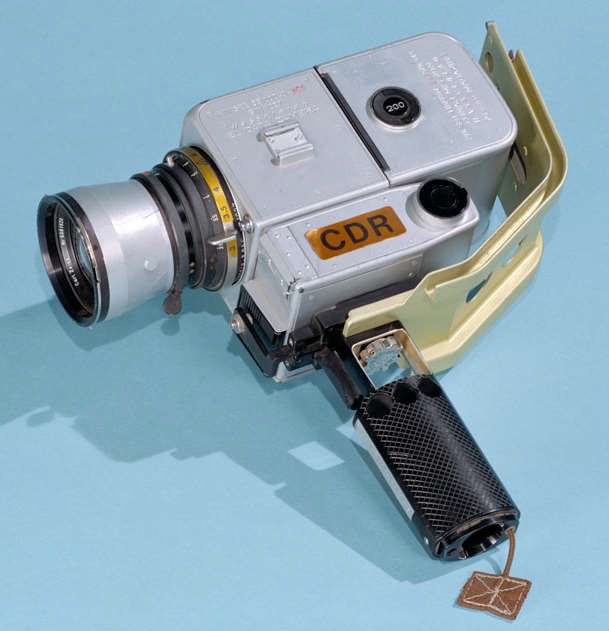
Camera / sensor
A camera measures light from the world and turns it into a digital image.
Signal
Signal: A (multi-dimensional) function that contains information about a phenomenon (e.g., light, heat, gravity, sound, pressure, motion).
Signals can be continuous, such as light in the physical world.
Measurements are often discrete samples of that continuous signal.
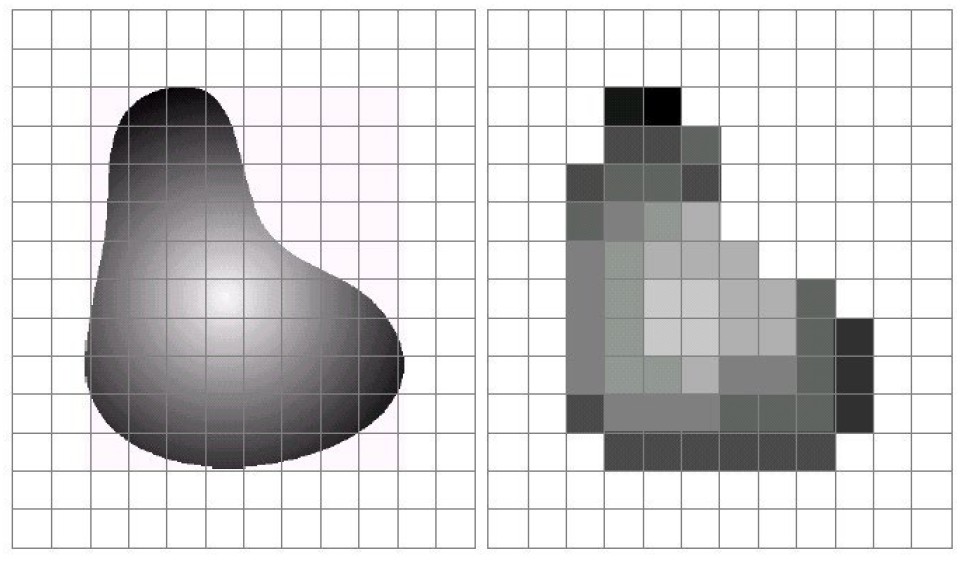
Sampling reduces a continuous signal to a finite set of values.
Sampling in 1D
Sampling a 1D continuous function returns a vector whose elements are values of that function at selected sample points.
Instead of the full function, we store values at selected locations.
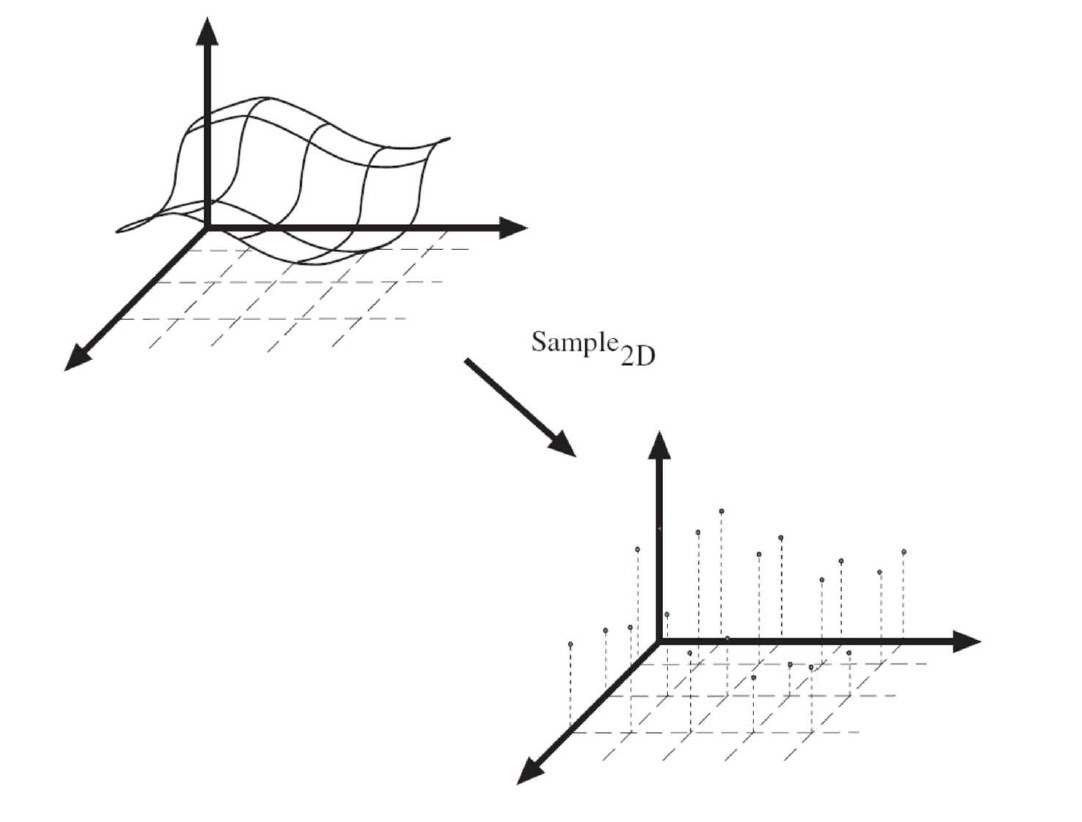
Sampling in 2D
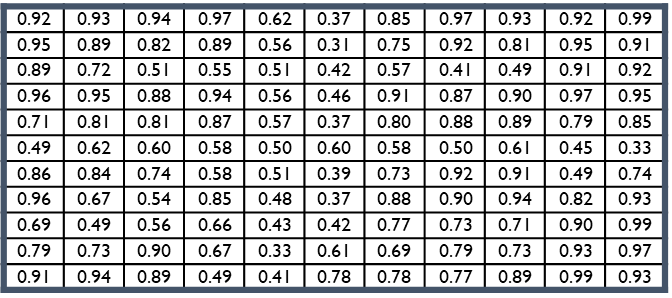
Sampling a 2D function returns a matrix.
2D Image
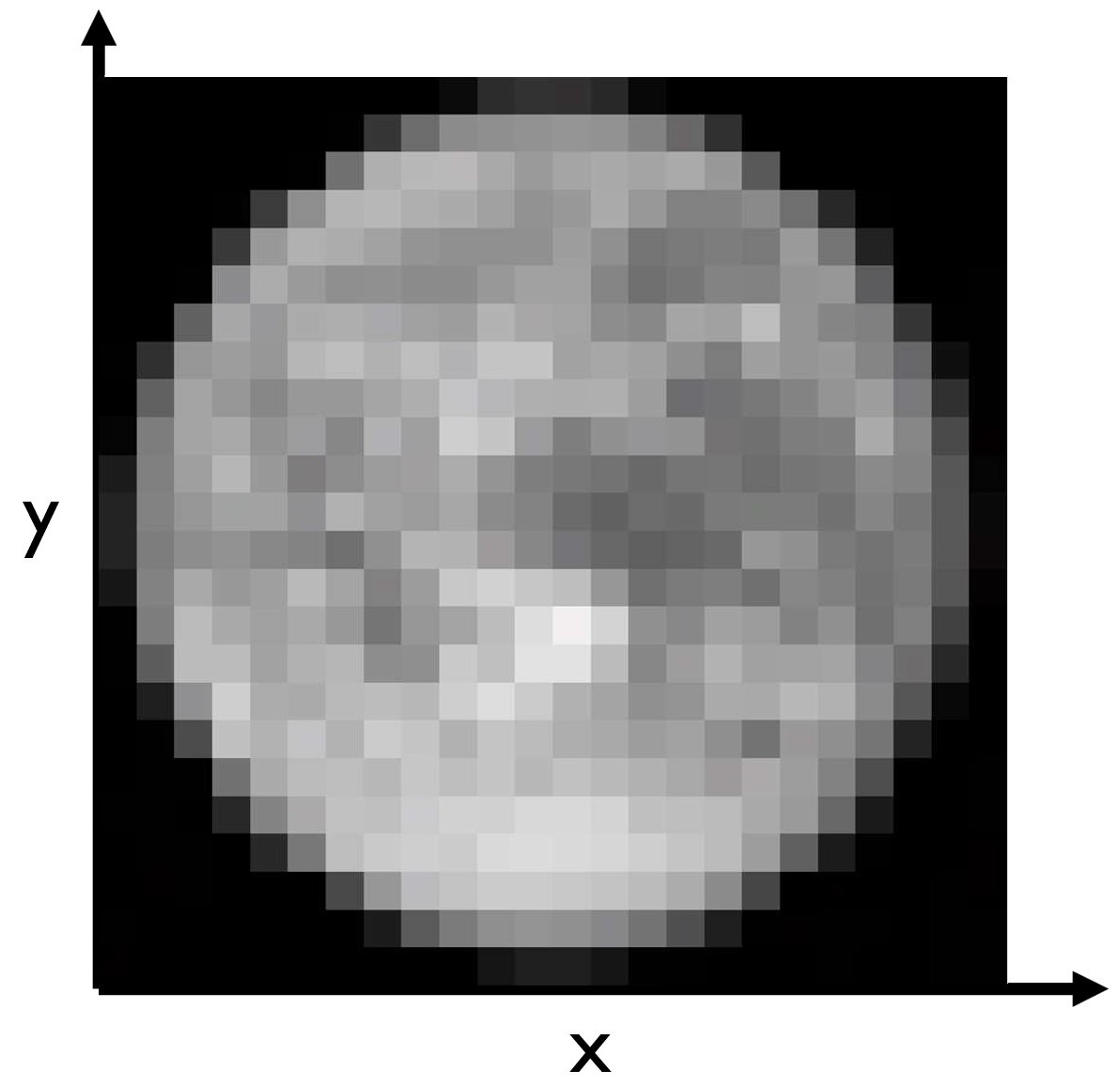
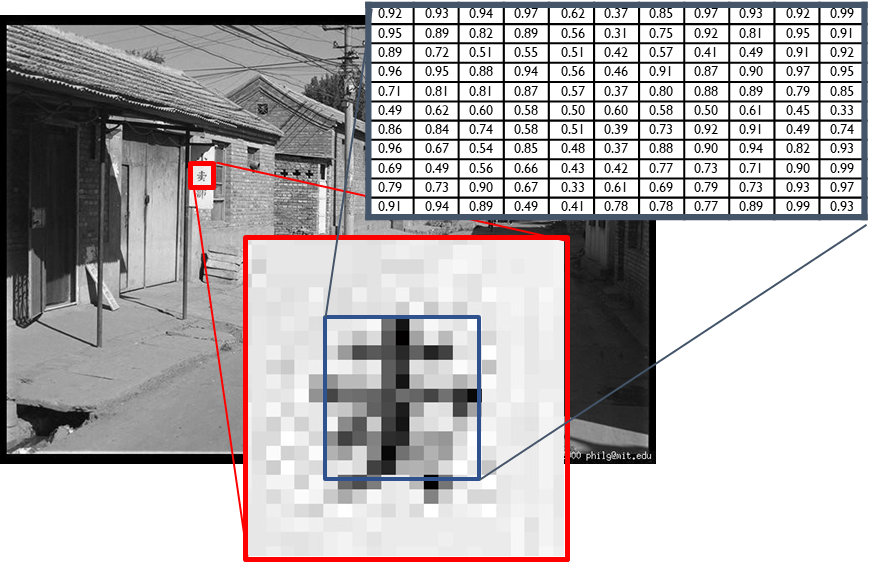
Image: A sampling of a function that contains information about a 2D signal.
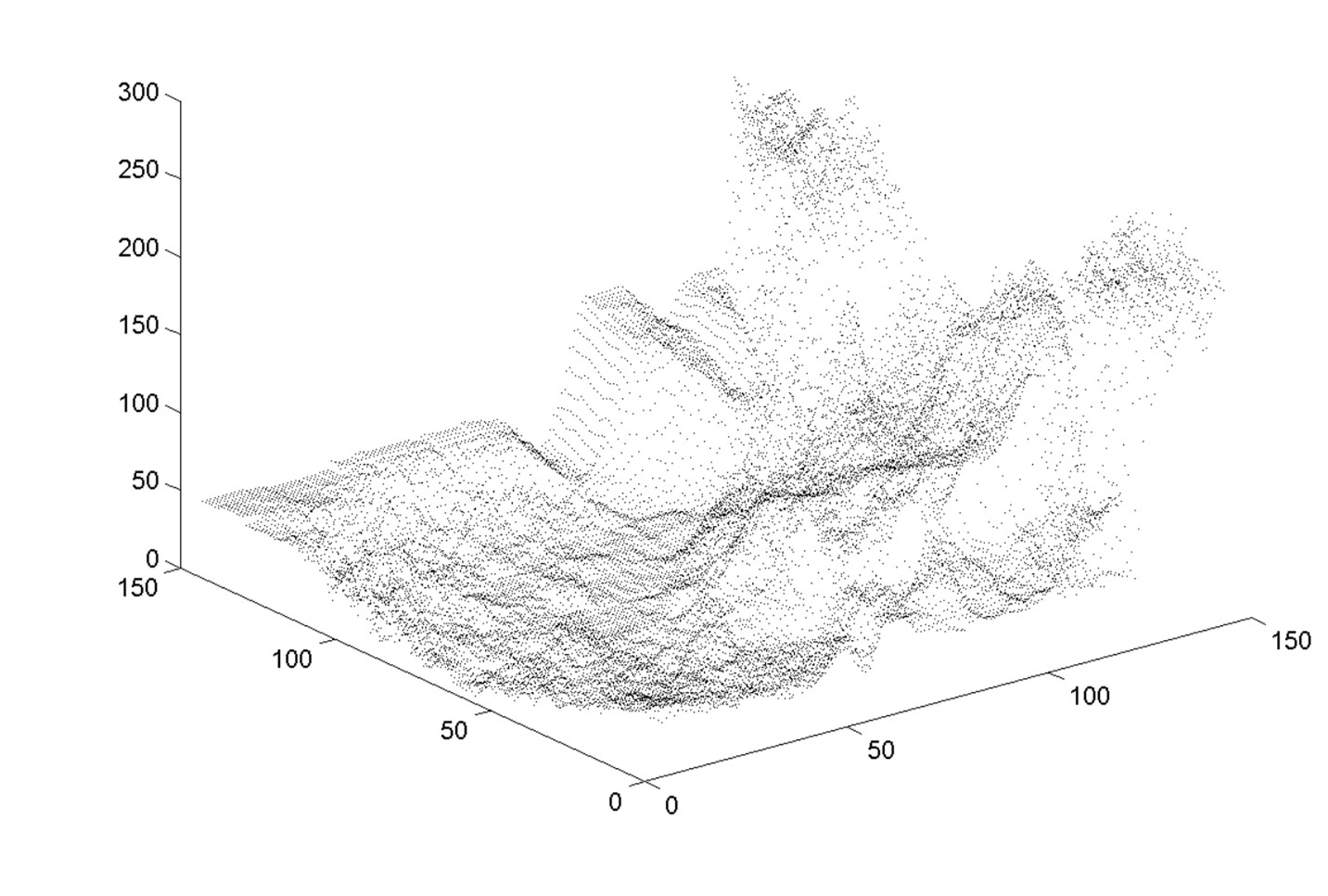
The function stores brightness or intensity.
The image samples brightness along the \(x\) and \(y\) dimensions.
A video can be viewed as a time-varying 2D image signal: \((x, y, t)\).
Note
Cameras observe a 2D projection of the 3D world.
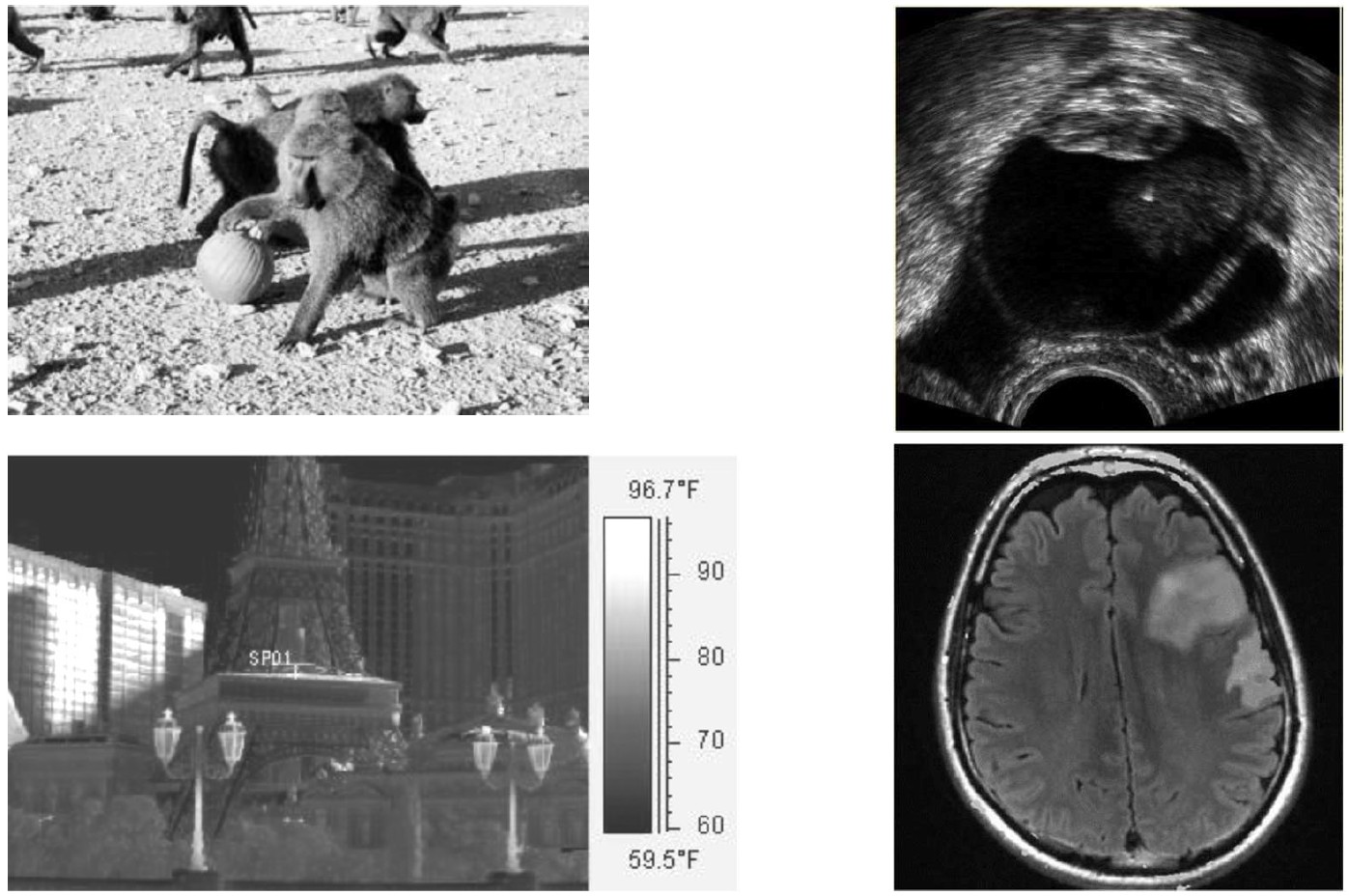
Examples of 2D Images
2D images appear in many sensing modalities:
Natural images
Thermal images
Satellite/aerial images
Microscopy
Ultrasound
MRI / CT slices
Radar images
Depth images
Note
The signal may not always be visible light. An image arranges what we have measured over a 2D domain.
Sampling in Practice
World / scene
Continuous signal
Camera
The imaging pipeline converts a continuous physical signal into discrete sensor measurements.
Sampling in Practice: Digital Image
Scene / image plane
Light signal
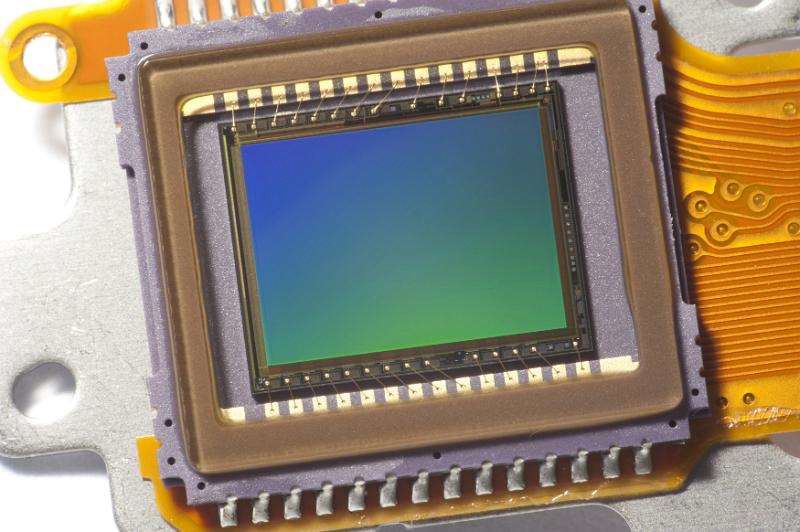
CMOS / CCD sensor
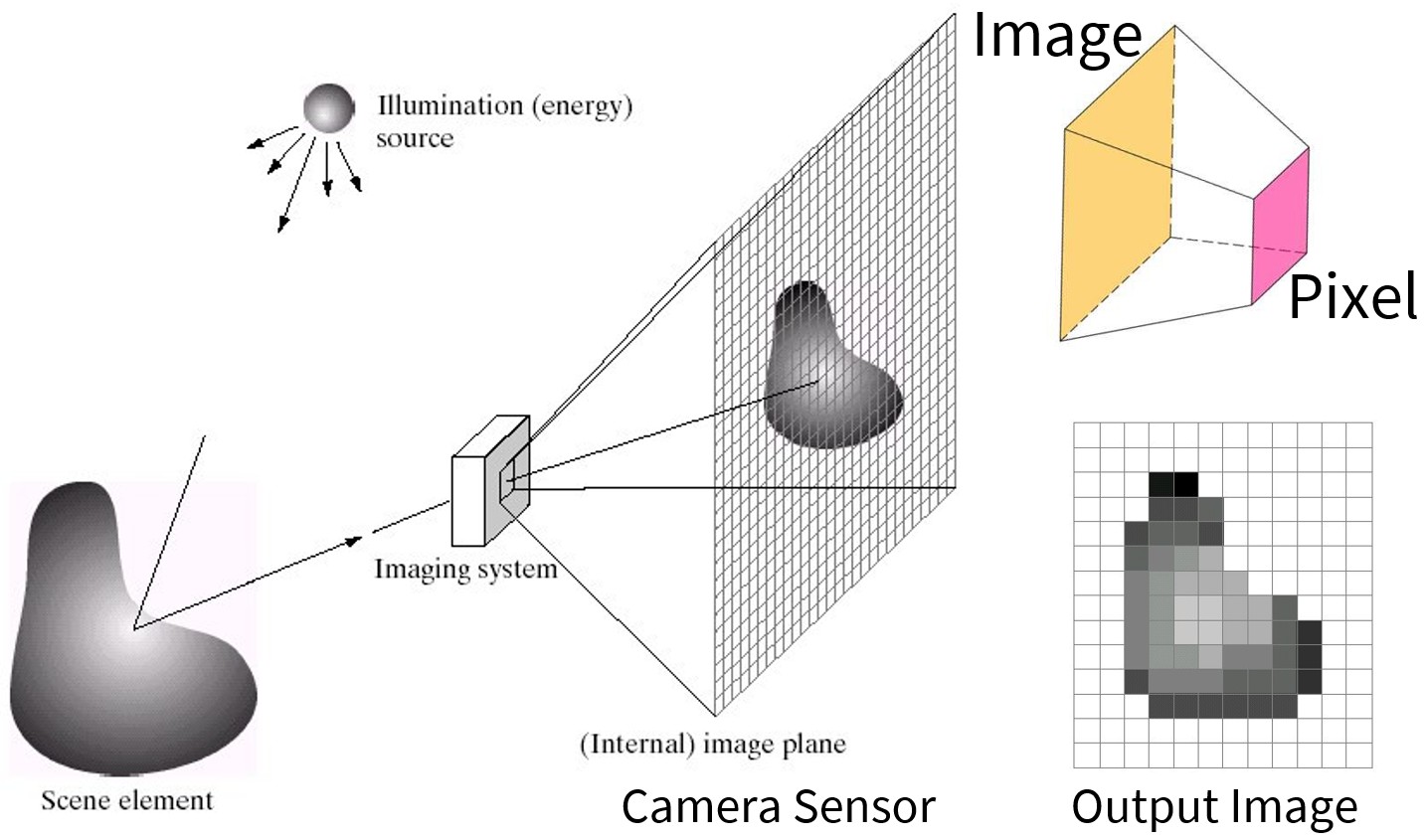
Digital cameras use sensor arrays to sample light and produce a grid of pixel values.
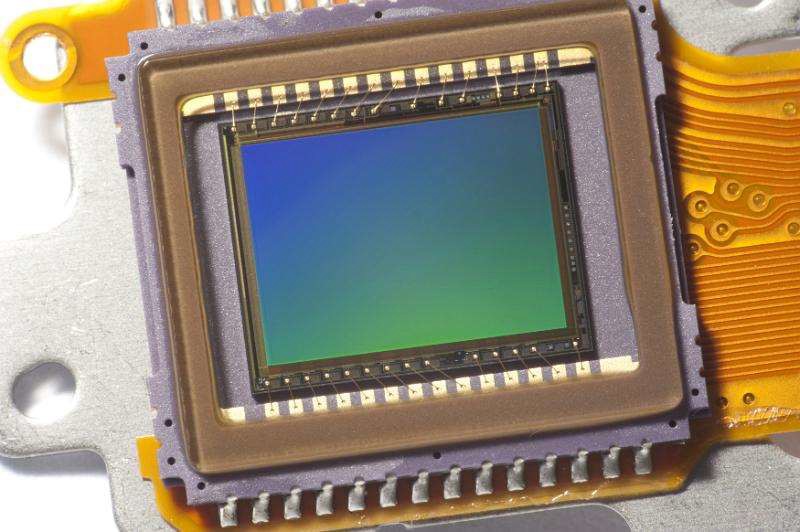
Sensor Array
Camera / sensor hardware
CMOS sensor array
Continuous light is sampled and quantized by the 2D sensor array (pixels) to produce a digital image.
Elements of a Digital Image
A pixel is a picture element.
For a grayscale image:
\[
I(x, y) = \text{intensity at image location} (x,y)
\]
\(x\): horizontal coordinate
\(y\): vertical coordinate
Example:
I(x1, y1) = 101I(x2, y2) = 191
Different pixel locations can have different intensity values.
Digital Image is a 2D Signal
A digital image can be interpreted as a 2D function whose value is brightness or intensity.
Light Integration Over a Pixel Region
A single pixel does not measure an infinitely thin ray.
It measures light integrated over a small region of the sensor and the corresponding cone/frustum of incoming light.
Note
This is one reason why cameras blur, average, and alias details that are smaller than a pixel can represent.
Resolution: Geometric vs. Spatial
Both images can have the same number of pixels, but the amount of scene detail represented can be different.
Low geometric resolution
High geometric resolution
Note
Spatial resolution counts pixels. Geometric resolution is how accurately those pixels represent the positions of objects in the real world.
Quantization
Sampling chooses where to measure a signal.
Quantization chooses which values can be represented.
For example, an 3 bits can represent: \[
2^3 = 8
\] possible intensity levels in a grayscale image.
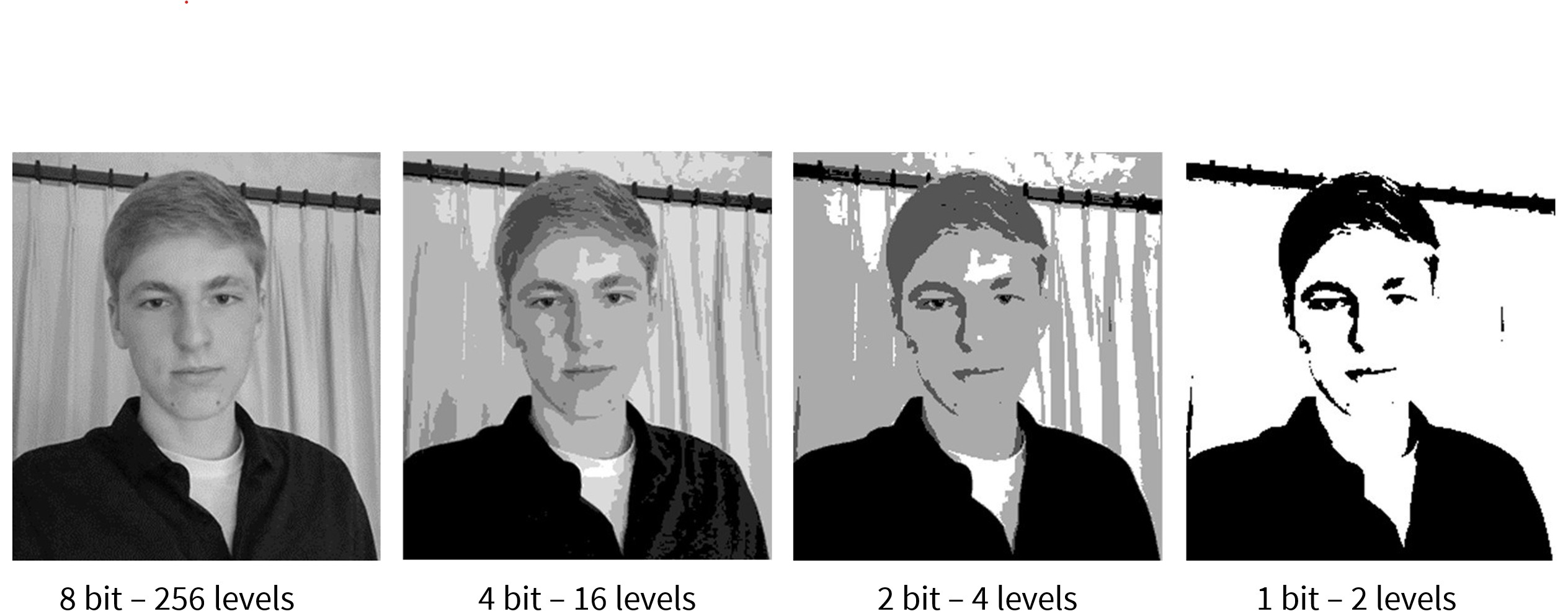
Quantization Effects — Radiometric Resolution
Radiometric resolution is the number of distinct intensity levels available.
Bit depth
Number of levels
1 bit
2 levels
2 bit
4 levels
4 bit
16 levels
8 bit
256 levels
Higher bit depth can represent more subtle intensity differences.
In photography, this is closely related to dynamic range.
Dimensionality of an Image
An image of size \(1000 \times 1000\) with 8-bit quantization per pixel has: \[
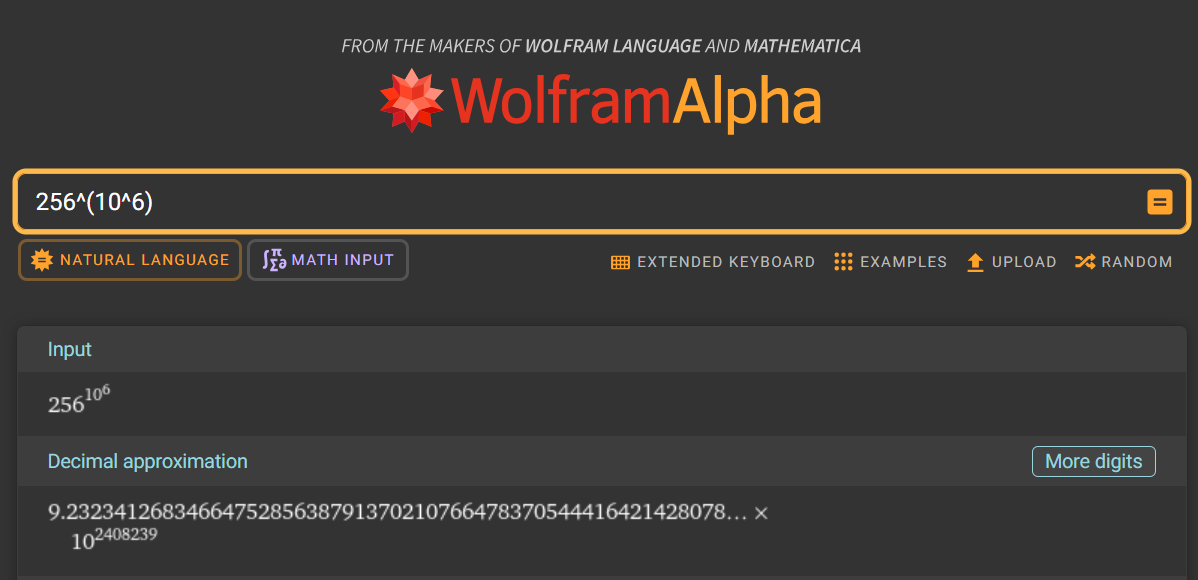
256^{1000 \times 1000} \approx 10^{2,408,239}
\] possible intensity configurations.
This is an enormous high-dimensional space – the known universe has only about \(10^{80}\) atoms!
Computer vision works in this extremely high dimensional space – but real images are not arbitrary arrays and they occupy a small, structured subset of this space.
Checkpoint: What Did Your Phone Already Do Today?
Hands up for each one — which of these did your phone do today or this week?
Unlocked with your face — FaceID / face unlock
Blurred the background of a photo — Portrait mode
Read text off a bill, receipt, or QR code — Text / code recognition
Auto-grouped your photos into a “People” album — Face clustering
Stabilised a shaky video — Frame-to-frame motion estimation
Note
All five. Every one of these is a computer-vision task. By the end of this lecture you should be able to name the task, its input, its output, and roughly what it costs to run.
A Short History of Computer Vision — The Classical Era
1960s–2010 — the human designs the features
Year
Milestone
Why it matters
1959
Hubel & Wiesel map the visual cortex
Inspires convolution
1963
Roberts’ Blocks World
First 3D scene from an image
1966
MIT “Summer Vision Project”
Vision assumed to be one summer’s work
1980
Neocognitron (Fukushima)
Direct ancestor of the CNN
1986
Canny edge detector
Still used today
1999
SIFT
Scale-invariant keypoints
2001
Viola–Jones face detection
Real-time, ships in every camera
2005
HOG + SVM
Pedestrian detection
2009
ImageNet released
14M labelled images
For fifty years, a person had to look at the problem and decide, by hand, what a “feature” was — an edge, a corner, a keypoint — before writing code to detect it.
A Short History of Computer Vision — The Deep Era
2012–present — the network learns the features
Year
Milestone
Why it matters
2012
AlexNet
ReLU + dropout + GPU. Error 26% → 15%
2014
VGG16 · Inception
Depth by stacking small convolutions; multi-scale filters
2015
ResNet
Skip connections, 152 layers, beats human top-5
2014–17
R-CNN → Fast → Faster
Two-stage detection
2016
YOLO / SSD
One stage — fast enough for video & robotics
2017
Mask R-CNN
Per-pixel instance segmentation
2019
Detectron2
Production detection library
2020
ViT
Image as patch sequence — Transformer absorbs vision
2021
CLIP
Joint image + text embedding → zero-shot vision
2022
Diffusion (Stable Diffusion, DALL·E 2)
Generative vision
2023
SAM
Segment anything, promptable
2023→
VLMs
Vision + language in one model
After AlexNet in 2012, the feature itself became something a network learns from data, rather than something a human designs by hand. That shift is what the rest of this course builds on.
Checkpoint: Did You Actually Read the Timeline?
Fingers up — 1, 2, or 3. Everyone answers every question; wrong answers are the useful ones.
What made 2012 the break point?
1. A bigger dataset 2. ReLU + dropout + GPUs on a CNN 3. A new camera sensor
Before 2010, who decided what a “feature” was?
1. The network, by training 2. A human, by hand 3. The dataset, automatically
Which came first?
1. SIFT keypoints 2. YOLO detection 3. Mask R-CNN
Why is YOLO in every robotics stack?
1. It is the most accurate 2. One stage — fast enough for live video 3. It needs no training data
Checkpoint: Answers
2 — ReLU, dropout, and GPUs made training a deep CNN (AlexNet) practical.
2 — A human, by hand. SIFT, HOG, and Canny were all hand-designed detectors.
1 — SIFT (1999) came well before YOLO (2016) or Mask R-CNN (2017).
2 — One stage, fast enough for live video, which is exactly what a robot needs.
If you missed one, that miss is exactly the classical-vs-deep distinction this lecture is sharpening.
Image Processing vs. Computer Vision
Both start from the same input — an image — but they aim at different outputs.
Image Processing
Input: image → Output: an image, for human consumption.
Image enhancement
Image restoration
Image compression
Image registration
Computer Vision
Input: image → Output: image attributes, for computer use.
Image segmentation
Recognition (feature extraction)
Motion analysis & tracking
3D shape reconstruction
This course sits mostly on the computer-vision side: we care about what an image tells us, not only how it looks.
From Pixels to Tasks
Every task in this course starts from the same object: a grid of numbers. The differences are in what we compute from that grid.
Classification — what is in this image?
Object detection — what is in this image, and where?
Semantic segmentation — which pixels belong to which category?
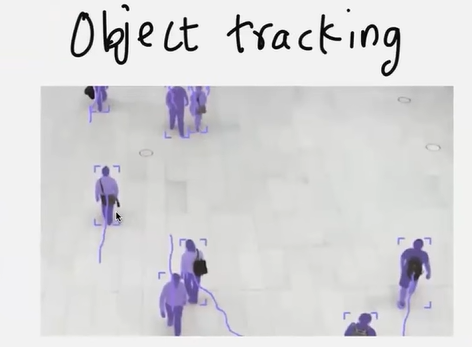
Object tracking — where did each object go, frame to frame?
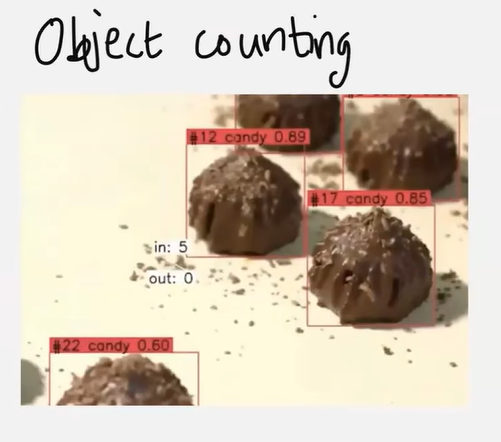
Object counting — how many instances are present?
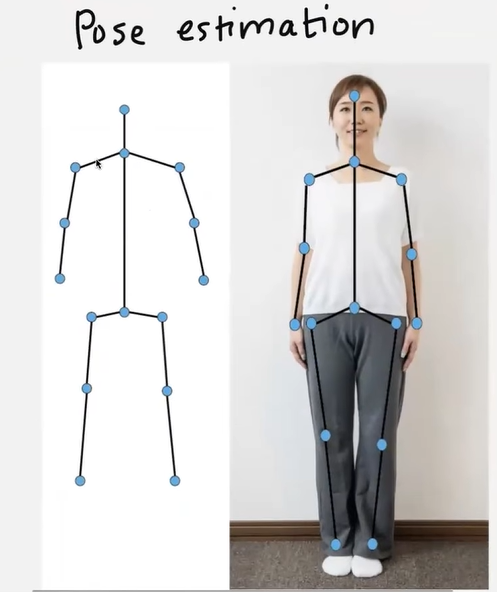
Pose estimation — how are the parts of an object arranged?
Note
All six tasks take the same input — a pixel array. They only differ in the shape of the output. Keep this in mind as we move from raw pixels toward algorithms.
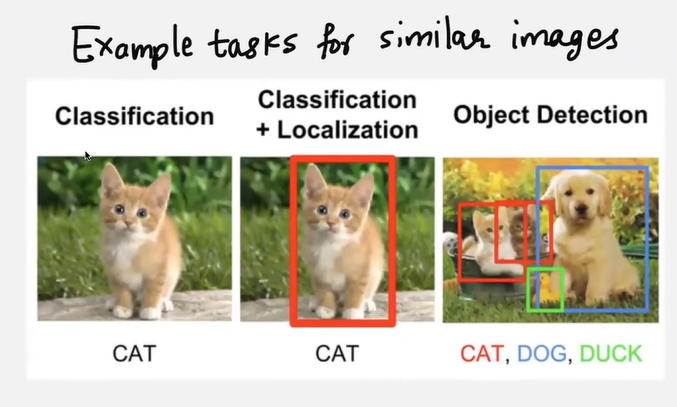
Classification, Localization, and Detection
Classification assigns one label to the whole image.
Localization adds a bounding box for the labelled object.
Detection finds and labels every object instance in the scene.
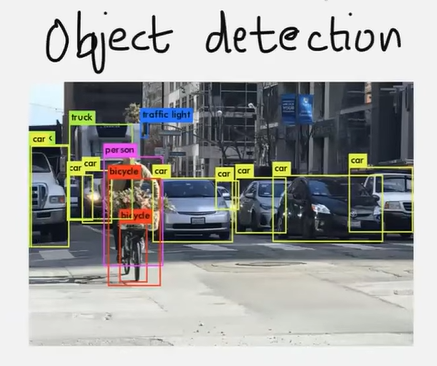
Object Detection in Practice
A real detector outputs a box, a class label, and a confidence score for every object it finds — often dozens of boxes per frame.
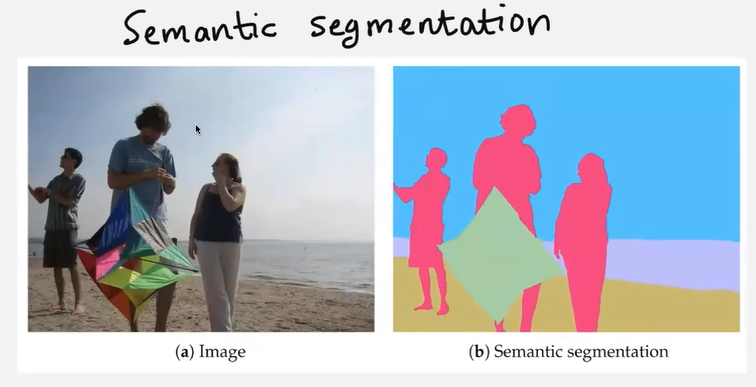
Semantic Segmentation
Instead of one label per image or one box per object, segmentation assigns a category to every pixel — the output is itself an image.
Object Tracking and Counting
Tracking: identity across frames
Counting: instances over time
Tracking keeps a consistent ID for each object across frames; counting turns that into a running tally.
Pose Estimation
Pose estimation locates a fixed set of keypoints — joints — and connects them into a skeleton, describing the arrangement of an object's parts rather than its outline.
Computer Vision Applications, by Domain
Healthcare & Medical — imaging analysis, tumor detection, retinal screening
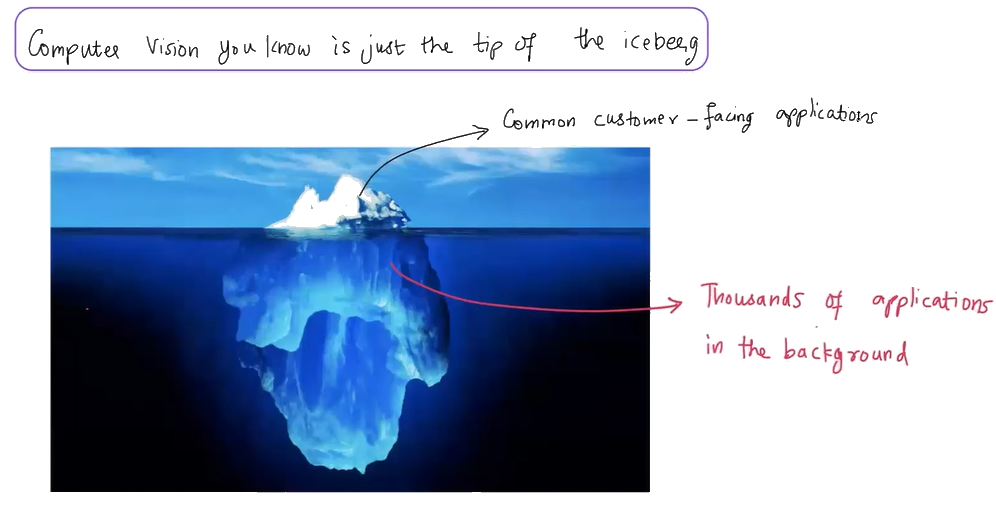
Computer Vision You Know Is Just the Tip of the Iceberg
Note
Underneath sits a much larger set of applications running quietly in the background — quality-control cameras on a factory line, satellite crop monitoring, medical-scan triage, and thousands more you never see running. Every one of them is built from the same six tasks you just learned.
Images in Python: Grayscale Arrays
For an \(N \times M\) grayscale image im:
im[0, 0] # top-left pixel valueim[y, x] # y rows down, x columns rightim[N-1, M-1] # bottom-right pixel value
Important
In NumPy, image indexing is usually row first, column second: im[y, x], not im[x, y].
Grayscale Intensity
A grayscale image is a matrix that stores one intensity value per pixel.
Color Images
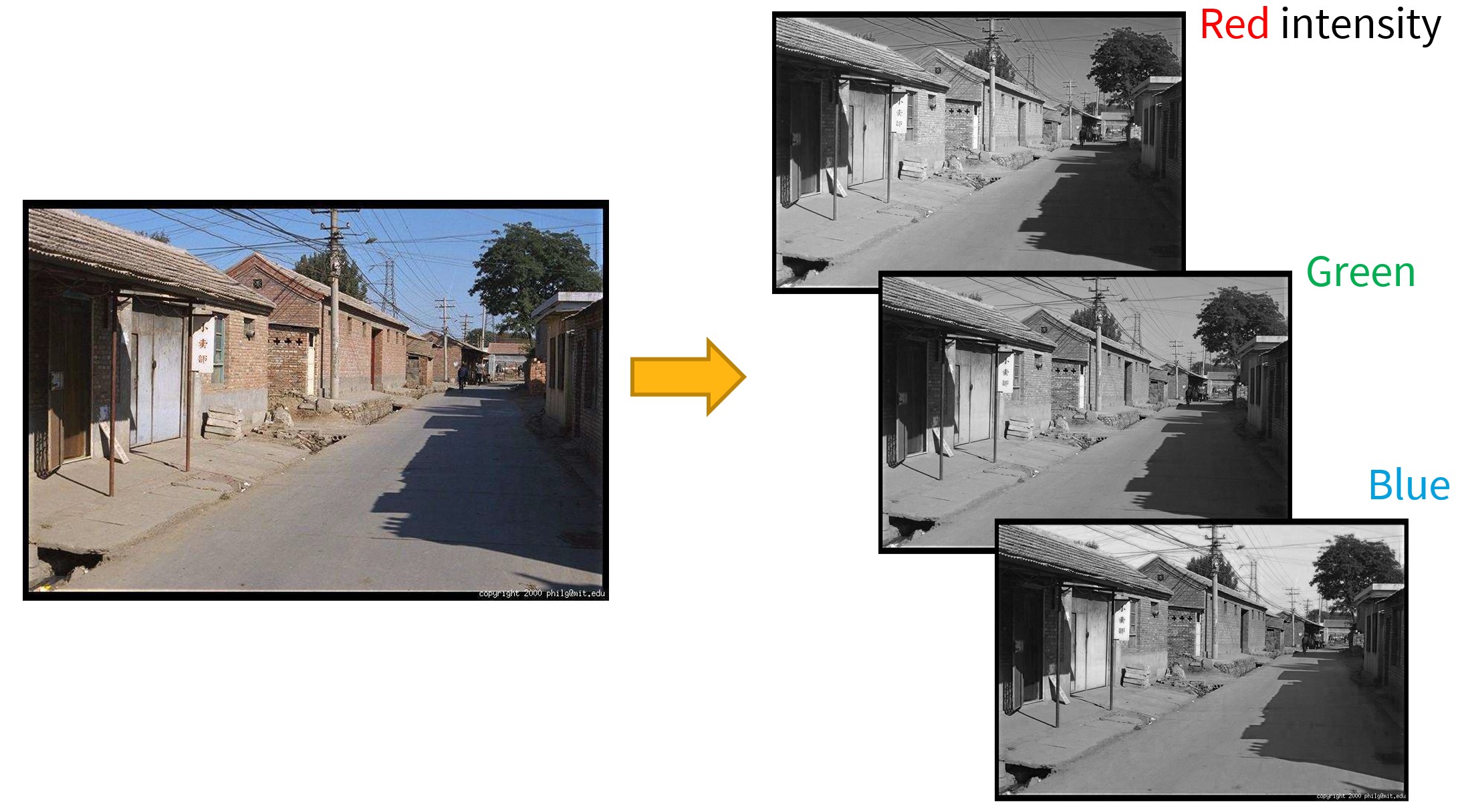
A color image stores multiple intensity values per pixel.
For RGB images, each pixel has three channels:
Red intensity
Green intensity
Blue intensity
image shape: height × width × 3
Note
Different libraries may use different channel order conventions. OpenCV commonly uses BGR; Matplotlib commonly expects RGB.
Images in Python: Color Arrays
For an \(N \times M\) color image im with three channels:
im[0, 0, 0] # top-left pixel, first channelim[y, x, 1] # pixel at row y, column x, second channelim[N-1, M-1, 2] # bottom-right pixel, third channel
Typical shape:
im.shape # (height, width, channels)
For an RGB image:
channel 0 = redchannel 1 = greenchannel 2 = blue
For OpenCV-loaded images:
channel 0 = bluechannel 1 = greenchannel 2 = red
Predict First: What Does This Print?
A file red_square.png is a 640 × 480 image of a pure red square. Before you run it, predict the output:
The answer is option 3: (480, 640, 3) then [0 0 255].
Important
Rows before columns. NumPy indexes an image as im[y, x] — height first. A 640-wide, 480-tall image has shape (480, 640, 3), not (640, 480, 3). Every “my output is rotated” bug starts here.
OpenCV is BGR, not RGB. Pure red is stored as [0, 0, 255]. Hand a BGR array straight to Matplotlib and your red car turns blue.
Most cohorts split between options 2 and 3 — each gets one trap but not both.
Images in Python: Data Types
Take care of image data types.
# uint8 image: values 0 to 255im = cv2.imread("file.jpg")# convert to float32, still values 0 to 255im_float = im.astype(np.float32)# normalize to 0 to 1im_norm = im.astype(np.float32) /255.0
Important
Many image-processing bugs come from mixing uint8, float32, and different value ranges.
Random Images in Python
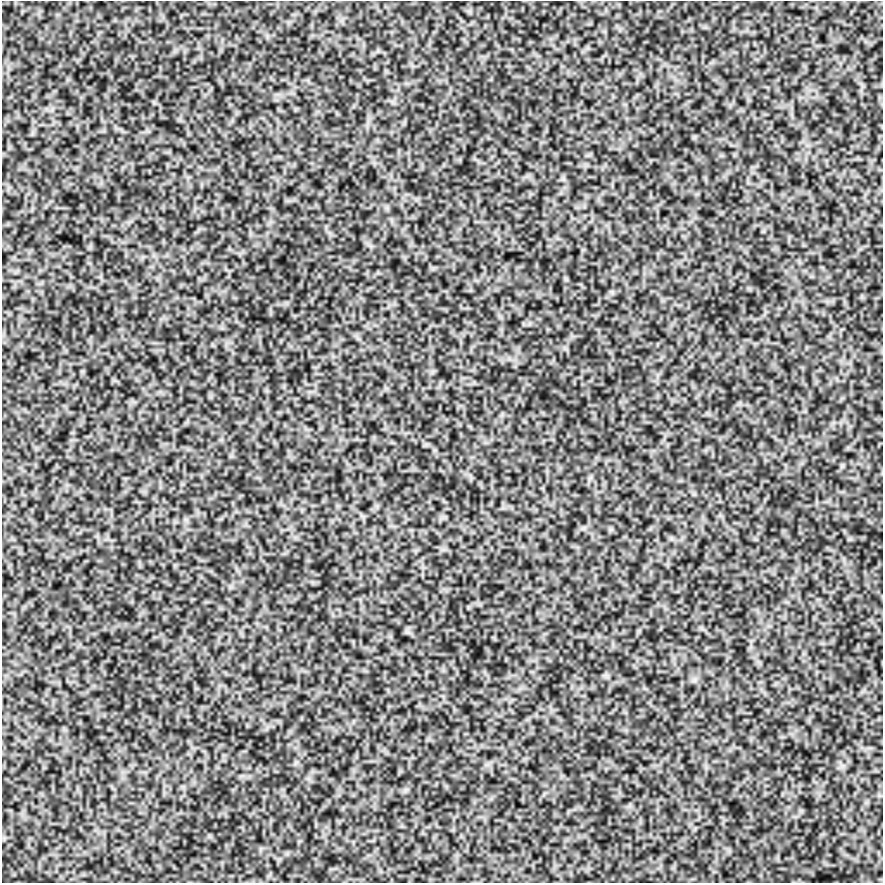
from numpy import random as rI = r.rand(256, 256)
r.rand(256, 256) creates a 256 by 256 array of random floating-point values in the range \([0,1)\).
Questions:
What is I?
What does it look like?
Which values does it contain?
How many values are there?
Displaying an Image in Python
from matplotlib import pyplot as pltfrom numpy import random as rI = r.rand(256, 256)plt.imshow(I, cmap="gray")plt.axis("off")plt.show()
Is this an image?
Coding in This Course
We will use:
Python for programming
Conda for managing the course environment
NumPy for numerical arrays
OpenCV for image processing and computer vision
PyTorch for deep learning topics
VS Code for editing, debugging, and notebooks
Important
Do not use GenAI to solve homework for you. If you copy-paste code without understanding it, you will not learn how to code.
Be kind and supportive: students come from different backgrounds and have different levels of Python experience.
If imread is given a bad path, it does not raise an error — it quietly returns None, and the next line crashes somewhere else entirely. Always check the return value before using it.
In only a few lines, we used several ideas that will appear throughout the course:
An image is represented as a NumPy array
Image dimensions are described by .shape
Pixel values have a data type such as uint8
OpenCV can load, save, transform, and analyze images
Color-channel conventions matter: BGR vs. RGB
Computer vision pipelines are often sequences of simple operations
image ↓load ↓represent as an array ↓transform / analyze ↓display or use the result
How Do Filters Work?
cv2.Canny looked like a black box above. Under the hood it — like almost every classical image-processing operation — relies on convolution.
A filter (or kernel) is a small grid of numbers, usually \(3\times3\).
The kernel slides over the image. At every position, multiply each kernel weight by the pixel underneath it, then sum the nine products into a single output pixel.
Repeating this at every position produces the entire output image.
Predict First: What Does This Filter Do?
Slide this kernel over the black-and-white input image above. Where do you expect it to produce a large, non-zero output — and where should it produce exactly 0?
Reveal: The Filtered Output
Note
Weights that sum to zero make a filter respond to change (an edge), not to absolute brightness — a flat, uniform patch always produces 0. That is why the whole output is black except a single bright seam exactly at the boundary.
Worksheet: Do One Convolution by Hand
You will never have to do this again by hand — but after this, filter2D will never be a black box.
Input patch (grayscale)
10
10
10
90
90
10
10
10
90
90
10
10
10
90
90
10
10
10
90
90
10
10
10
90
90
Kernel (Sobel-x)
−1
0
+1
−2
0
+2
−1
0
+1
Multiply each kernel cell by the pixel underneath it, then add all nine up. Three \(3\times3\) windows fit across this patch — compute the top row only, positions 1, 2, and 3.
Position 1, worked for you: 0. Your output row — fill in positions 2 and 3.
Then Answer
Why is position 1 zero when the pixels are clearly not zero?
Which position gives the biggest number, and what is physically there?
You get 160 and −160 at two places. Stored as uint8, what happens to −160?
Rotate the kernel 90°. What does it detect now?
Different Kernels, Different Edges
Outline detection
Left-edge detection (Sobel)
Top-edge detection (Prewitt)
Same operation, same 3×3 size — only the numbers change what the filter is sensitive to.
The Laplace Edge Detector
Kernel 1 [0,−1,0; −1,4,−1; 0,−1,0] only looks at the four direct neighbours.
Kernel 2 [−1,−1,−1; −1,8,−1; −1,−1,−1] also looks at the four diagonal neighbours, so it reacts more strongly.
Explore Filters Interactively
To build intuition beyond these static examples, try changing kernel values yourself and watch the output update live:
 Blue Marble, NASA / Apollo 17
 Scene / object
 Light as a signal
 Camera / sensor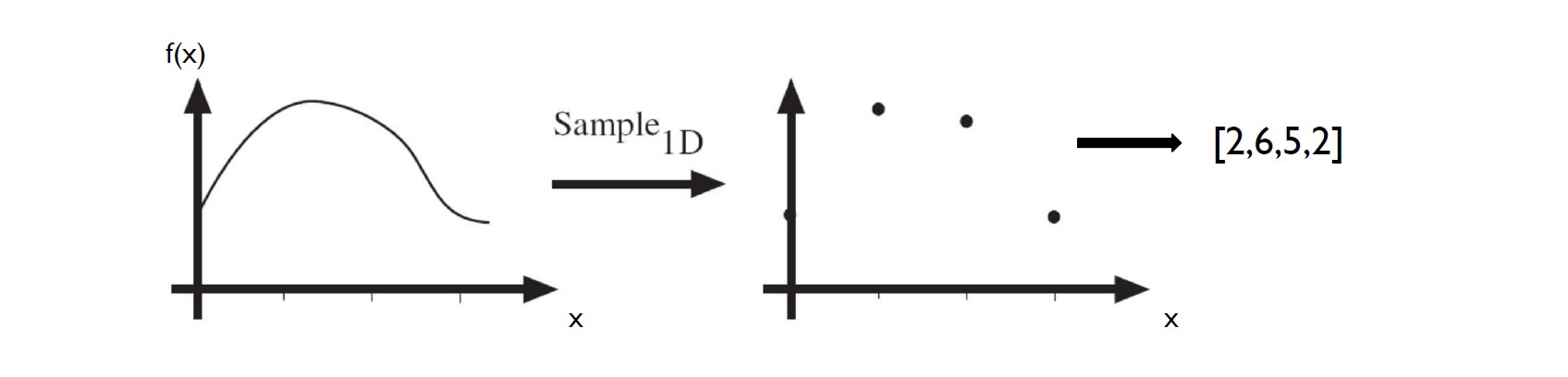
 World / scene
 Scene / image plane
 CMOS / CCD sensor
 Camera / sensor hardware
 CMOS sensor array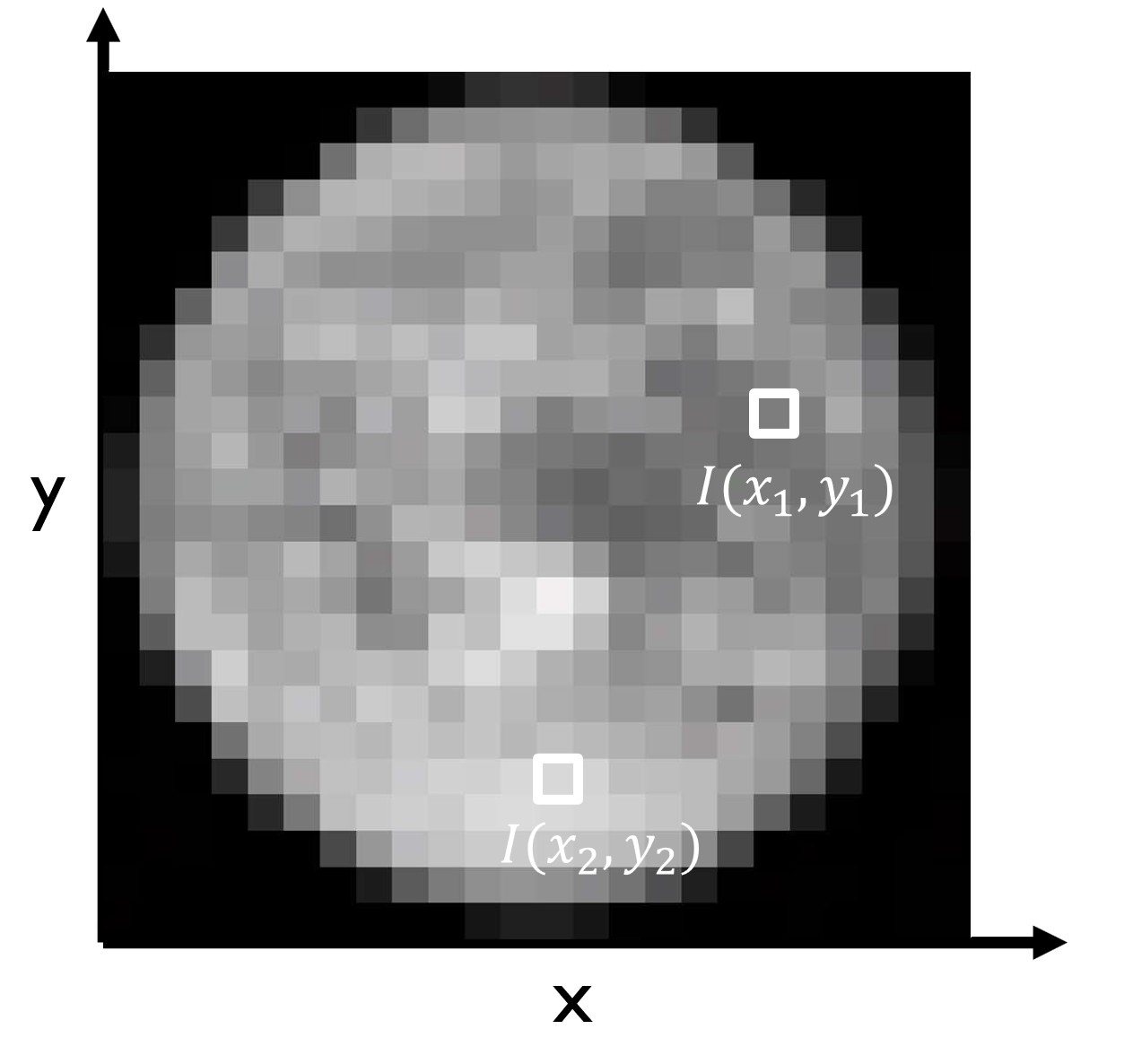
 Low geometric resolution
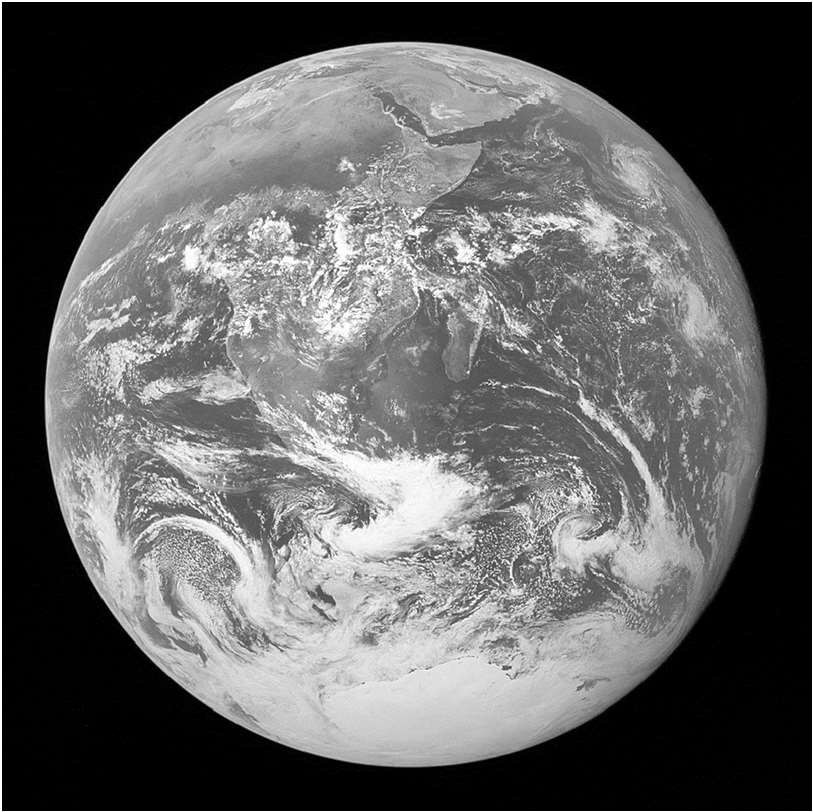 High geometric resolution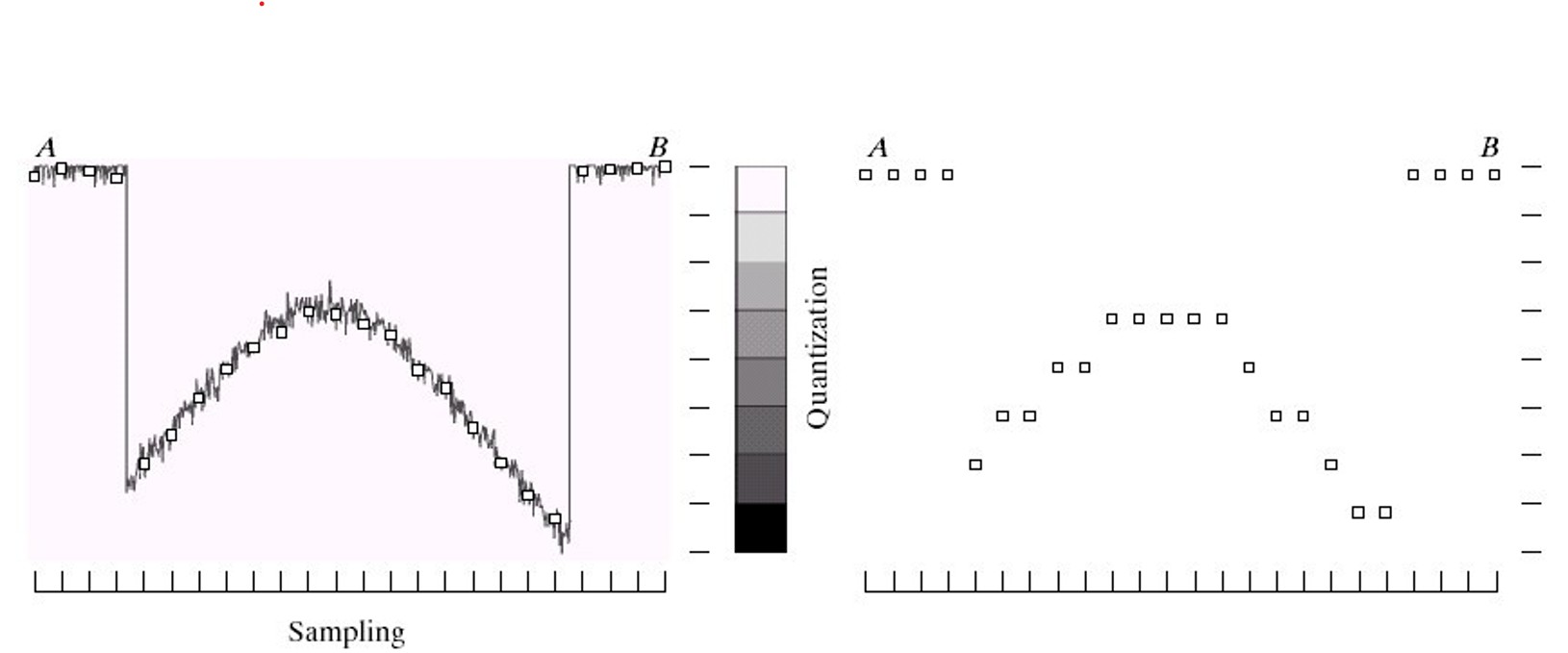
 Is this an image?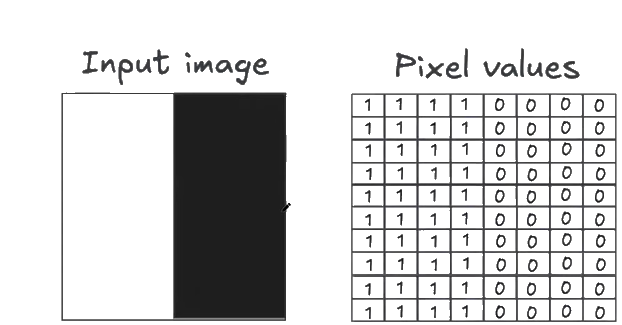


![The same shapes after a Sobel kernel [-1 0 1; -2 0 2; -1 0 1]; only their left-facing edges survive.](assets/02_image/lec2_pptx_filter_sobel_left.png)
![The same shapes after a Prewitt kernel [-1 -1 -1; 0 0 0; 1 1 1]; only their top-facing edges survive.](assets/02_image/lec2_pptx_filter_prewitt_top.png)

