From pixels to the real world: camera models, lens distortion, calibration & perspective transforms
Pinhole, wide-angle, fisheye, stereo & Raspberry Pi cameras · hands-on with OpenCV · Lab 6
Dr. Muhammad Kazim
Department of Intelligent Systems University of Lahore
Where we are
From lane pixels to real-world measurements
Lecture 5 · you can already
Select lane paint by colour and region
Find edges with Canny, lines with Hough
Draw two straight lane lines on video
…but everything is in pixels, and straight lines only.
Lecture 6 · today
How a camera turns 3-D points into pixels (pinhole model, K, [R | t])
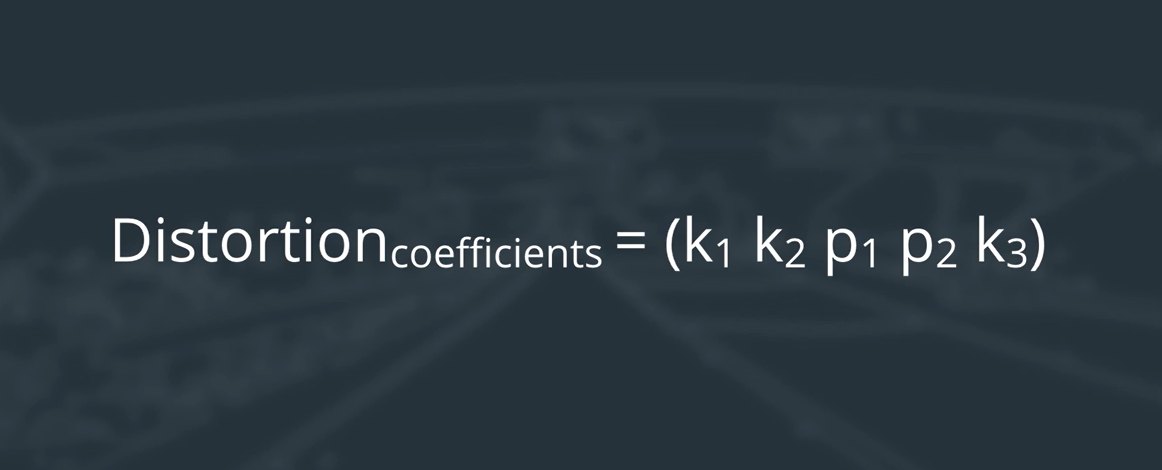
Why lenses distort and the 5 numbers that fix it
Calibrate any camera with a chessboard (Zhang's method)
Fisheye, ChArUco, stereo & Raspberry Pi cameras
Perspective transform → bird's-eye view → lane curvature in metres
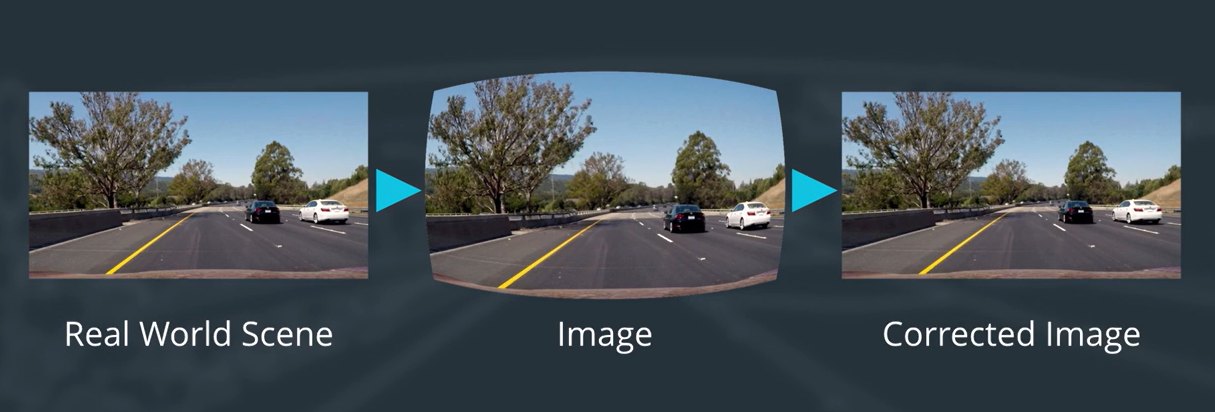
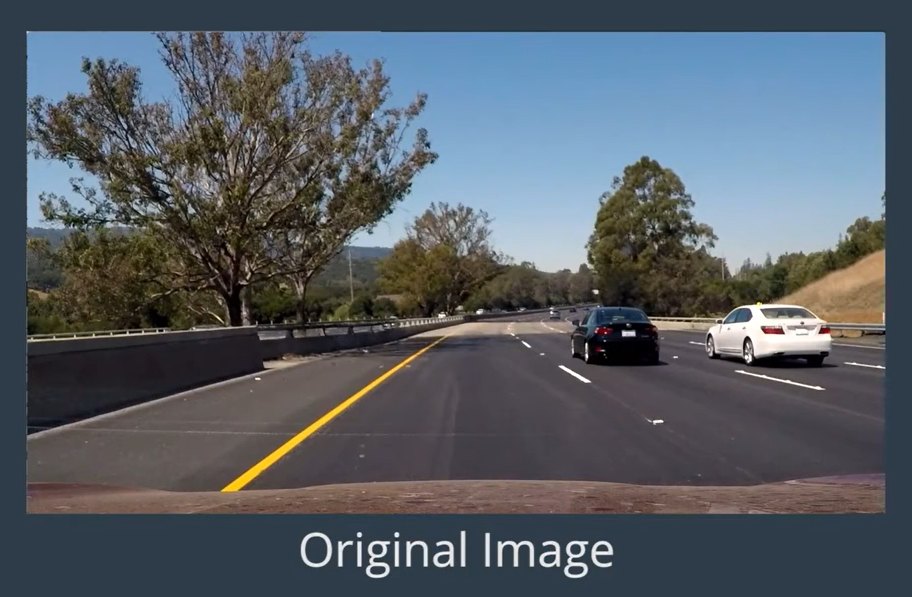
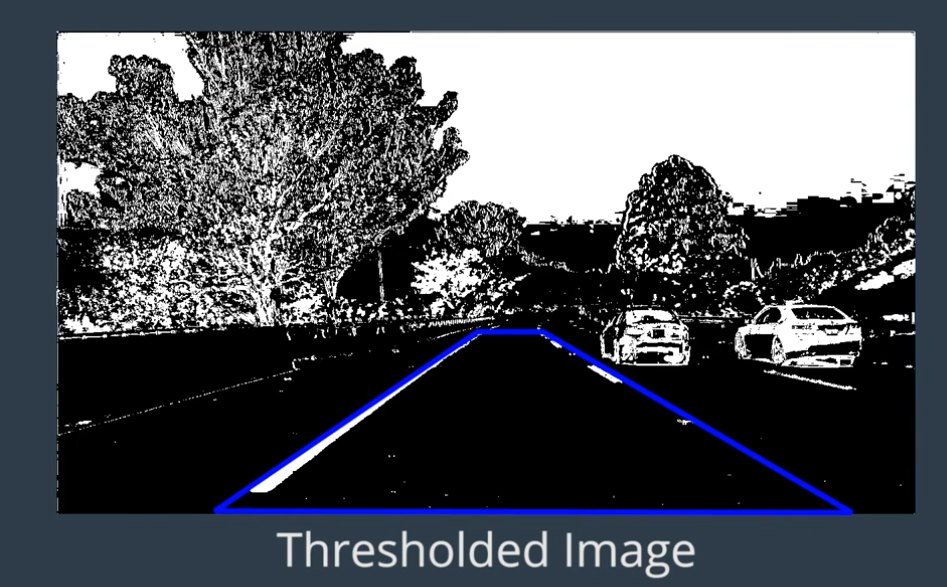
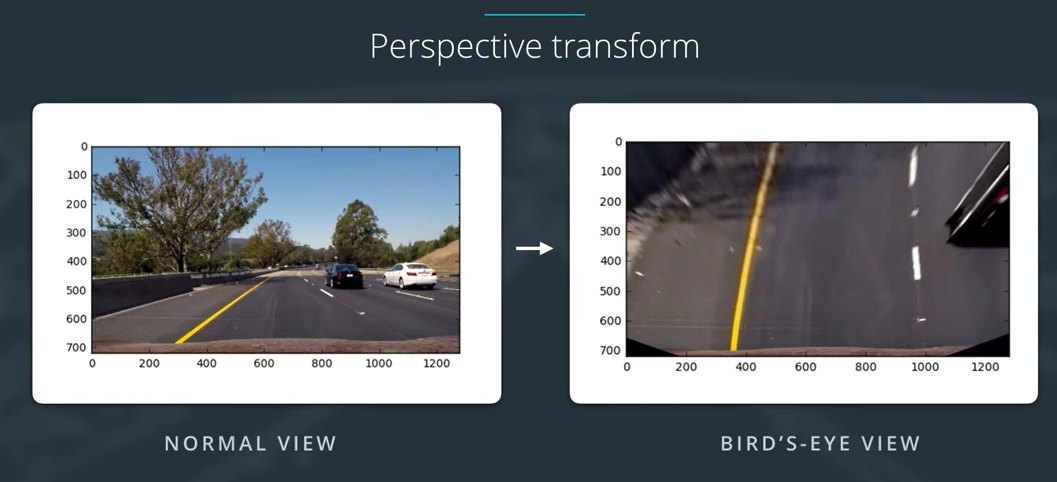
To steer, a car must measure how much its lane curves, which means looking at the road from above. That warp is only correct after we remove lens distortion (Udacity).
Learning outcomes
By the end of this lecture and Lab 6 you should be able to:
Write the pinhole projections·x = K [R | t] X and explain every intrinsic and extrinsic parameter.
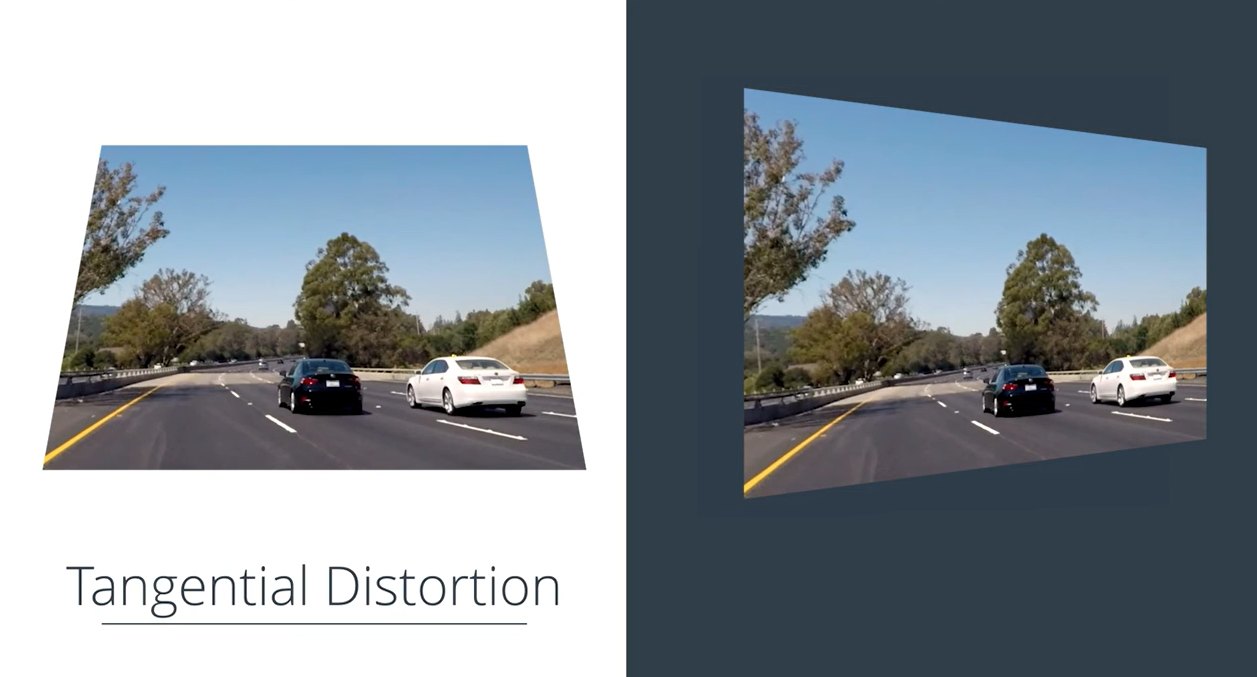
Describe radial and tangential distortion, the OpenCV coefficients (k1, k2, p1, p2, k3), and when you need the fisheye or omnidirectional model instead.
Compare camera types (standard, wide-angle, fisheye, 360°, stereo, RGB-D, rolling vs global shutter) and calibration targets (chessboard, circles, ChArUco).
Calibrate a camera with OpenCV: corners → object/image points → calibrateCamera → reprojection error.
Undistort images and video efficiently, and judge a calibration's quality.
Calibrate a stereo pair and rectify it; calibrate your own Raspberry Pi / USB camera.
Apply a perspective transform to get a bird's-eye view and measure lane curvature.
For the teacher and the student
How this lecture works: 8 levels, basics → advanced
Level
Topic
Time
Hands-on
0
Pictures, pixels, lenses, coordinates
10 min
pixel explorer, phone camera
1
Why calibrate?
5 min
quiz
2
Pinhole model, K and [R | t]
15 min
pinhole demo, K calculator · Lab 6A
3
Lens distortion
10 min
distortion explorer · Lab 6A
4
The calibration recipe in OpenCV
20 min
count corners, coverage demo · 6B, 6C
5
LIVE: calibrate the webcam
20 min
Webcam Calibration Studio · 6H
6
Use it: undistort, bird's-eye, measure
15 min
warp demo · 6D
7
Advanced: camera types, fisheye, ChArUco, stereo, Pi, Zhang
pick
6E, 6G, 6I–6M
Teacher checklist
Print pattern.png at 100 %, glue on card, measure a square
Laptop webcam + Chrome/Edge; open the studio once before class
Press S for speaker notes (teaching tips on many slides)
Backup: offline webcam_calibration_studio.py or the studio's demo images
Students: every level ends with a quiz or "Remember" slide; 🖐 boxes are things to try yourself; ▶ buttons open the matching Colab notebook.
Roadmap: from the very basics to the advanced
0 · Basicspixels, lenses
→
1 · Why?distortion matters
→
2 · PinholeK and [R | t]
→
3 · Distortionk1, k2, p1, p2, k3
→
4 · Calibratethe recipe
→
5 · LIVEyour webcam
→
6 · Use itundistort, warp, measure
→
7 · Advancedfisheye, stereo, Pi…
The whole lecture in one picture: real world → (lens) → distorted image → (calibration) → corrected image (Udacity).
The big picture first
Camera calibration in one minute
♟️
1 · Show a known shape
Hold a printed chessboard in front of the camera. We know exactly where every corner is on the paper.
📷
2 · See where it lands
Find the corners in the picture. Because of the lens and the viewpoint they are not where a perfect camera would put them.
🧮
3 · Solve for the numbers
Find the few numbers (focal length, image centre, lens distortion) that explain the difference. Do it once, use it forever.
Analogy: an eye doctor shows you a chart whose letters she knows, sees how you read it, and writes your prescription. The chessboard is the chart, the camera is the eye, and K + dist is the camera's prescription. Afterwards we "put the glasses on": every image is corrected, and pixels can be turned into millimetres.
Key words in plain English
Word
Means
Everyday picture
Intrinsics, K
numbers inside the camera: focal length fx, fy and image centre cx, cy (in pixels)
the camera's ID card
Extrinsics, [R | t]
where the camera is (t) and where it looks (R)
your GPS position + which way you face
Distortion, dist
how much the lens bends lines near the edges: k1, k2, k3 (radial), p1, p2 (tangential)
looking through a peephole or a glass of water
Object points
where the board corners really are (mm, Z = 0)
the answer sheet
Image points
where the corners appear in the photo (pixels)
the student's answers
Reprojection error
distance between where the model predicts a corner and where it was found
how far a dart lands from the bullseye
Undistort
re-draw the image as a perfect pinhole camera would have taken it
putting the glasses on
Homography / perspective transform
a 3 × 3 recipe that re-draws a flat thing as seen from another angle
photographing a poster straight-on
0
The very basics
Level 0 · pictures, pixels, lenses and three kinds of coordinates
Level 0 · step 1
A digital picture is a grid of numbers
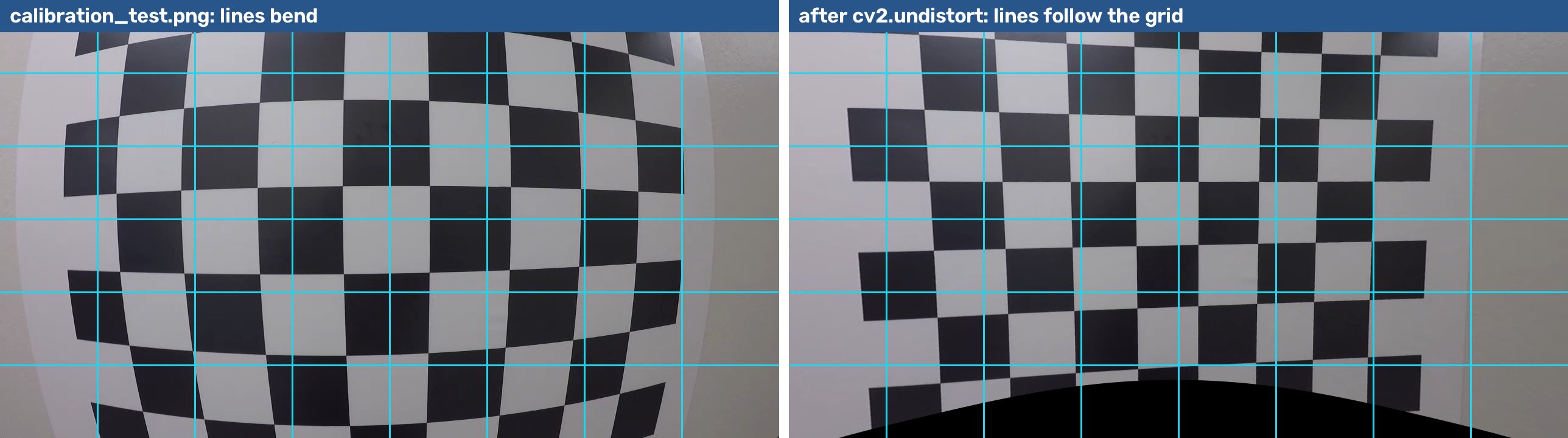
Move the mouse over the picture (it is calibration_test.png, 1280 × 720 pixels).
pixel position (u, v) = (–, –)
brightness = – (0 = black, 255 = white)
u counts columns from the left, v counts rows from the top.
(0, 0) is the top-left corner. v grows downwards (not like maths class!).
OpenCV writes the size as (width, height); NumPy as img.shape = (height, width).
Level 0 · step 2
Pixels are not millimetres
A camera only gives pixels. How many pixels an object covers depends on
how big it is (mm),
how far it is (distance), and
the camera itself: its zoom (focal length) and lens.
Calibration measures item 3, the camera's own numbers. Then pixels can be turned into millimetres, angles and distances.
🖐 Try it: hold your phone at arm's length, then at half the distance. How much bigger does it look on the webcam? (About 2 ×: size ∝ 1 / distance.)
Level 0 · step 3
What does a lens do?
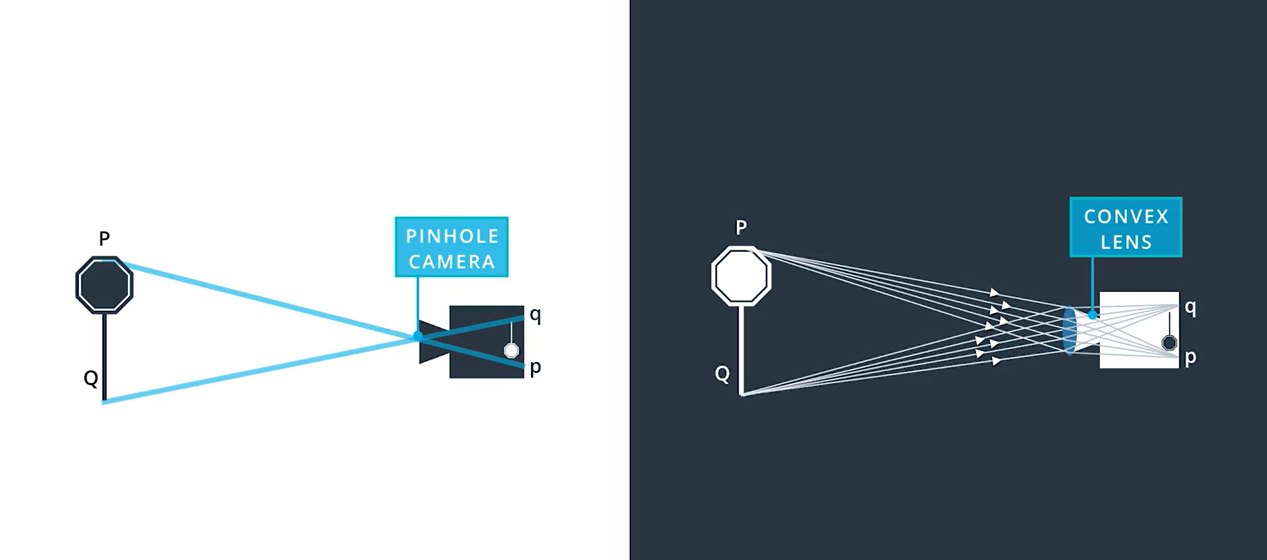
A lens bends light so that all rays from one point meet again at one point on the sensor, like a magnifying glass focusing sunlight to a spot.
It lets in much more light than a tiny hole, so pictures are bright and sharp.
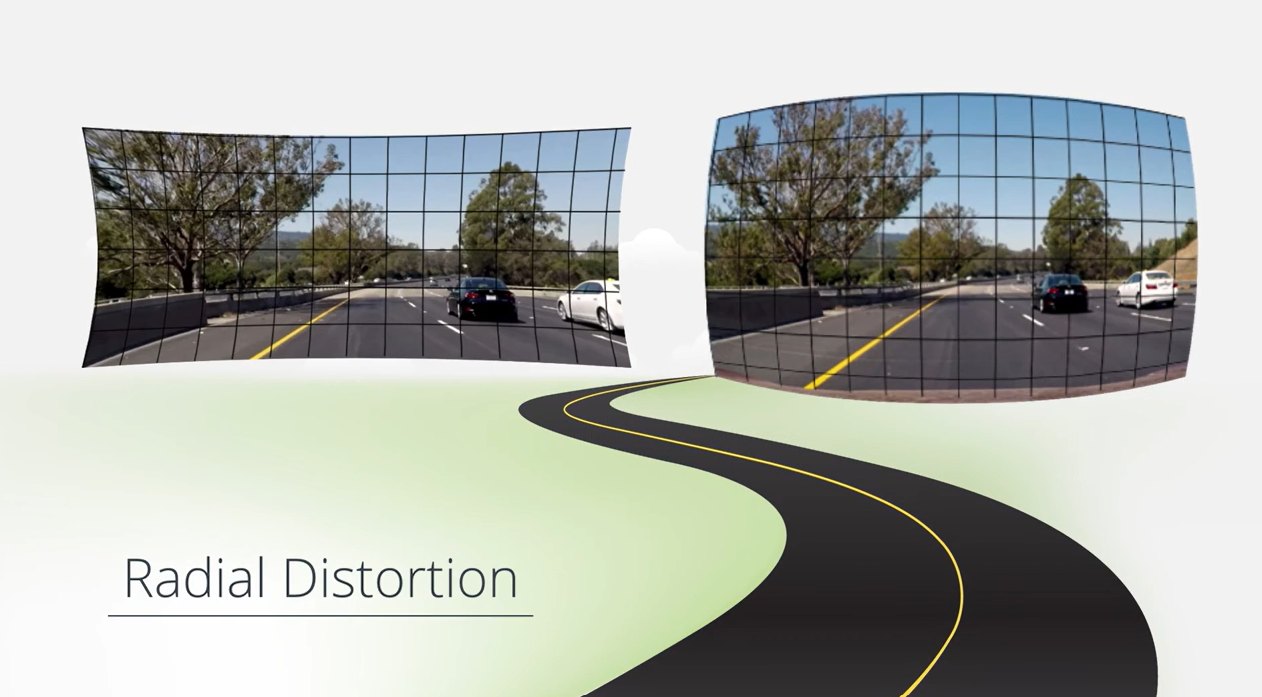
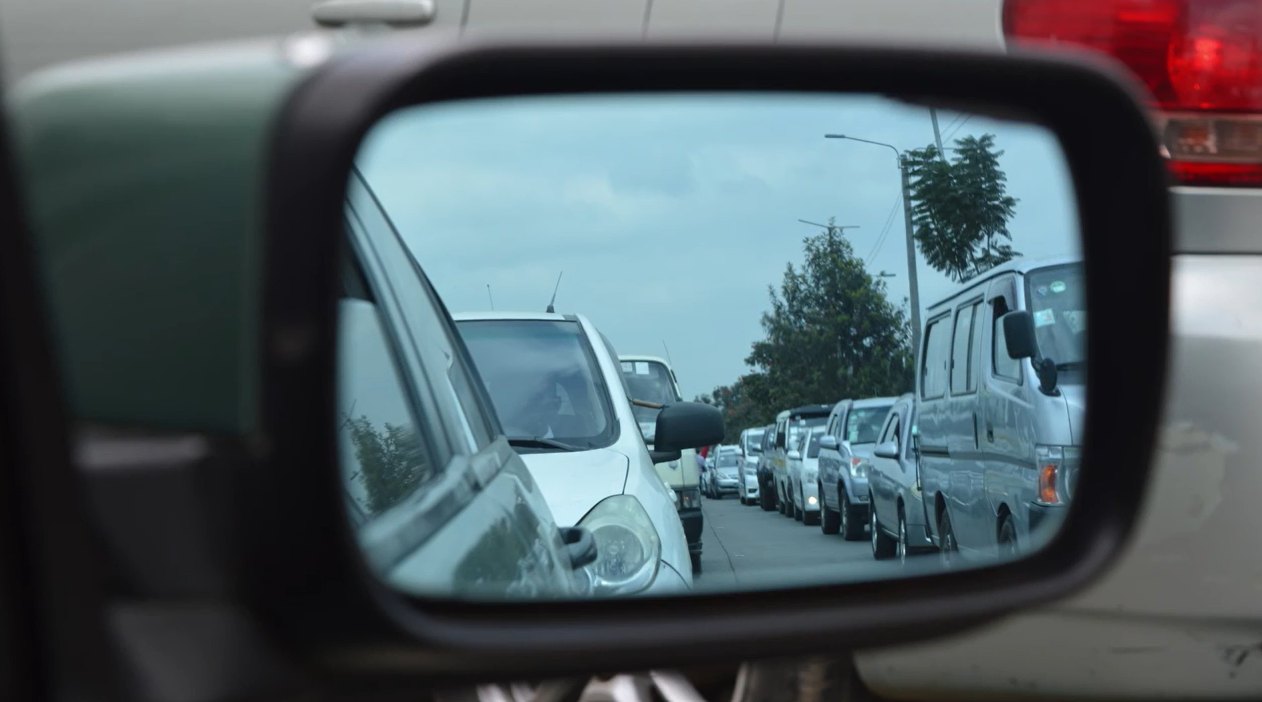
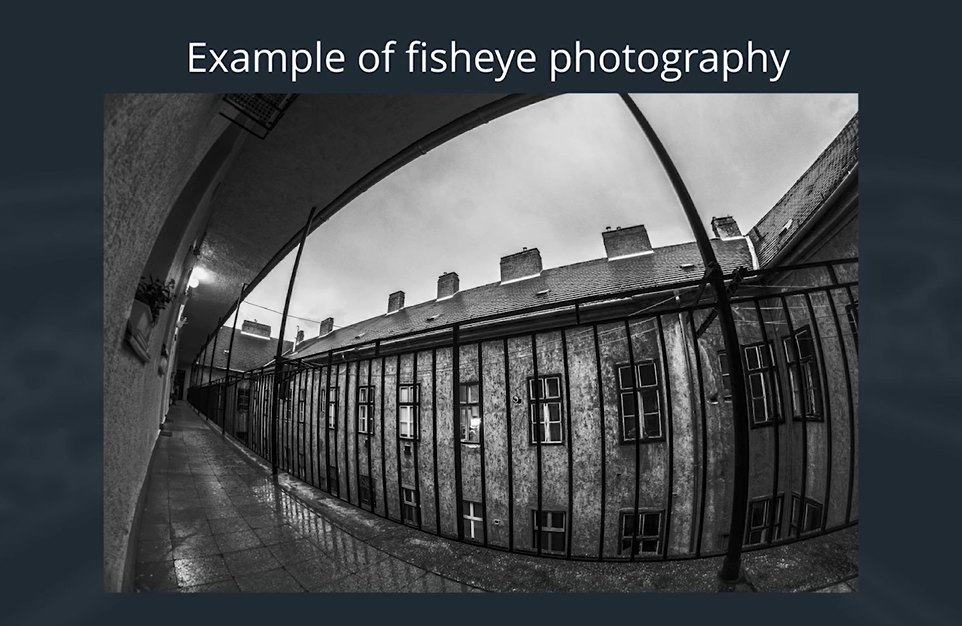
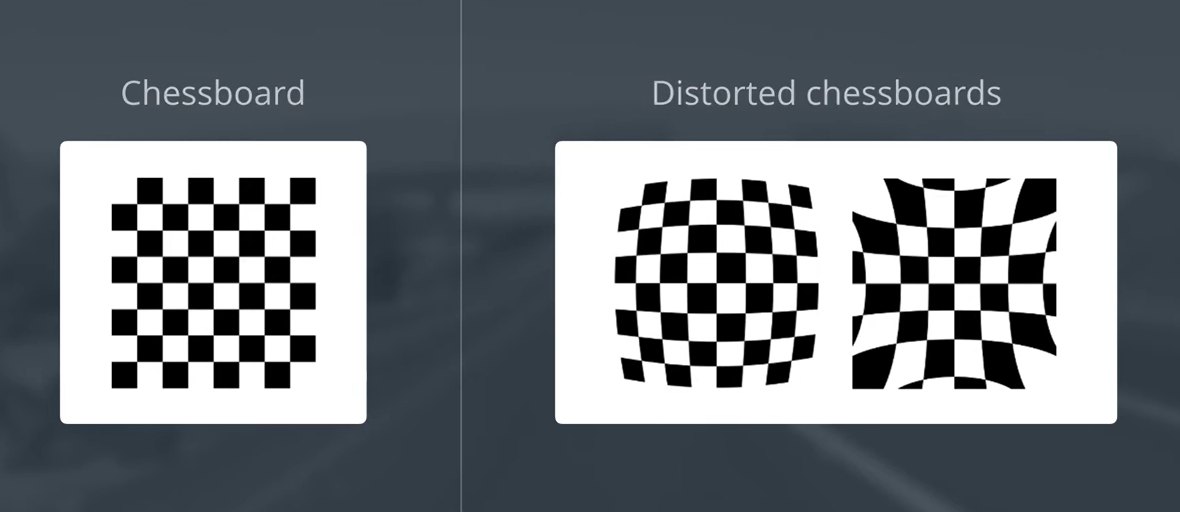
But real lenses bend the rays near their edges a little too much or too little, so straight lines look curved, most of all near the corners of the picture.
Wide lenses (phones' "0.5 ×", GoPro, dash-cams, many webcams) bend the most.
🖐 Try it: open your phone camera, switch to the ultra-wide (0.5 ×) lens and point it at a door frame. Put the frame near the edge of the picture: does it bend?
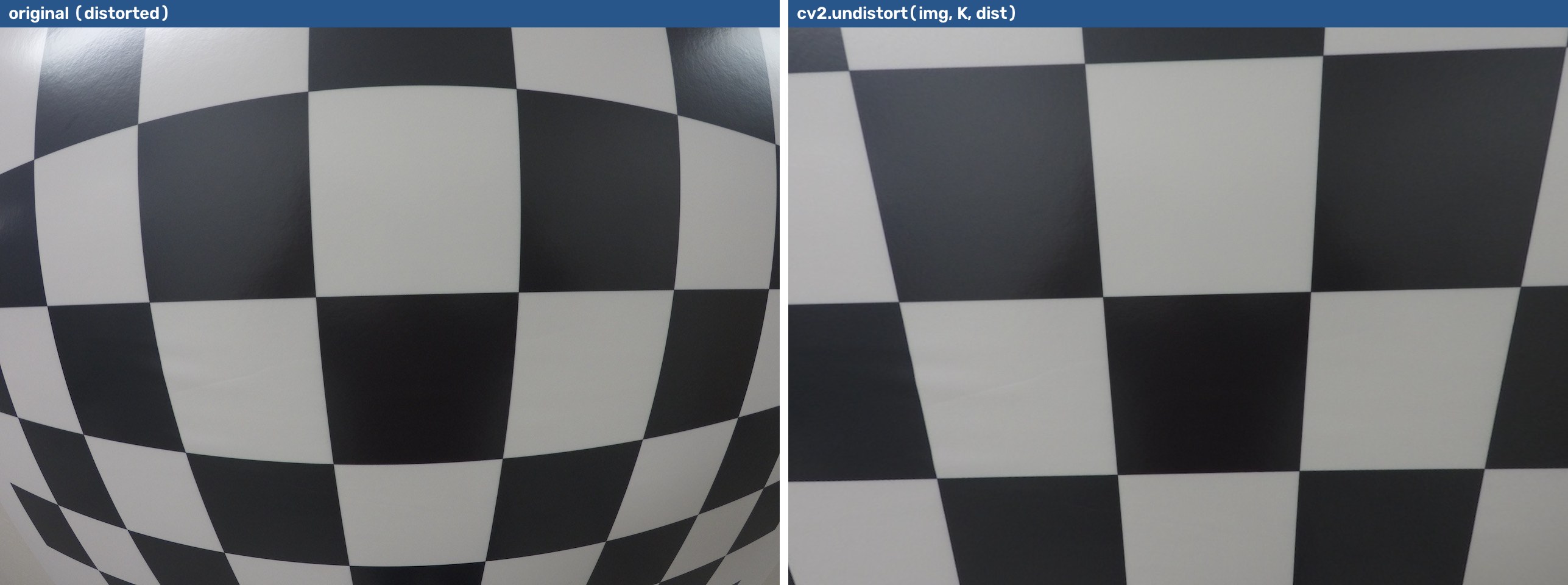
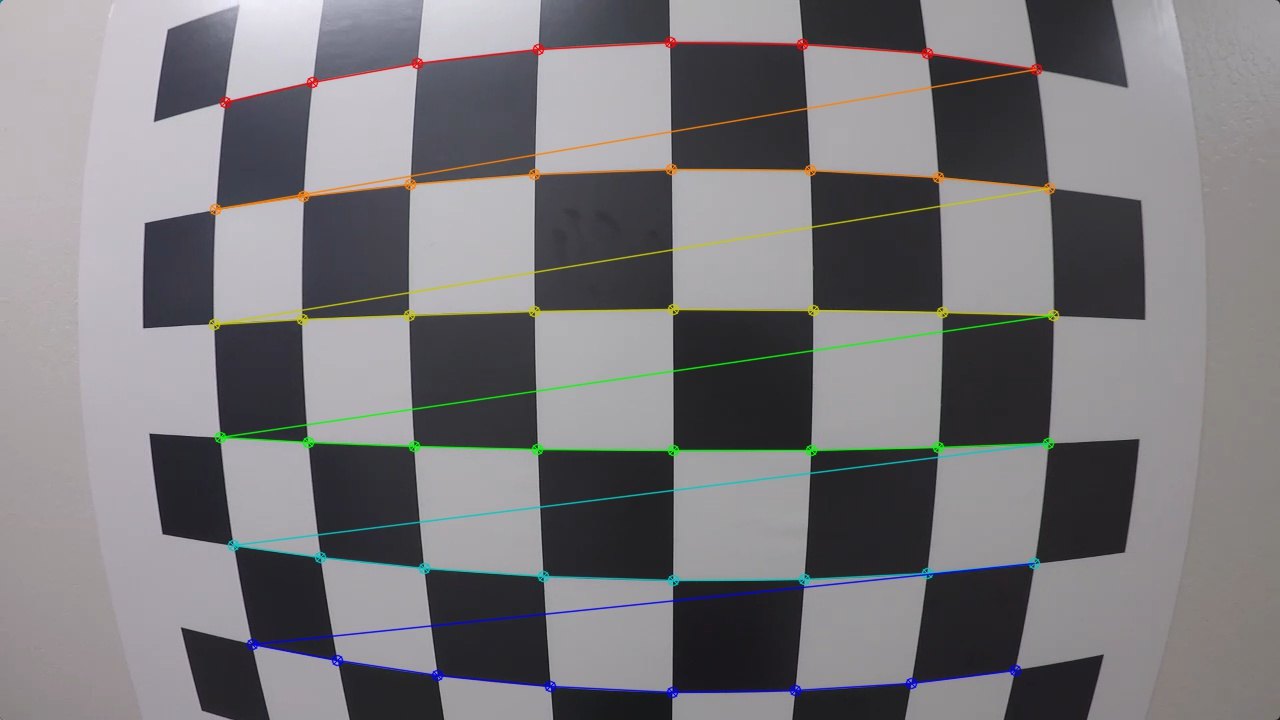
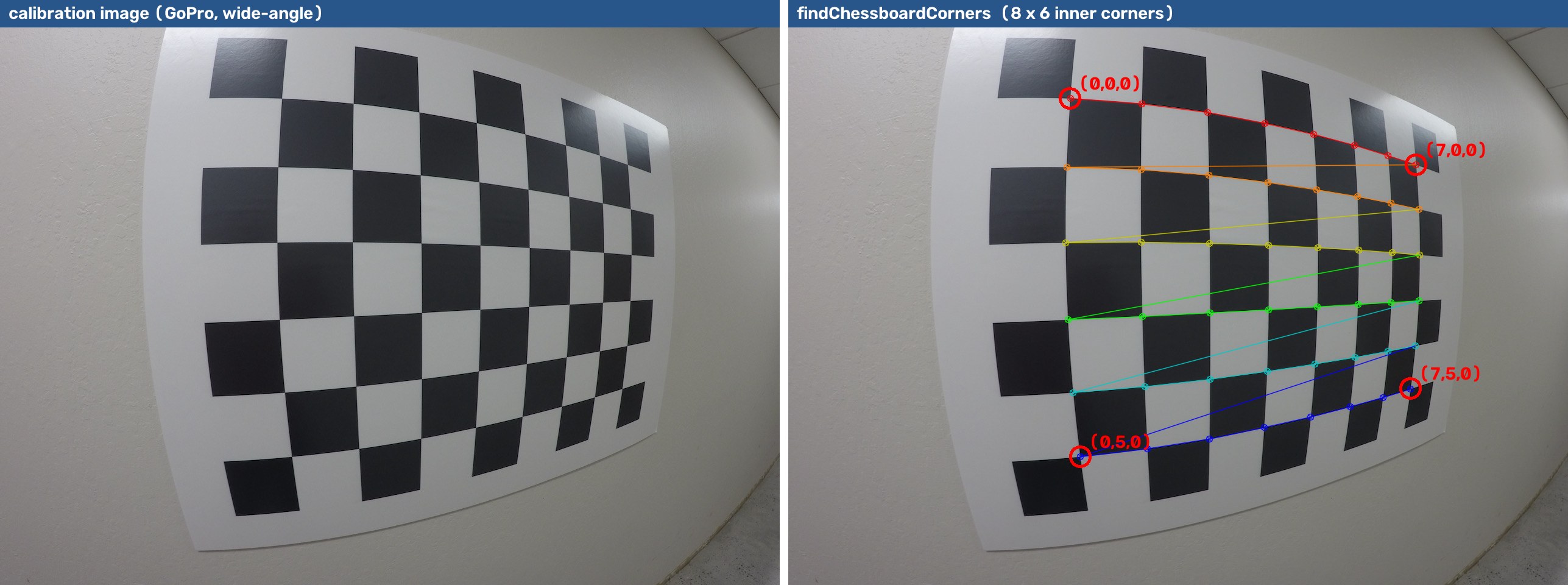
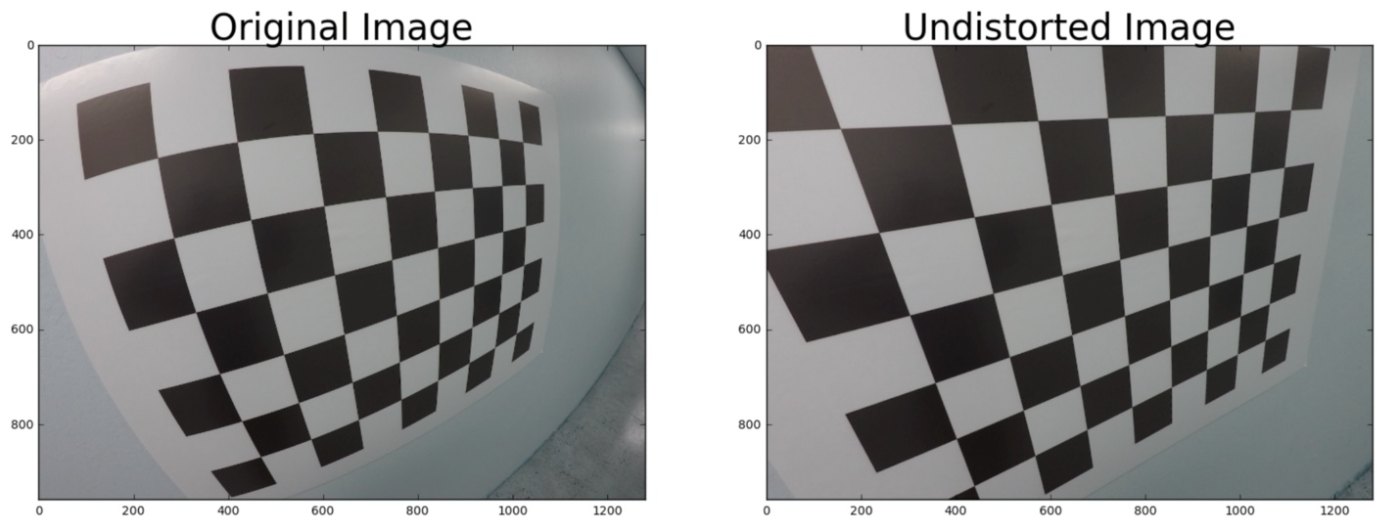
A flat chessboard through a wide-angle GoPro lens: the straight rows look curved.
Level 0 · step 4
A point lives in three "addresses"
In plain words: calibration finds the arrows. K + dist (the camera's own numbers) are found once; R, t change every time the camera or the object moves.
Level 0 check: three quick questions
Answer out loud, then click
An image is 640 × 480. What are the (u, v) coordinates of its centre? Of the bottom-right pixel?
A box covers 100 px at 2 m. Roughly how many pixels at 4 m, with the same camera?
Which numbers never change for a camera (if you don't touch the lens or resolution): K and dist, or R and t?
1. Centre (320, 240); bottom-right (639, 479), because counting starts at 0.
2. About 50 px: twice as far → half as big.
3.K and dist (the camera itself). R and t describe where the camera is, so they change whenever it moves.
1
Why calibrate a camera?
Level 1 · Why do cameras need calibrating?
Image distortion: 3-D world → imperfect 2-D image
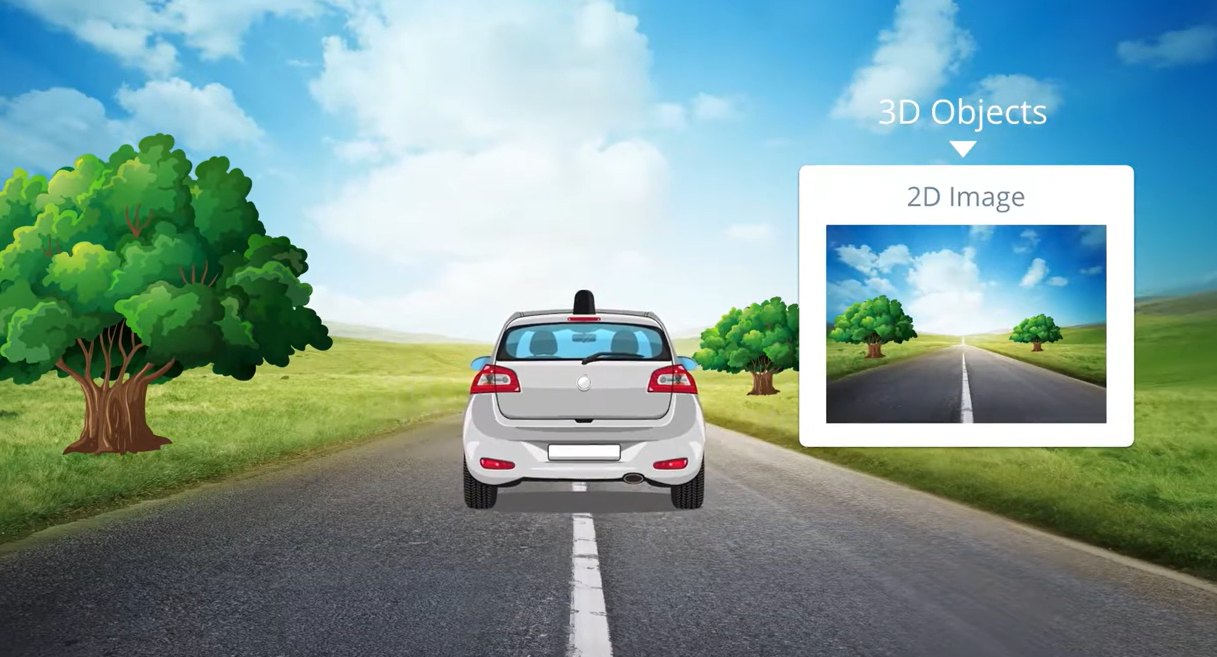
When a camera looks at 3-D objects and turns them into a 2-D image, the transformation is not perfect.
Distortion changes the apparent shape and size of objects
It is strongest near the edges of the image
A distorted lane gives the wrong curvature → the wrong steering angle
So the first step of any measuring vision system is to undo the distortion.
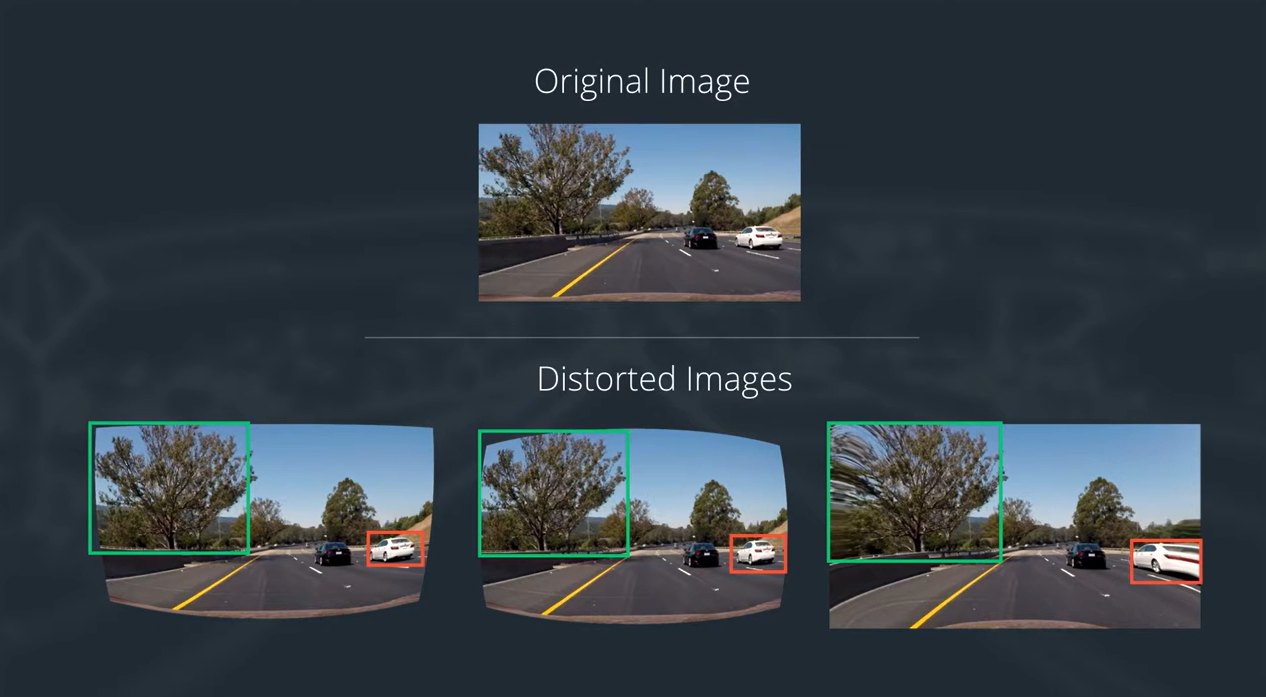
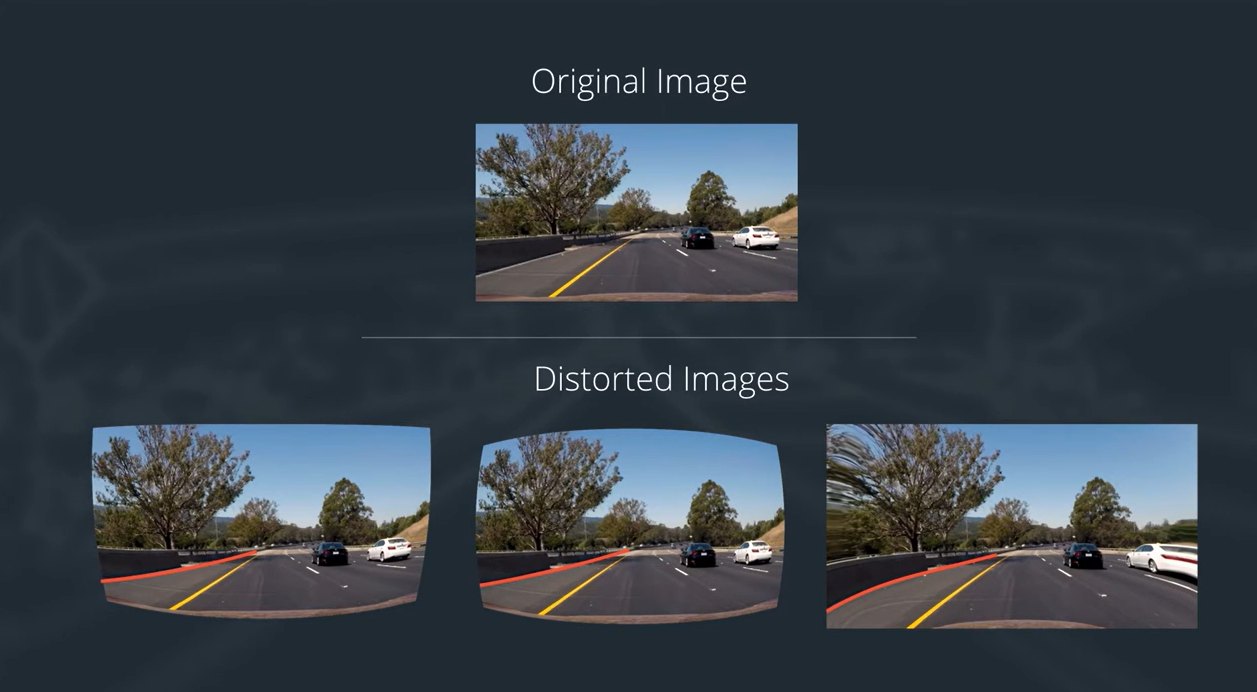
The same road through different lenses
The lane edges are bent, rounded or stretched outward. Distortion changes what the shape and size of objects appear to be, and a self-driving car must place itself in the world accurately.
Is it visible on a real dash-cam? new
A frame from the Udacity Advanced Lane Lines camera before and after undistortion (we calibrate this camera in Lab 6D). The difference image shows the correction is largest near the image border: exactly where the lane lines and nearby cars are.
K, distortion and the relative pose of the cameras
AR overlays, robot pick-and-place, ArUco pose (solvePnP)
K + distortion → pose of objects
Multi-sensor fusion (camera + LiDAR / IMU)
intrinsics + extrinsic calibration between sensors
2
The pinhole camera model
Level 2 · How 3-D points become pixels
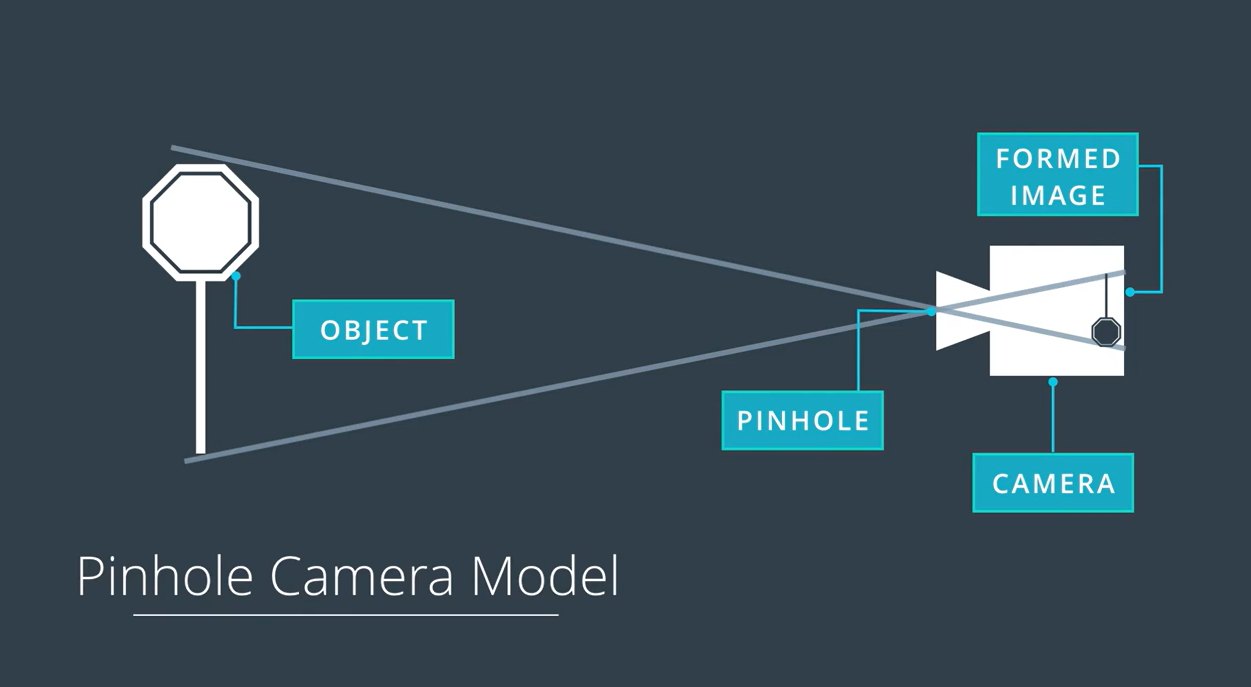
The pinhole camera
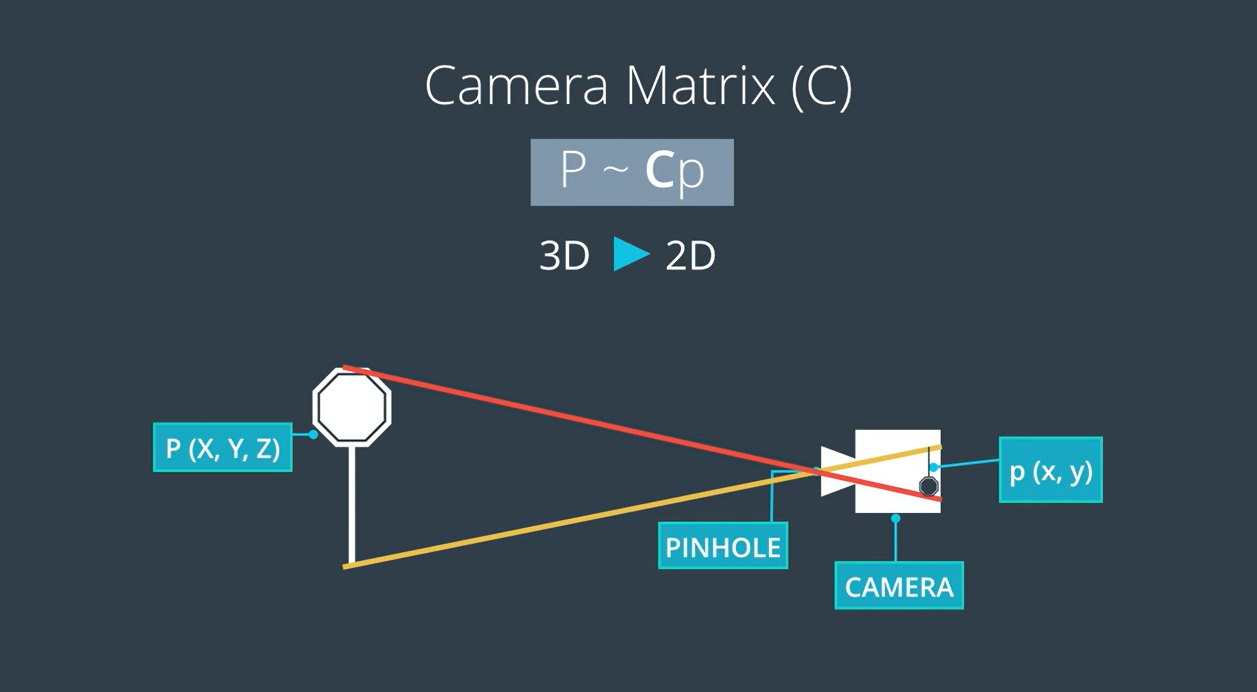
Light reflected from an object passes through a tiny hole and forms an image on the back plane (film / sensor).
The image is upside-down and mirrored: rays from the top of the object continue through the pinhole to the bottom of the image.
The pinhole camera is the earliest means of projecting images: the camera obscura was described in China around 2,500 years ago.
A pinhole has no lens, so it has no distortion; it just lets in very little light.
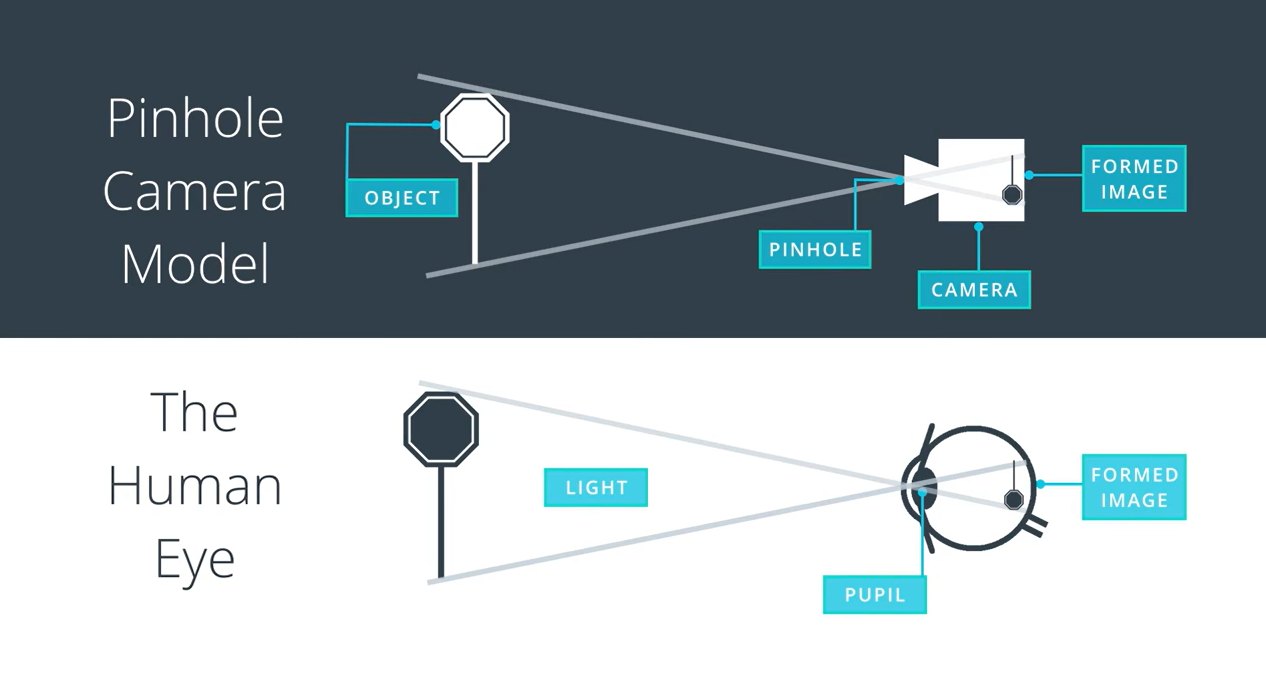
The camera and the human eye
The eye works the same way: the pupil is the pinhole and the retina is the image plane, and the image on it is upside-down too. The brain flips it.
Quiz
What is the fundamental difference between images formed with a pinhole camera and those formed using lenses?
Pinhole images are always flipped, lens images upright
Pinhole images are black and white
Pinhole images are free from distortion; lenses tend to introduce distortion
They are exactly the same
Free from distortion. Lenses gather more light but bend rays at their edges.
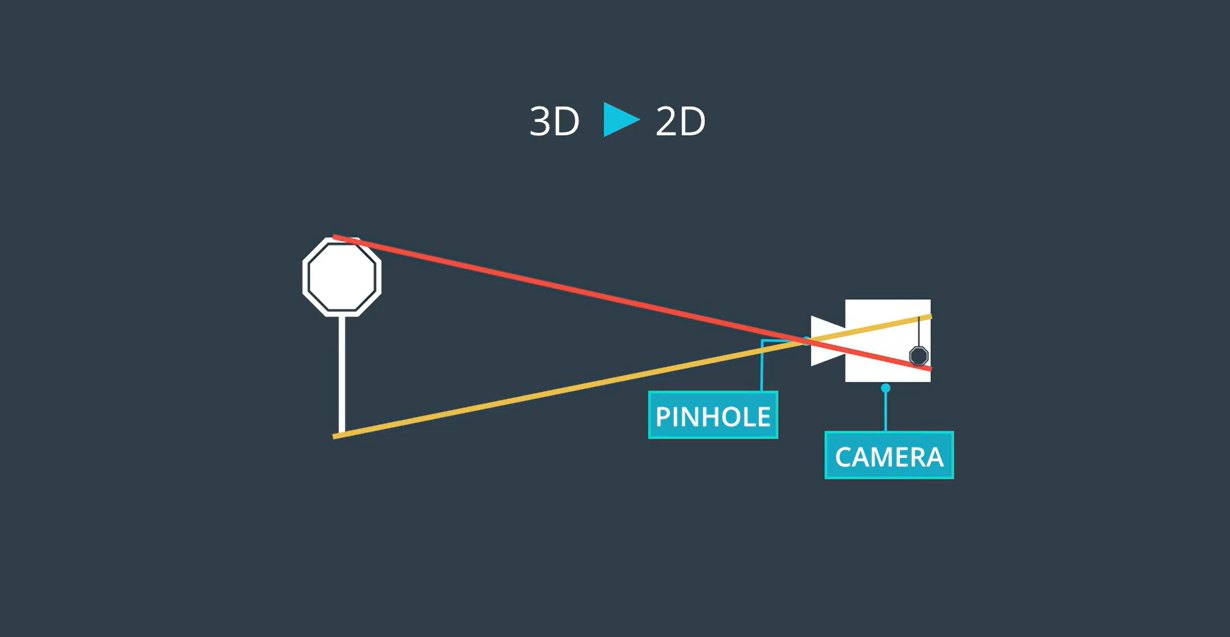
From 3-D to 2-D: the camera matrix
A 3-D object point P(X, Y, Z) maps to a 2-D image point p(x, y) through a camera matrix (Udacity calls it C, so p ≈ C P). Calibration is the job of measuring that matrix plus the lens distortion.
Perspective projection by similar triangles
Similar triangles give, for a camera at the origin looking along Z:
\[ x = f\,\frac{X}{Z}, \qquad y = f\,\frac{Y}{Z} \]
Objects twice as far appear half as big: the 1/Z is perspective.
Depth is lost: every point on the ray through C lands on the same pixel. One camera cannot measure distance on its own.
We put a virtual image plane in front of the pinhole so the image is not flipped.
In plain words: a camera is a box with a hole. Far things make small pictures (divide by Z), and a single photo cannot tell how far away something is.
From millimetres to pixels: the intrinsic matrix K
Datasheet values are only a starting guess. Calibration measures the real ones.
In plain words: K turns "how far left/up the ray points" into a pixel position. f says how much the camera zooms; (cx, cy) is the pixel straight in front of the lens.
Try it: K from a datasheet interactive
Sensor data from the Raspberry Pi camera documentation. Lens values of webcams vary: treat the preset as an example.
Where is the camera? Extrinsics [R | t]
World points are usually not given in the camera's frame. A rotation R (3×3) and translation t (3×1) move them there:
Putting it all together, the full projection (Lecture 10 notation):
\[ s \begin{bmatrix} u \\ v \\ 1 \end{bmatrix} = K\,[R \mid \mathbf{t}] \begin{bmatrix} X \\ Y \\ Z \\ 1 \end{bmatrix} = P\,\tilde{\mathbf{X}} \]
P = K[R | t] is the 3×4 projection matrix: 4 intrinsic + 6 extrinsic numbers (3 rotation, 3 translation).
In OpenCV
R is stored as a 3-vector rvec (axis × angle, Rodrigues): R, _ = cv2.Rodrigues(rvec)
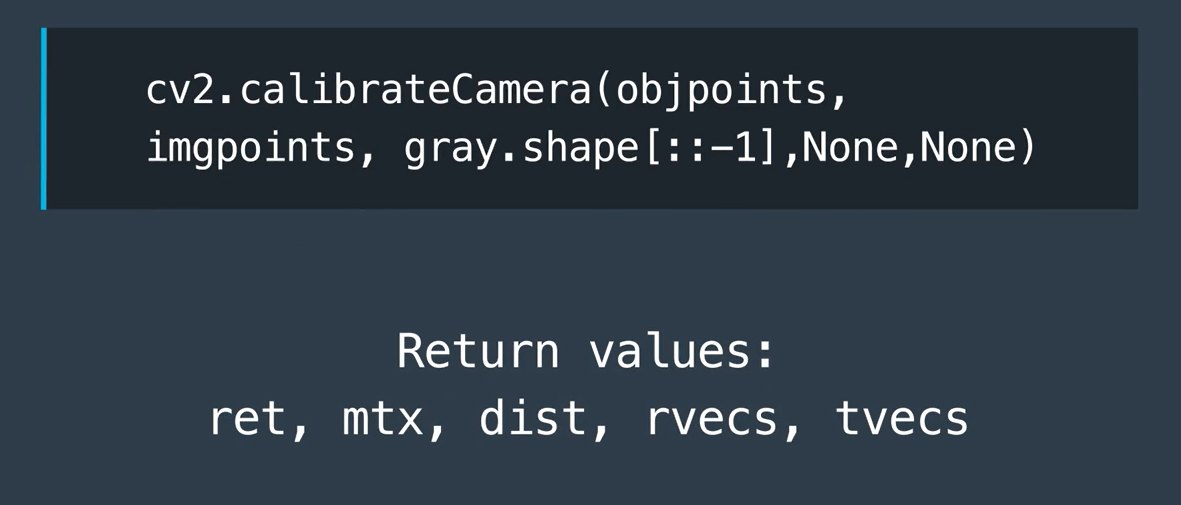
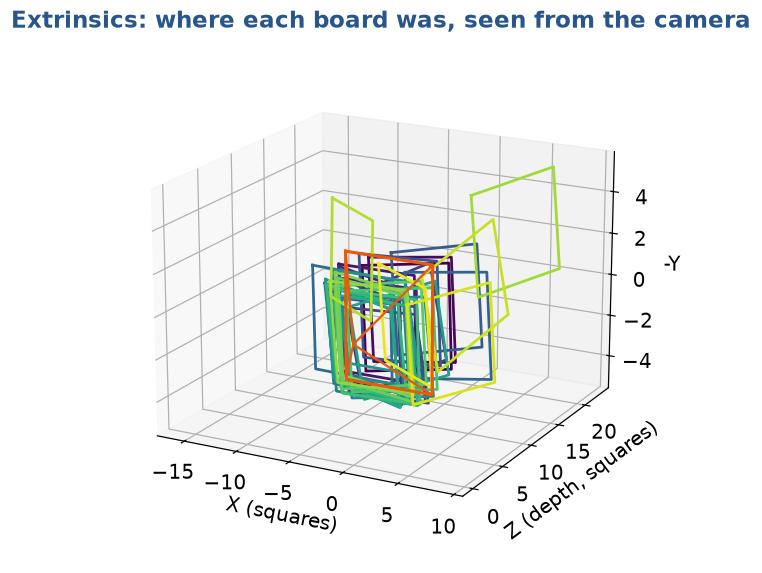
calibrateCamera returns one rvec, tvecper calibration image: the pose of the board
cv2.projectPoints(X, rvec, tvec, K, dist) applies the whole model, including distortion
cv2.solvePnP does the inverse: known K + 3-D/2-D matches → pose
In plain words: first move the world so the camera is at the origin looking along Z (R, t), then let K turn it into pixels.
Live demo: the pinhole camera interactive
A 1 m cube on a floor grid of 1 m squares; the camera looks at the cube. Change f: the image zooms (FOV changes). Move Z: size ∝ 1/Z. Add k1 < 0: straight edges bow outwards.
Distortion is applied to the normalised coordinates (units of focal length), not to pixels. That is why the same dist vector works at any image size, while K must be scaled when you resize.
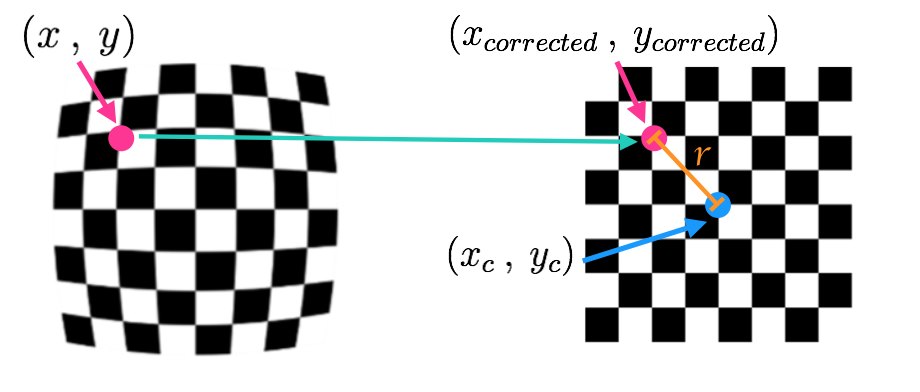
Udacity's notes write r as the distance from the distortion centre (≈ image centre). In OpenCV it is r² = x'² + y'² in normalised coordinates.
This chessboard was shot with a GoPro (the camera we calibrate in Lab 6).
What kind of distortion is it? What sign do you expect for k1?
Where in the image is the distortion strongest?
Would a pure pinhole camera show it?
A: barrel → k1 < 0 (Lab 6 measures k1 ≈ −0.23). B: at the edges and corners (large r). C: No, a pinhole has no lens.
Remember
Lens distortion: the 3 things to remember
Real lenses bend lines, mostly radially: barrel (k1 < 0) or pincushion (k1 > 0).
OpenCV describes it with 5 numbers: [k1, k2, p1, p2, k3].
It is small in the centre and large at the edges (it grows with r²).
4
Calibrating a camera with OpenCV
Level 4 · The recipe: chessboard → corners → K and dist
Measuring distortion with a known shape
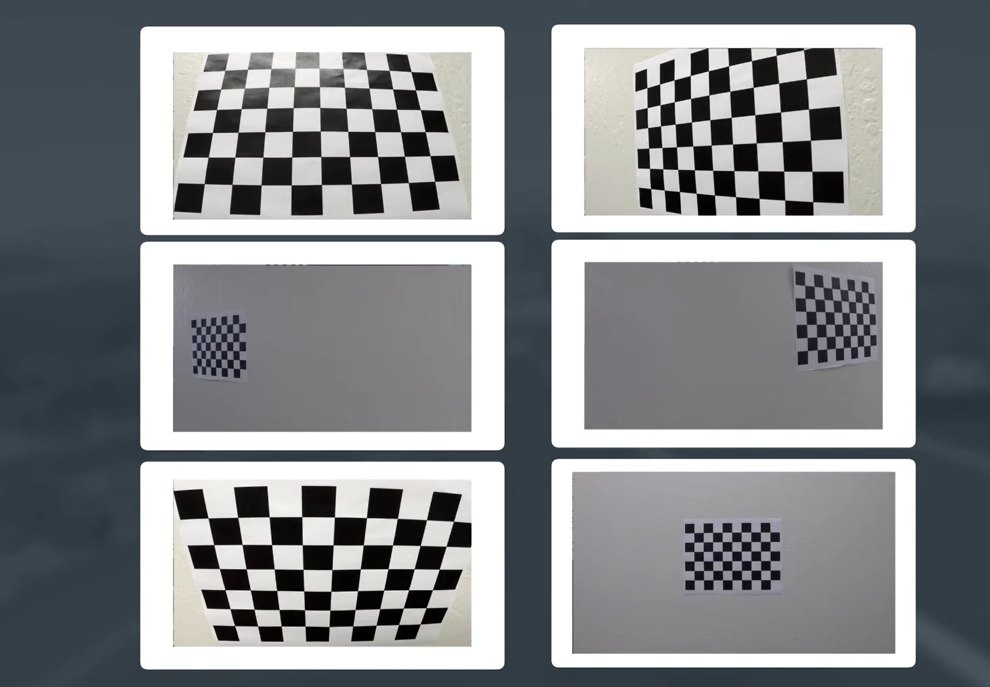
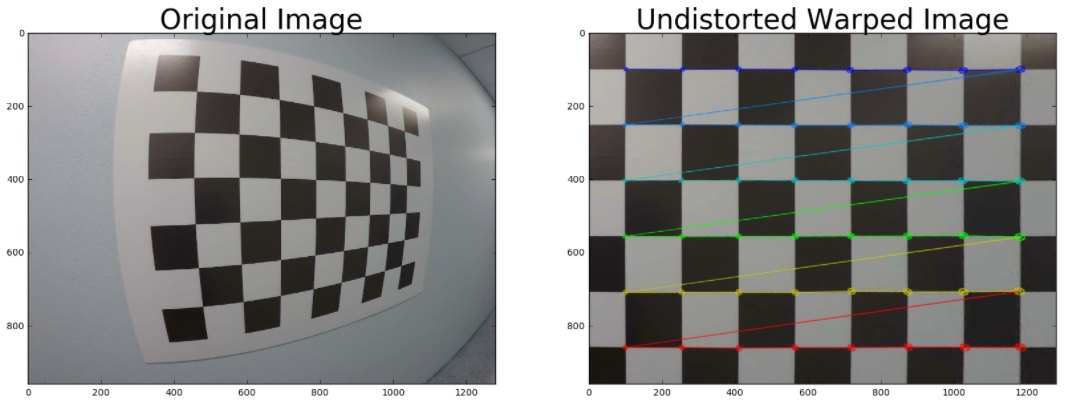
We know exactly what a flat chessboard looks like, and its regular high-contrast pattern is easy to detect automatically. Take many pictures of it at different angles and distances; the difference between the apparent and the real square shapes reveals the distortion.
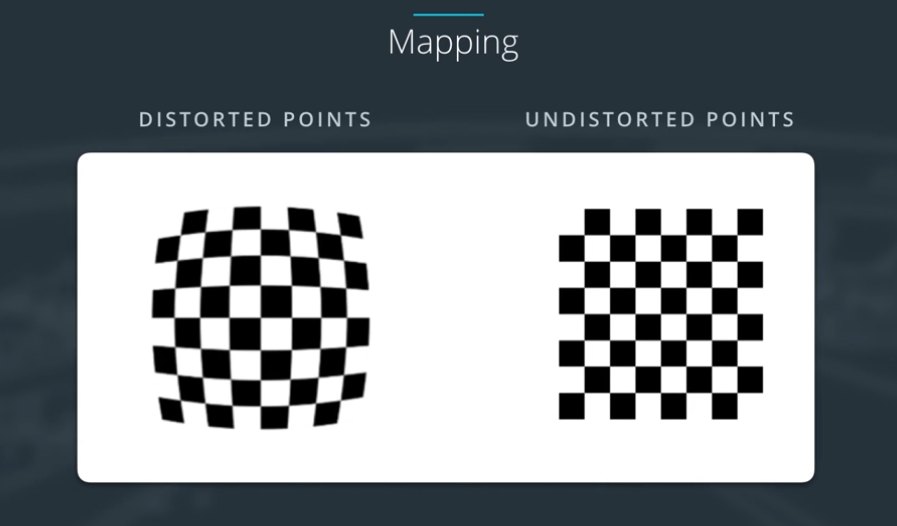
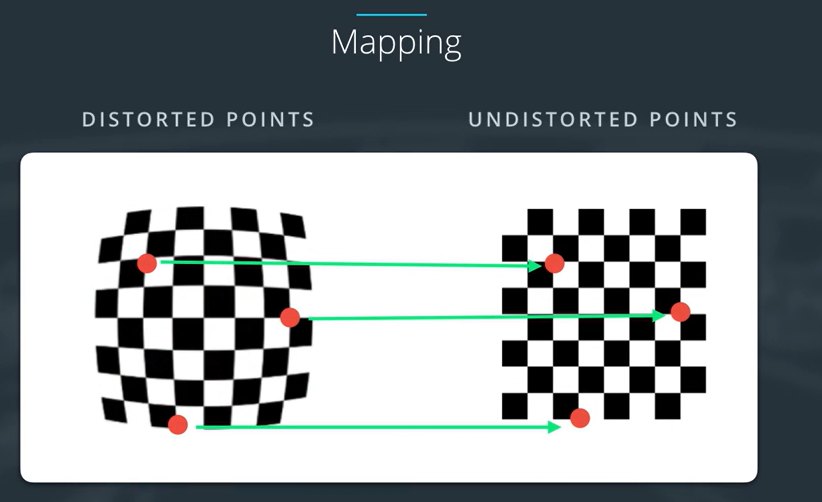
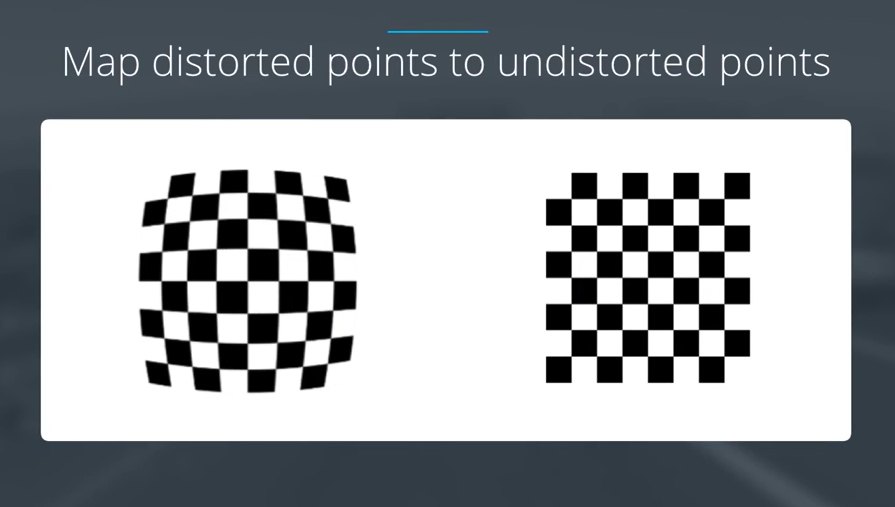
Map distorted points → undistorted points
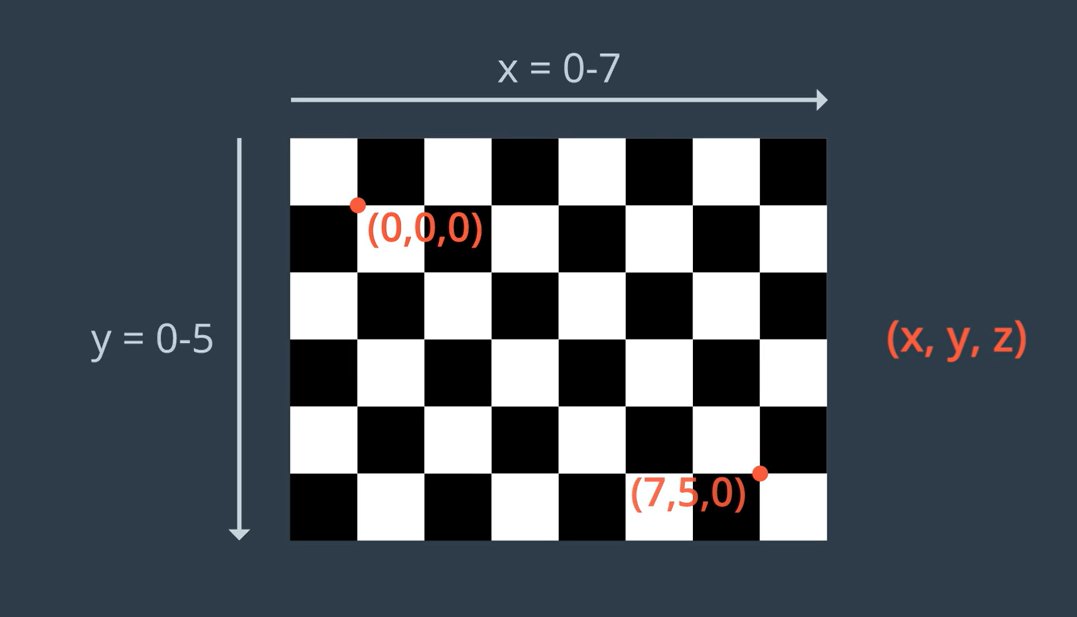
Detect the corners in each distorted image: the image points (2-D, pixels).
Write down where they really are on the flat board: the object points (3-D, Z = 0).
Calibrate: find K, dist and each pose that best maps object points to image points.
Undistort any new image from that camera.
Quiz: how many corners? interactive
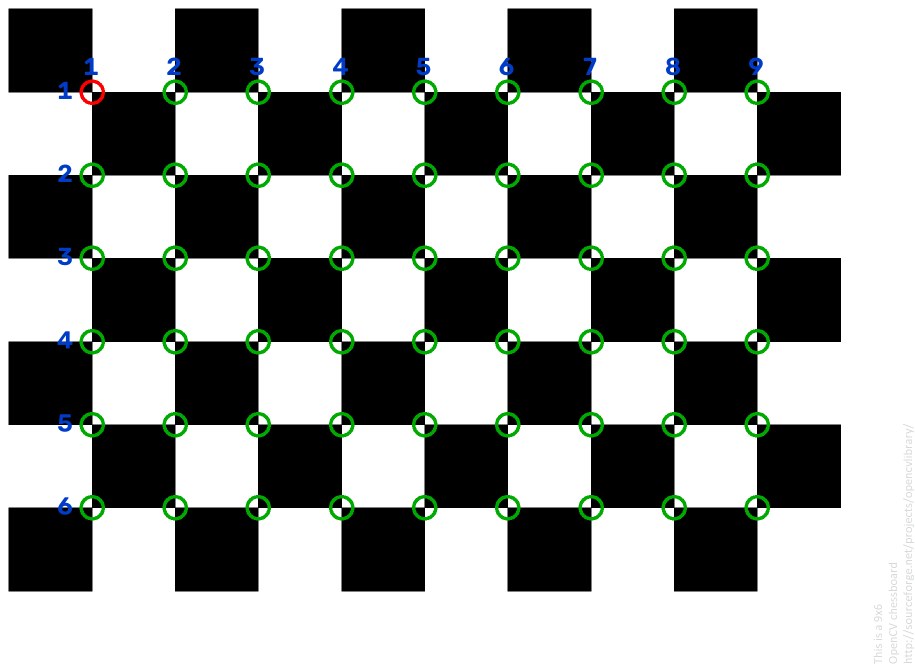
Quiz question
Count the inside corners in a row (nx) and in a column (ny) of the right-hand board. Only points where two black and two white squares meet count, not the outside corners.
nx = 8, ny = 6. The board has 9 × 7 squares → 8 × 6 inner corners. This is the patternSize you pass to OpenCV.
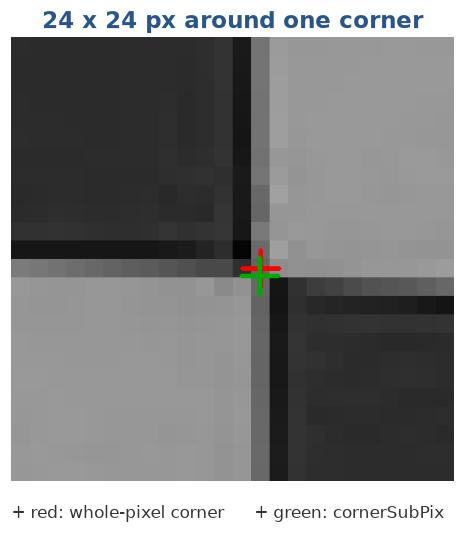
The saddle point between four squares is not on a pixel centre. cornerSubPix moves each corner to where the image gradients around it are orthogonal to the vector to the corner, typically to 0.1 px.
crit = (cv2.TERM_CRITERIA_EPS +
        cv2.TERM_CRITERIA_MAX_ITER, 30, 1e-3)
corners = cv2.cornerSubPix(gray, corners,
                           (11, 11), (-1, -1), crit)

# OpenCV ≥ 4.3: sector-based detector, more
# accurate and robust, sub-pixel built in
ret, corners = cv2.findChessboardCornersSB(
    gray, (8, 6), cv2.CALIB_CB_EXHAUSTIVE +
                  cv2.CALIB_CB_ACCURACY)
Window (11, 11) means a 23 × 23 search area: keep it smaller than one square in the image.
For each view, the flat board (Z = 0) maps to the image by a homography: \( \mathbf{x} \simeq H\,[X\;Y\;1]^\top \), with \( H = K\,[\mathbf{r}_1\;\mathbf{r}_2\;\mathbf{t}] \).
Columns r1, r2 of a rotation are orthonormal, which gives 2 equations per view on \( B = K^{-\top}K^{-1} \): \( \mathbf{h}_1^\top B\,\mathbf{h}_2 = 0, \;\; \mathbf{h}_1^\top B\,\mathbf{h}_1 = \mathbf{h}_2^\top B\,\mathbf{h}_2 \)
B has 5 unknowns (zero skew: 4) → ≥ 3 views (≥ 2 with zero skew) give a closed-form K; then each view's R, t.
Non-linear Levenberg–Marquardt refinement of K, dist and all poses together, minimising the reprojection error.
Only a printed board, no expensive 3-D rig, so it is used everywhere: OpenCV, MATLAB, ROS.
The 35 recovered board poses (rvecs, tvecs) seen from the camera (orange).
In plain words: every tilted photo of the flat board gives two clues about K. Three photos give enough clues to solve K; then a computer polishes all numbers together.
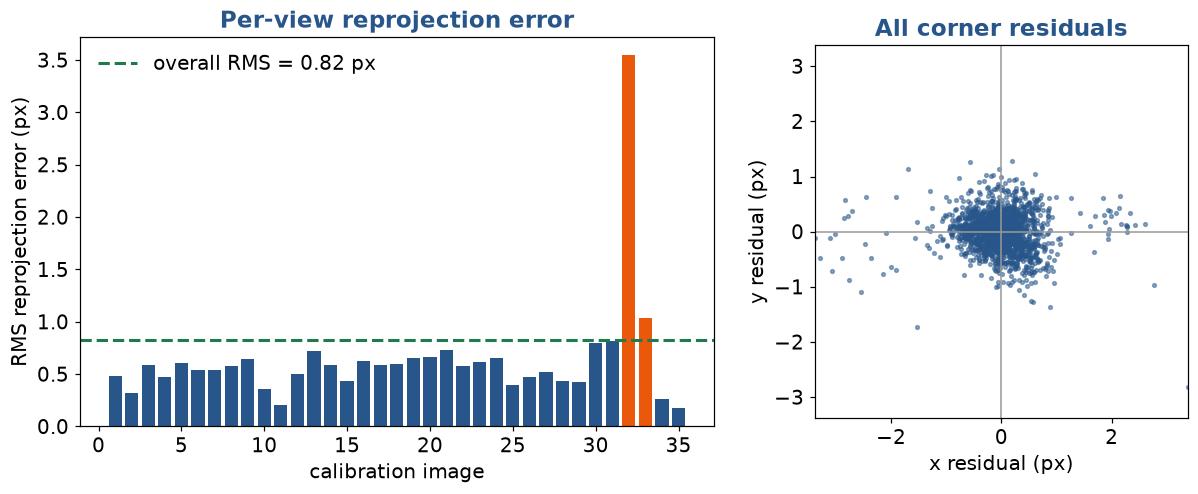
In plain words: put the board back into the picture using the model and measure how far the predicted corners are from the real ones. Small = the model explains the photos well.
Per-view error and saving the result
errs = []
for objp_i, imgp_i, r, t in zip(objpoints, imgpoints,
                                rvecs, tvecs):
    proj, _ = cv2.projectPoints(objp_i, r, t, mtx, dist)
    d = imgp_i.reshape(-1, 2) - proj.reshape(-1, 2)
    errs.append(np.sqrt((d ** 2).sum(1).mean()))

worst = np.argsort(errs)[::-1][:3]
print("worst views:", [images[i] for i in worst])

# Uncertainty of each intrinsic (std. dev.)
ret, mtx, dist, rv, tv, std_in, std_ex, per_view = \
    cv2.calibrateCameraExtended(objpoints, imgpoints,
                                size, None, None)
print("fx = %.1f ± %.1f px" % (mtx[0, 0], std_in[0, 0]))
# Save: portable YAML that C++, ROS and Python can read
fs = cv2.FileStorage("camera.yaml", cv2.FILE_STORAGE_WRITE)
fs.write("image_width", size[0]); fs.write("image_height", size[1])
fs.write("camera_matrix", mtx)
fs.write("distortion_coefficients", dist)
fs.write("rms", ret)
fs.release()

# Load it back
fs = cv2.FileStorage("camera.yaml", cv2.FILE_STORAGE_READ)
K = fs.getNode("camera_matrix").mat()
D = fs.getNode("distortion_coefficients").mat()

# or simply
np.savez("camera.npz", K=mtx, dist=dist)
# (Udacity used pickle: wide_dist_pickle.p)
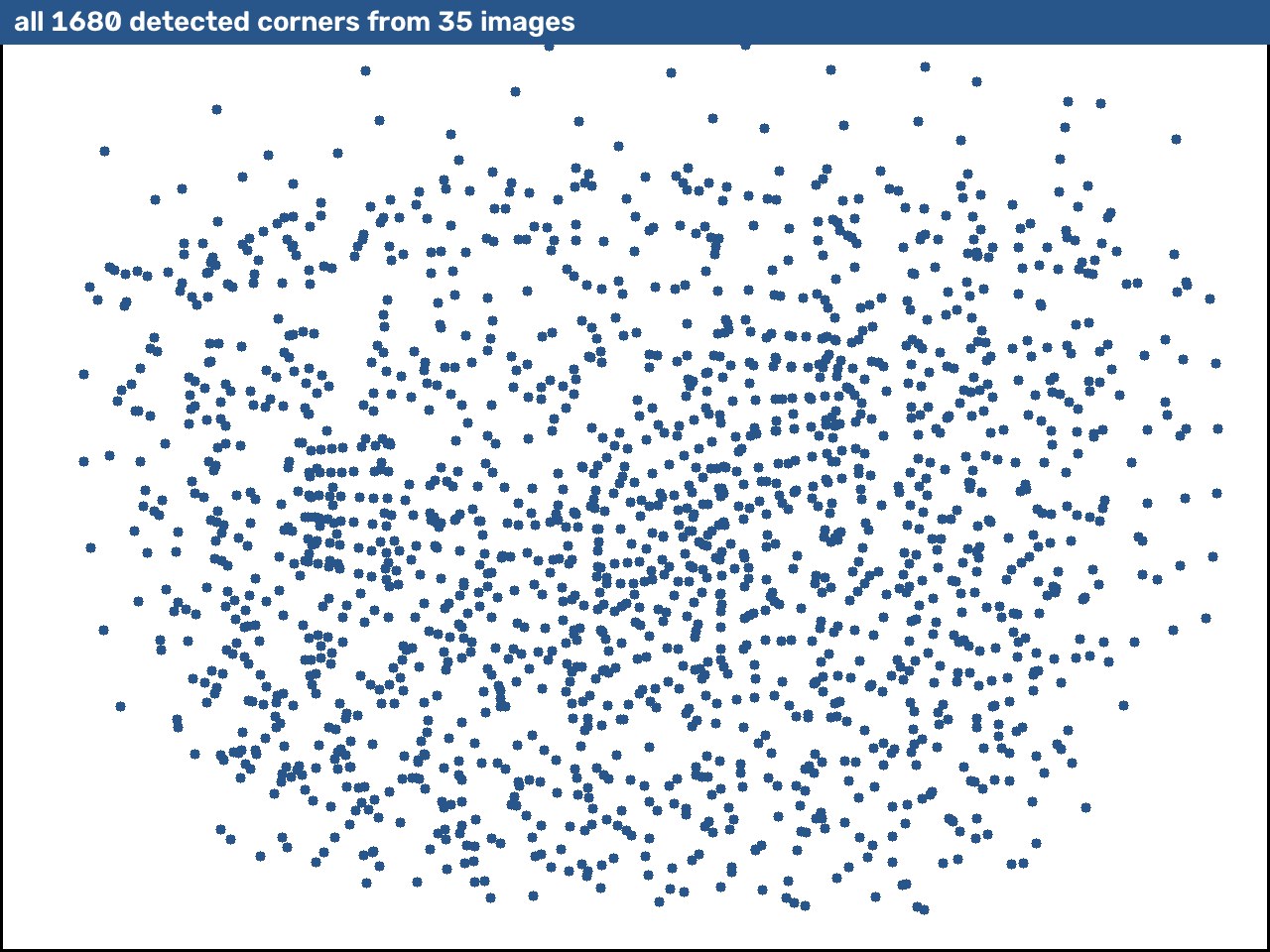
Board in every part of the frame, especially the corners, where distortion is largest
Tilt the board ±30–45° in both axes. Frontal-only views cannot separate f from distance
Vary the distance: near (board fills the frame) and far
Quality
Sharp: still board, good light, short exposure
Same resolution, focus and zoom you will use later: K changes with all three
Do not crop or resize the images before calibration
Check the per-view error and coverage, re-shoot the gaps
The ROS calibrator turns this advice into four progress bars, X, Y, Size and Skew, and only enables CALIBRATE once your views cover enough of each. Try it on the next slide.
Live demo: collect a good calibration set interactive
Bars follow ROS camera_calibration: the spread of the board's centre (X, Y), apparent size and skew over the accepted samples. Samples too similar to an earlier one are rejected.
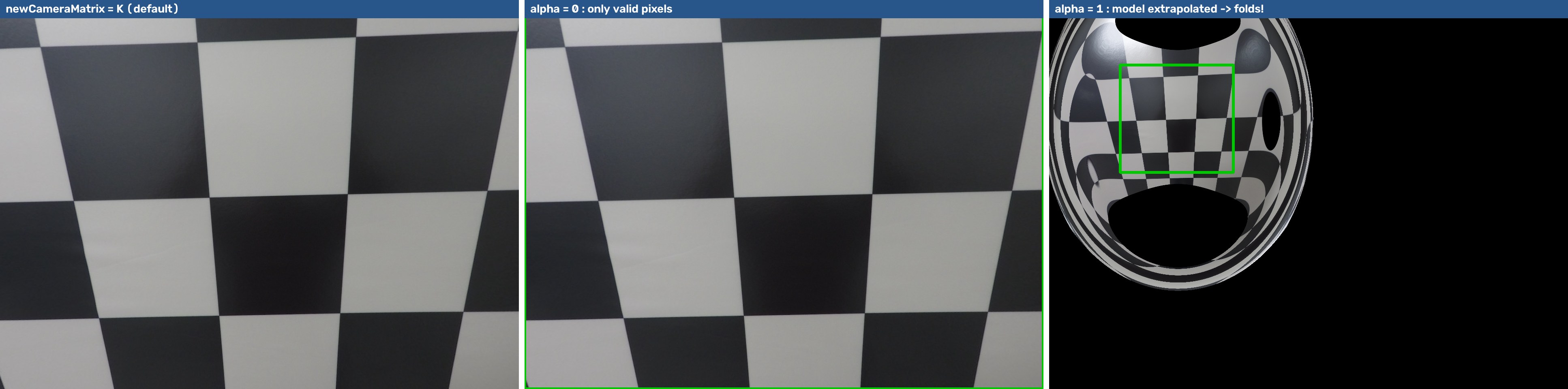
Keep or crop the borders? getOptimalNewCameraMatrix
h, w = img.shape[:2]
newK, roi = cv2.getOptimalNewCameraMatrix(
    mtx, dist, (w, h), alpha=0)   # 0 … 1
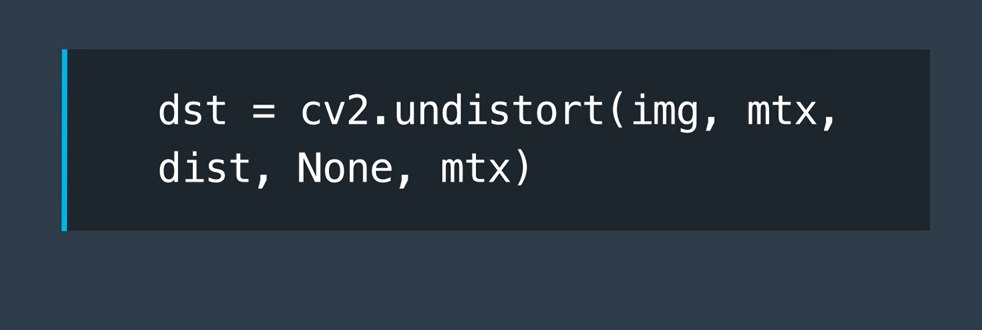
und = cv2.undistort(img, mtx, dist, None, newK)
x, y, rw, rh = roi                 # green box
und = und[y:y + rh, x:x + rw]      # crop black edges
alpha = 0: zoom in until every output pixel is valid (loses a little FOV)
alpha = 1: keep all source pixels (black curved borders)
Here alpha = 1 folds: the 5-coefficient polynomial is only valid where there were corners. Try CALIB_RATIONAL_MODEL or fisheye for wide lenses (Lab 6C).
# once, at start-up
newK, roi = cv2.getOptimalNewCameraMatrix(K, dist, (w, h), 0)
map1, map2 = cv2.initUndistortRectifyMap(
    K, dist, None, newK, (w, h), cv2.CV_16SC2)

cap = cv2.VideoCapture(0)          # or Picamera2 frames
while True:
    ok, frame = cap.read()
    if not ok: break
    und = cv2.remap(frame, map1, map2, cv2.INTER_LINEAR)
    cv2.imshow("undistorted", und)
    if cv2.waitKey(1) == 27: break

# undistort only some points (e.g. detected corners, lane pixels)
pts_ud = cv2.undistortPoints(pts, K, dist, P=newK)
Why it is faster
cv2.undistort recomputes the distortion model for every pixel on every call.
initUndistortRectifyMap stores the source coordinate of each output pixel once; remap is then a pure lookup: several times faster, which matters at 30 fps on a Raspberry Pi.
If you only need a few points, undistortPoints avoids warping the image at all.
wrong (nx, ny): squares instead of inner corners; board cut off by the frame; glare
calibrateCamera error about sizes
passed img.shape with 3 channels, or images of different sizes (two Udacity images are 1281 × 721!)
RMS > 1 px
blur, a bent board, a mis-detected view: check per-view errors
Edges still curved / folded after undistort
no corners near the image edges; lens too wide for the model → k3, rational, or fisheye
Good RMS, wrong distances
wrong square_size; calibrated at another resolution or focus
Image upside-down / mirrored axes
symmetric board (8 × 8): use nx ≠ ny
3 of the 20 road-camera images fail: part of the board is outside the frame. Fine for a chessboard: they are skipped. A ChArUco board would still use them.
Lab 6F is a bug hunt with these pitfalls planted in the code.
The studio runs exactly these OpenCV-Python calls: real cv2 4.10, compiled to WebAssembly and running inside your browser. The video never leaves your laptop.
The same program as a desktop app, which works offline:
pip install opencv-python numpy
python webcam_calibration_studio.py --board 9x6 --mm 24.5
# SPACE capture · A auto · C calibrate · U undistort · M measure · S save
Perspective: far things look small, parallel lines meet
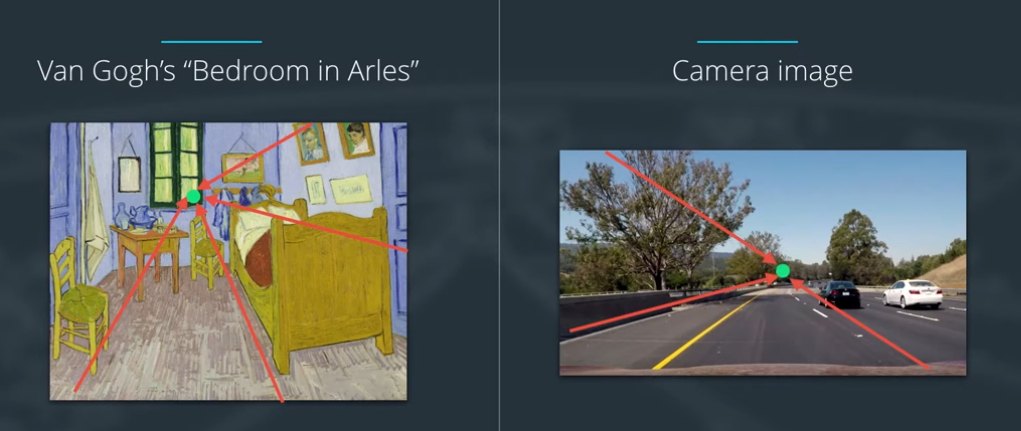
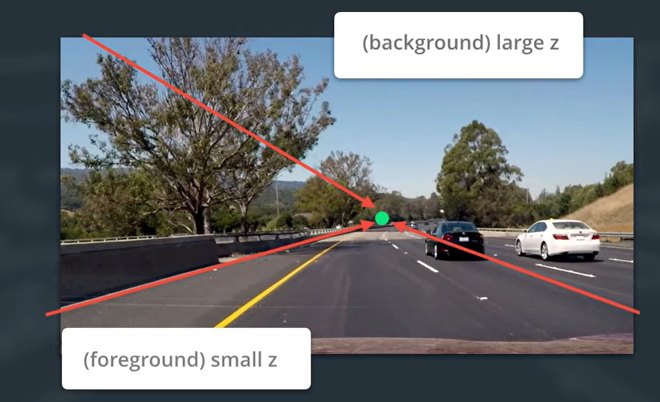
The greater an object's Z (distance from the camera), the smaller it appears: the 1/Z of the pinhole model. Artists use the same rule. Lane lines that are parallel on the road converge to a vanishing point in the image.
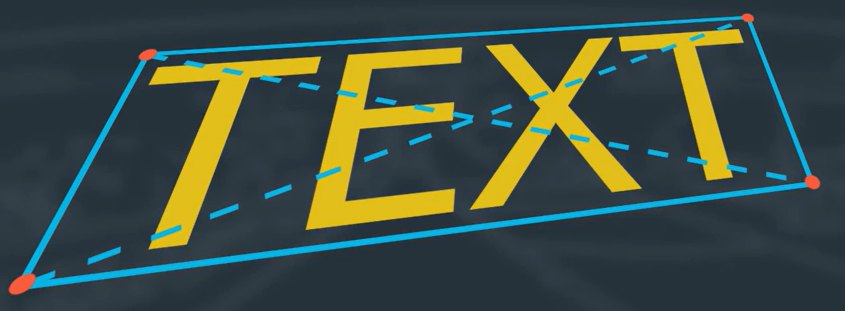
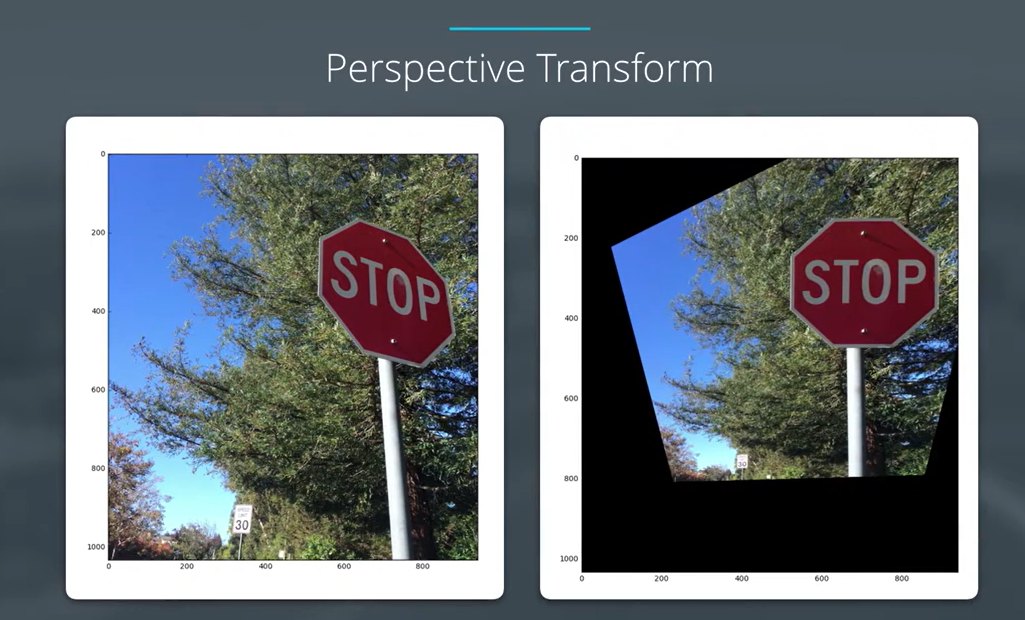
A perspective transform changes the viewpoint
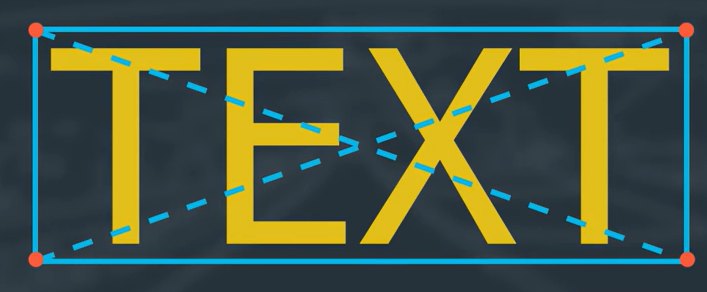
4 points on a plane in the image …
… mapped to 4 points of a rectangle
A perspective transform maps the points of a given image to different, desired image points, as if seen from a new viewpoint. It effectively drags points towards or away from the camera. Four point pairs are enough to define it (a 3 × 3 homography with 8 degrees of freedom).
In plain words: four corners of a flat thing are enough to tell OpenCV how to "walk around" it and photograph it from the front or from above.
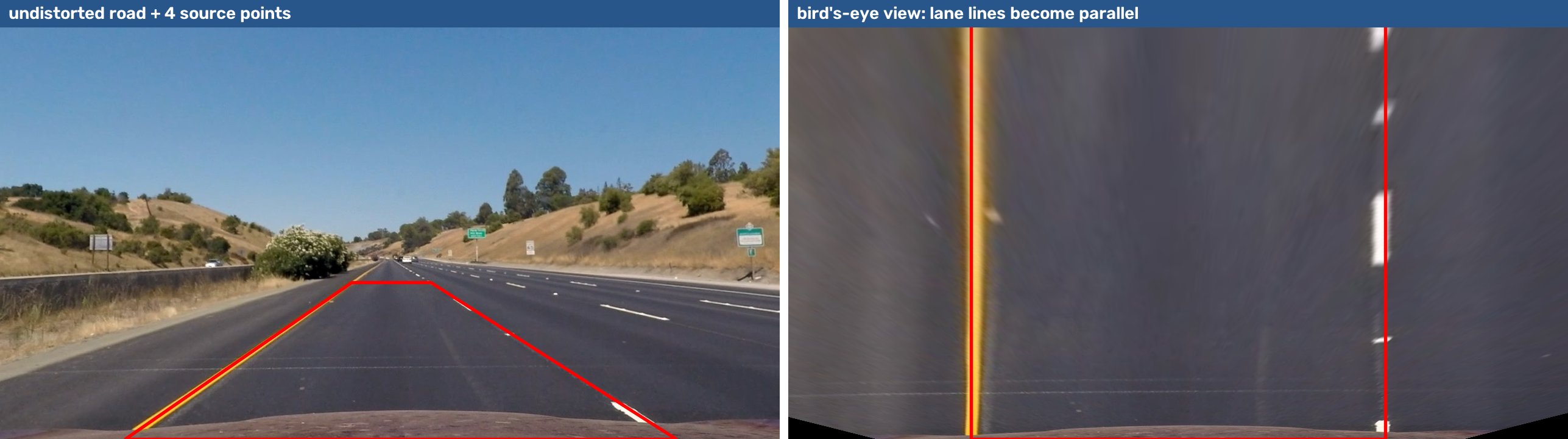
The bird's-eye view of a road
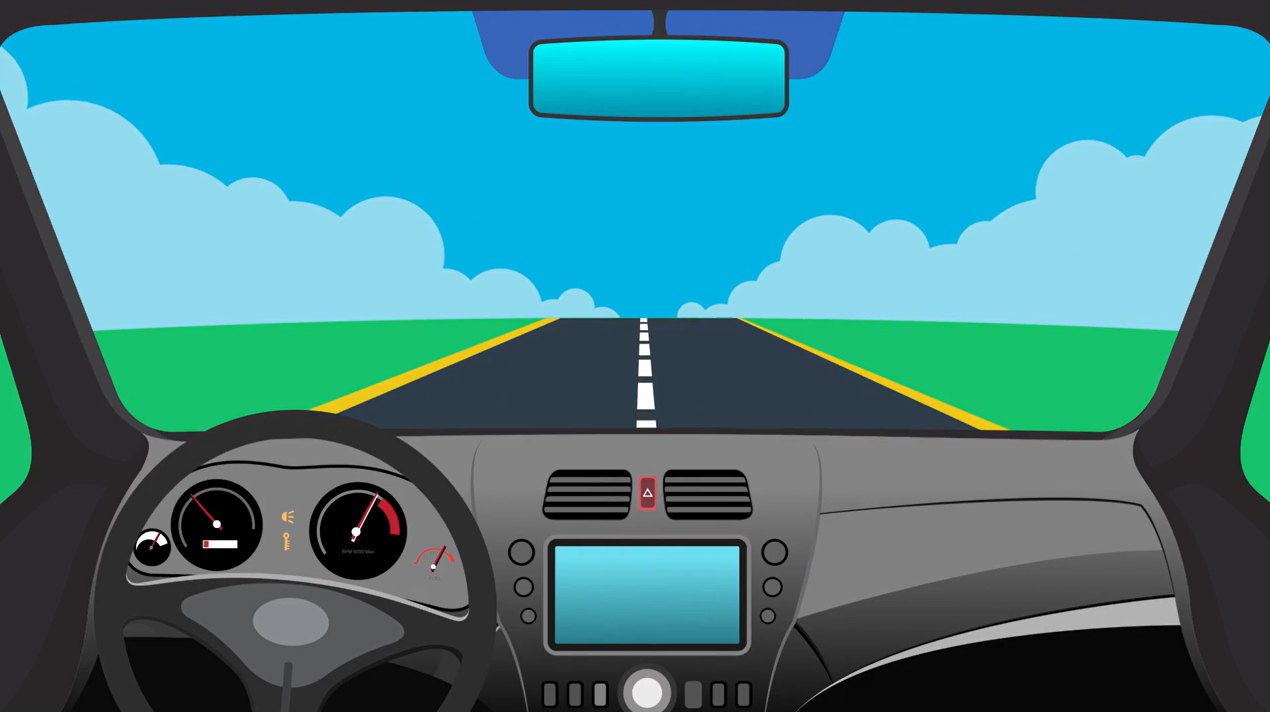
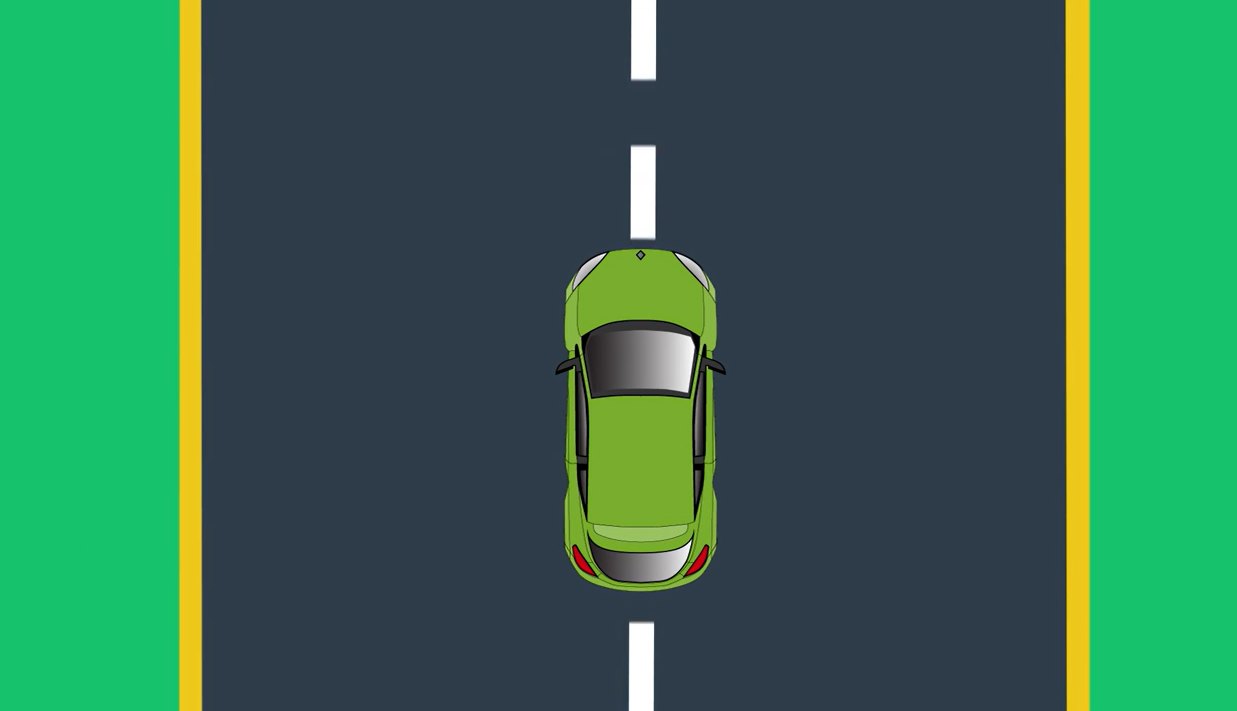
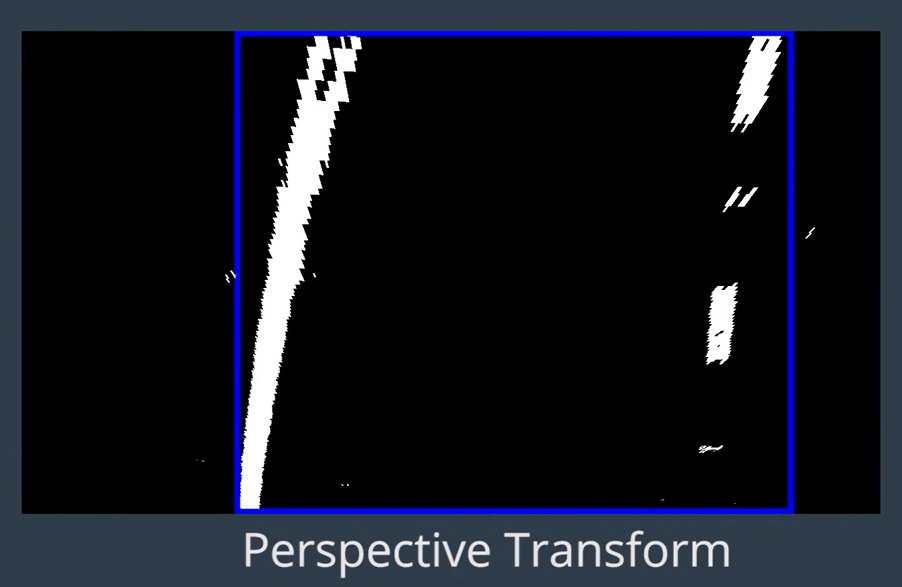
From the car's camera, the left line seems to lean and curve to the right, the right line to lean left without much curve.
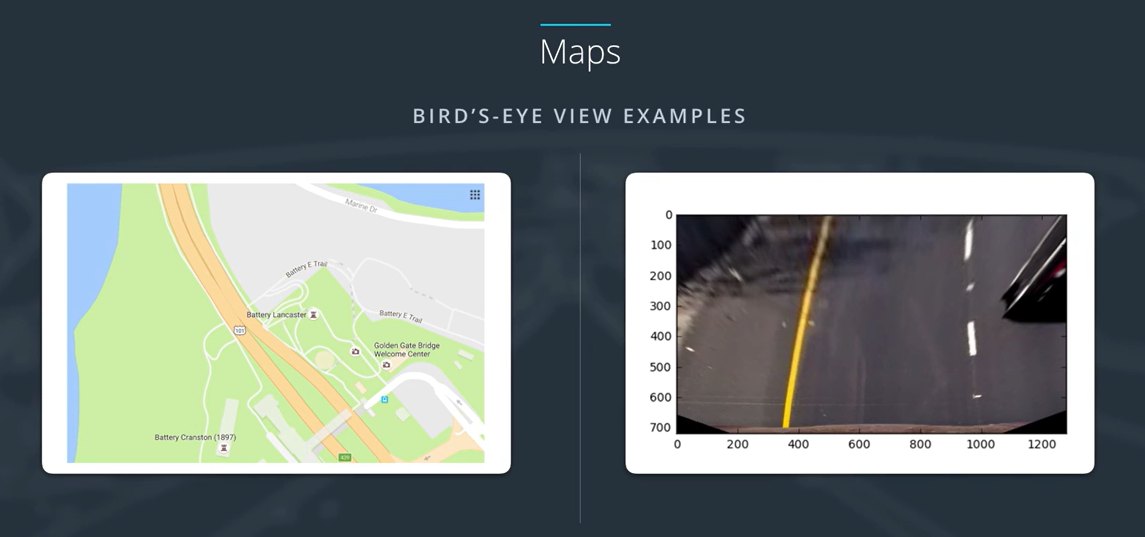
From above, both lines are parallel, a consistent width apart, and curve by the same amount.
A top-down view also lines up directly with a map.
Quiz: why a bird's-eye view?
Quiz question
For images from a front-facing car camera, why do we want to perform a perspective transform?
Because it is more straightforward to take a gradient on a top-down view.
Because ultimately we want to measure the curvature of the lines, and to do that we need to transform to a top-down view.
Because transforming the perspective removes the effect of curvature from our measurement.
Because it removes the effect of shadows and colour differences.
B. Curvature is a property of the road seen from above. In the camera view perspective bends and squeezes it.
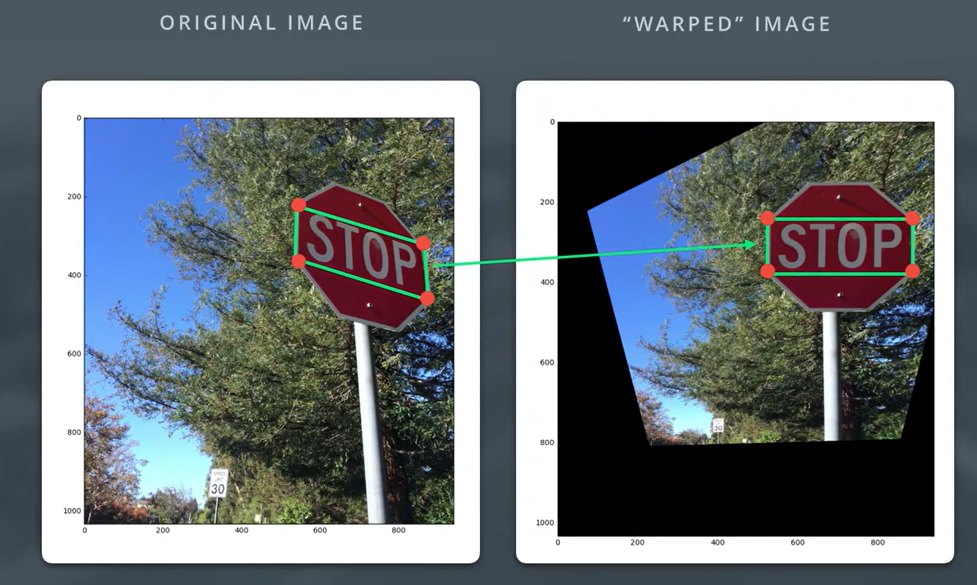
Example: transform a stop sign
Pick 4 source points that define a rectangle on a plane in the image (the face of the sign)
Pick 4 destination points: where they should appear in the warped image
getPerspectiveTransform(src, dst) → M
warpPerspective(img, M, size) → the warped image
A traffic sign is a good test because text shows clearly whether the transform is right.
Perspective transform: the code
def warp(img):
    img_size = (img.shape[1], img.shape[0])        # (w, h)
    # four source points on the sign (read off by hovering
    # the mouse over the image), clockwise from top-right
    src = np.float32([[850, 320], [865, 450],
                      [533, 350], [535, 210]])
    # where we want them: a front-facing rectangle
    dst = np.float32([[870, 240], [870, 370],
                      [520, 370], [520, 240]])
    M    = cv2.getPerspectiveTransform(src, dst)
    Minv = cv2.getPerspectiveTransform(dst, src)   # to un-warp
    warped = cv2.warpPerspective(img, M, img_size,
                                 flags=cv2.INTER_LINEAR)
    return warped
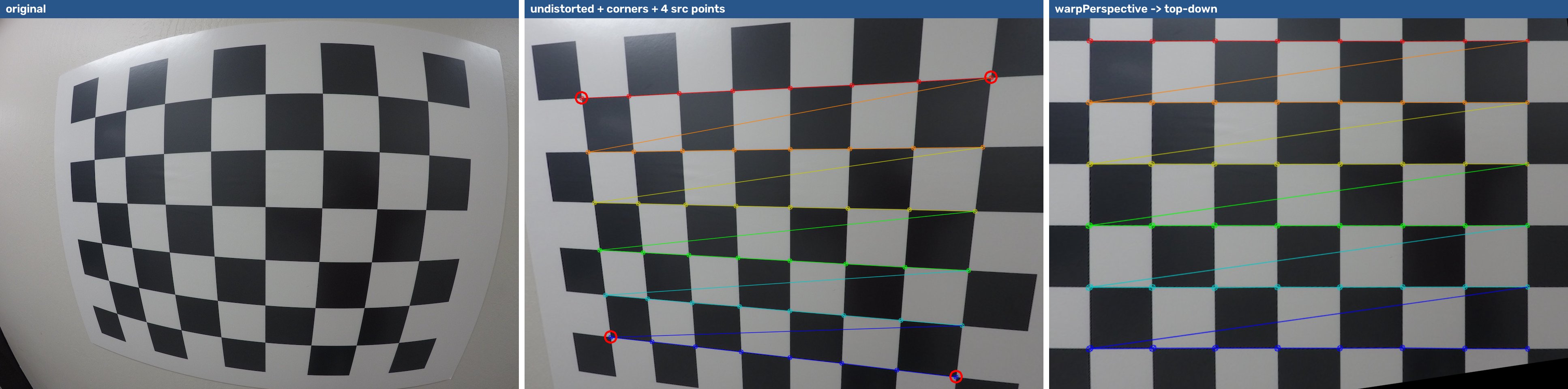
Choosing points by hand is fine for a fixed car camera (do it once). Many systems pick them automatically from corners, edges or detected objects, as you will with chessboard corners in the next quiz.
Live demo: drag four points → bird's-eye view interactive
Drag the 4 red handles onto the lane lines (undistorted frame, Lab 6D camera).
Warped: good points make the lane lines vertical and parallel.
Top: src = [[577,463],[707,463],[1110,720],[205,720]] → dst = [[300,0],[980,0],[980,720],[300,720]]. Bottom: lane pixels in the bird's-eye view, second-order fits and the radius in metres (assuming 30 m per 720 px vertically and 3.7 m per 700 px horizontally; Lab 6D).
Our solution on a GoPro image from Lab 6. Note the order: undistort first. A homography maps straight lines to straight lines, so it cannot remove lens curvature.
OpenCV 5 note:findChessboardCorners returns corners of shape (N, 2); OpenCV 4.x returned (N, 1, 2). Code like corners[0][0] breaks. Use corners.reshape(-1, 2) to work with both.
Quiz: match each process to its purpose
Matching challenge
Processes: ① Camera calibration · ② Distortion correction · ③ Perspective transform
Purposes:
To transform an image so that we are effectively viewing objects from a different angle or direction.
To ensure that the geometrical shape of objects is represented consistently, no matter where they appear in an image.
To compute the transformation between 3-D object points in the world and 2-D image points.
To measure the orientation angles of objects in an image. (distractor)
① Camera calibration → C: computes the mapping between 3-D world points and 2-D image points.
② Distortion correction → B: shapes look the same anywhere in the frame.
③ Perspective transform → A: view the scene from a different angle, e.g. from above.
D is not a purpose of any of the three on its own.
Remember
Perspective transform: the 3 things to remember
Undistort first, then warp: a homography keeps straight lines straight, so it cannot fix lens curves.
4 point pairs → getPerspectiveTransform → warpPerspective.
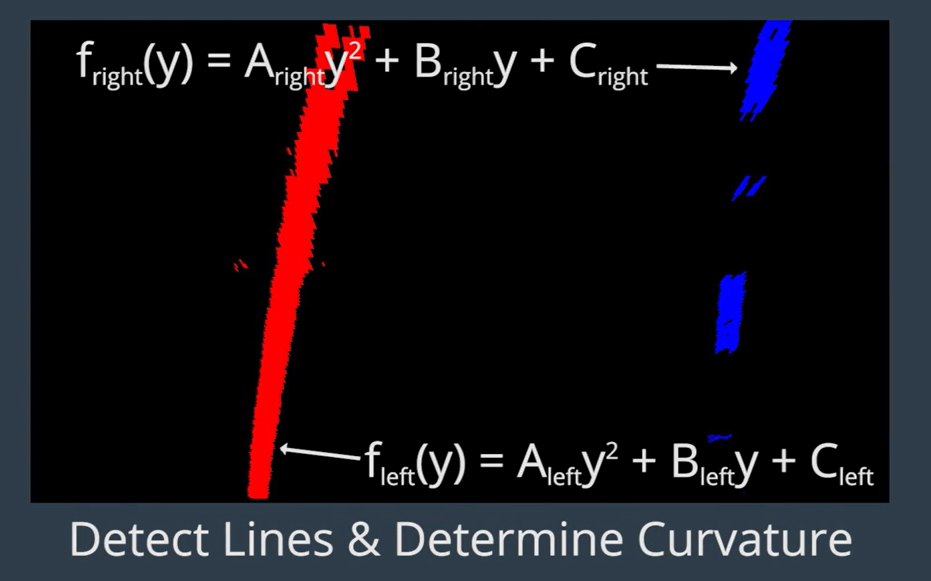
Bird's-eye view → fit x = Ay² + By + C → lane curvature in metres.
7
Advanced: more cameras, better targets
Level 7 · advanced · camera types · ChArUco · fisheye · stereo · Raspberry Pi · tools
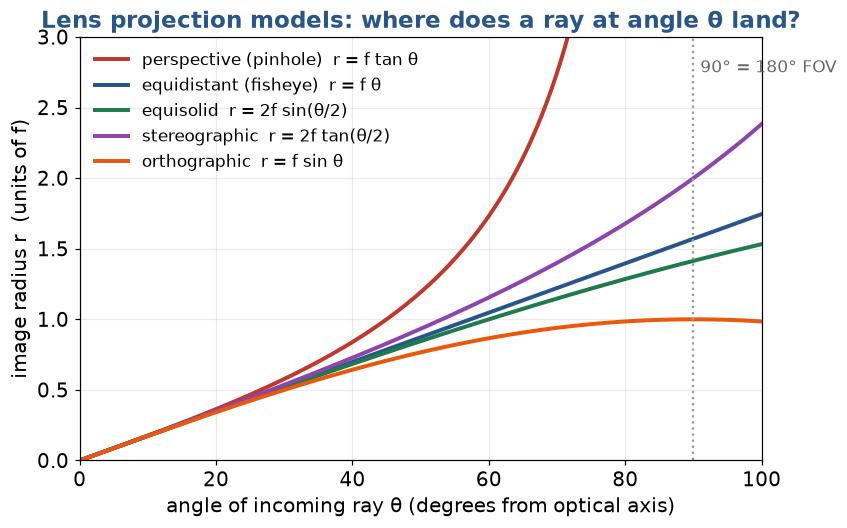
The more the field of view grows, the more the simple pinhole + polynomial model breaks down: at 90° off-axis, tan θ → ∞.
In plain words: the wider the lens sees, the more it bends lines, and the more special the maths. Normal lens → standard model; very wide → fisheye model.
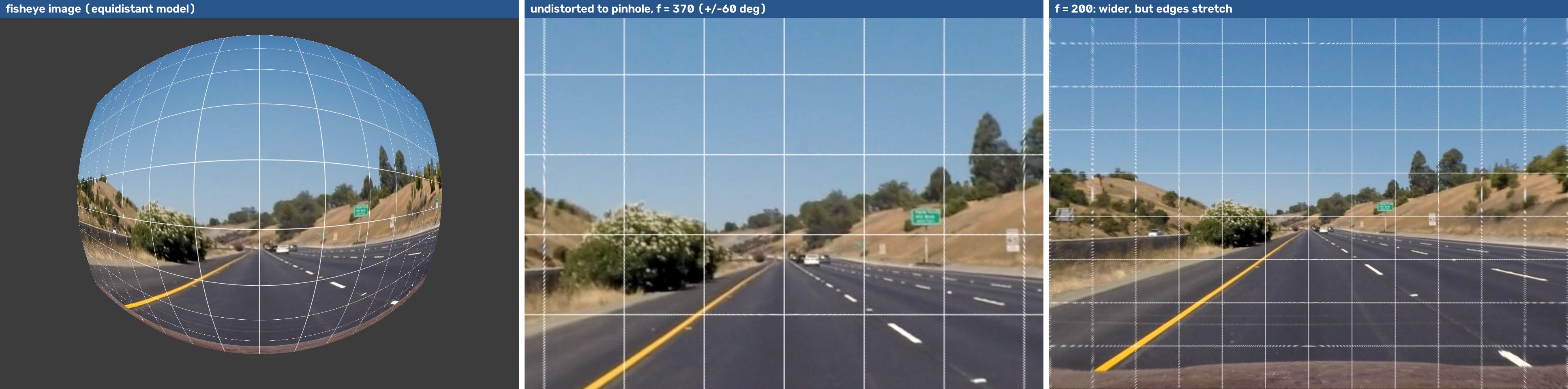
Why fisheye needs a different model
A pinhole maps a ray at angle θ to radius r = f tan θ, which goes to infinity at 90°. No finite sensor can hold a 180° view.
Fisheye lenses are designed so r grows slowly: equidistant r = fθ, equisolid, stereographic…
OpenCV's fisheye module models the real lens as θd = θ (1 + k1θ² + k2θ⁴ + k3θ⁶ + k4θ⁸), so D has 4 coefficients.
Rule of thumb: FOV above ~120°, or the standard model leaves the edges curved → switch to cv2.fisheye.
The cameras on our lab bench: Raspberry Pi
Module
Sensor
Resolution
Pixel
Focal length
H-FOV
Shutter
Calibrate as
Camera Module v2
IMX219
3280 × 2464
1.12 µm
3.04 mm
62°
rolling
standard
Camera Module 3
IMX708
4608 × 2592
1.4 µm
4.74 mm
66°
rolling
standard (fix the focus!)
Camera Module 3 Wide
IMX708
4608 × 2592
1.4 µm
2.75 mm
102°
rolling
wide: k3 or rational
HQ Camera
IMX477
4056 × 3040
1.55 µm
lens (6 mm, 16 mm…)
lens
rolling
depends on lens
Global Shutter Camera
IMX296
1456 × 1088
3.45 µm
lens
lens
global
depends on lens
M12 fisheye lens on HQ/GS
–
–
–
~1.5–2 mm
> 180°
–
fisheye
Camera Module 3 has autofocus. Intrinsics change with focus, so lock the lens (picam2.set_controls({"AfMode": 0, "LensPosition": …})) before you calibrate and keep it there.
Rolling shutter rows are exposed one after another, so a moving board or camera skews the image. Hold the board still for every shot, or use the Global Shutter camera.
Calibration targets
Target
Detect with
+
−
Chessboard
findChessboardCorners, findChessboardCornersSB
easy to print, very accurate saddle points
must be fully visible; 180° ambiguity if rows = cols
(Asymmetric) circle grid
findCirclesGrid
robust to blur & noise
circle centres biased under strong perspective/distortion
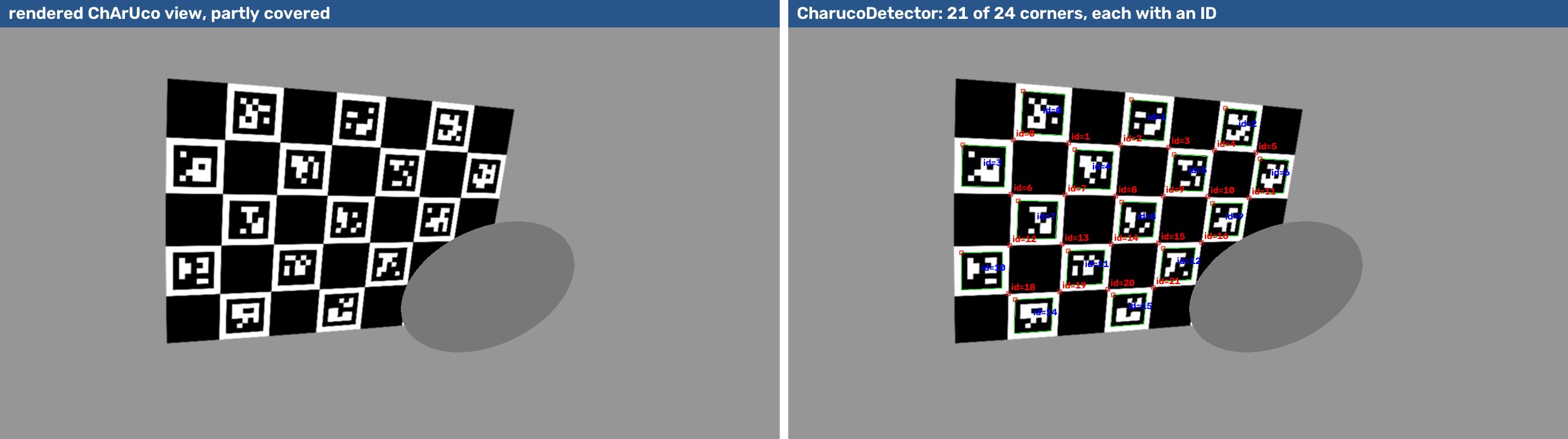
ChArUco
cv2.aruco.CharucoDetector
partial views OK, every corner has an ID: ideal for fisheye & edges
needs the right dictionary & a sharp print
ArUco grid / AprilGrid
cv2.aruco.ArucoDetector
pose of each marker, multi-camera rigs (Kalibr)
marker corners less precise than saddles
Making a good target (it matters more than the code)
Do
Print at 100 % scale, then measure a square with a ruler or caliper: that is square_size
Glue it to something rigid and flat: glass, aluminium, foam board
Matte paper: no glare spots on the corners
Keep a white border around the pattern (the detector needs it)
Use different row/column counts (9 × 6, not 8 × 8) so the orientation is unambiguous
Don't
Use a board that bends or ripples: the model assumes Z = 0 for every corner
Show it on a laptop screen at an angle (moiré, refresh, reflections). OK only as a last resort
Count squares instead of inner corners
Let auto-exposure / motion blur smear the corners
Pattern generators: calib.io, OpenCV gen_pattern.py, or board.generateImage() in Lab 6E.
ChArUco: a chessboard with an ID on every square
ArUco markers inside the white squares tell the detector which corner it is seeing
So partial, occluded or out-of-frame boards still give corners: perfect for covering image edges and fisheye lenses
Corners are chessboard saddle points → as accurate as a chessboard
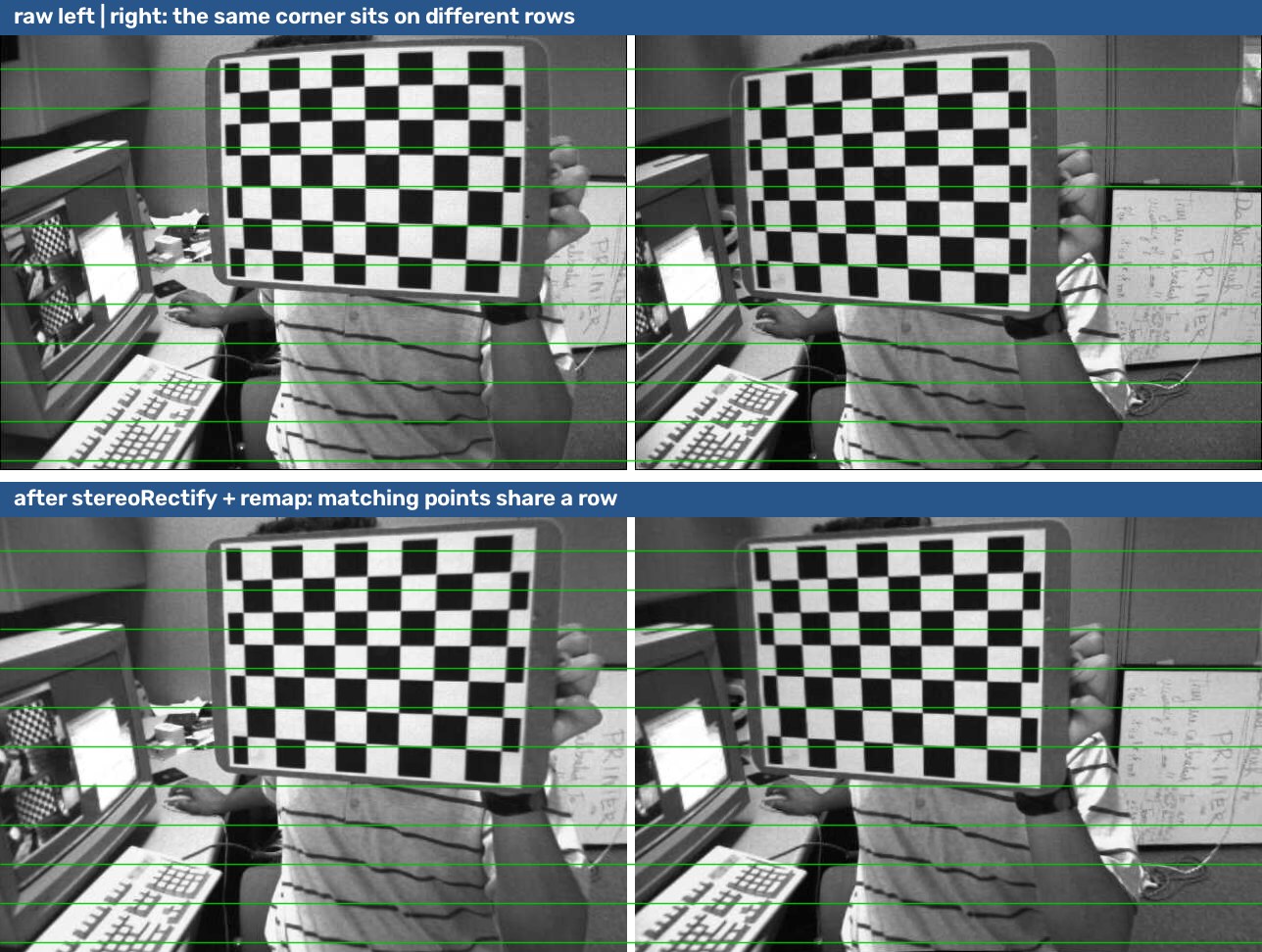
# objpoints, imgL, imgR: corners found in BOTH images of each pair
_, K1, D1, _, _ = cv2.calibrateCamera(objpoints, imgL, size, None, None)
_, K2, D2, _, _ = cv2.calibrateCamera(objpoints, imgR, size, None, None)

rms, K1, D1, K2, D2, R, T, E, F = cv2.stereoCalibrate(
    objpoints, imgL, imgR, K1, D1, K2, D2, size,
    flags=cv2.CALIB_FIX_INTRINSIC)           # keep the mono results, solve only R, T
print("stereo RMS", rms, "baseline", np.linalg.norm(T) * square_mm, "mm")

R1, R2, P1, P2, Q, roi1, roi2 = cv2.stereoRectify(K1, D1, K2, D2, size, R, T, alpha=0)
mapL = cv2.initUndistortRectifyMap(K1, D1, R1, P1, size, cv2.CV_16SC2)
mapR = cv2.initUndistortRectifyMap(K2, D2, R2, P2, size, cv2.CV_16SC2)
rectL = cv2.remap(left,  *mapL, cv2.INTER_LINEAR)
rectR = cv2.remap(right, *mapR, cv2.INTER_LINEAR)       # now matching points share a row
Two Raspberry Pi cameras on a bracket (or the Pi 5's two CSI ports) make a cheap stereo rig. Keep them rigidly mounted: any movement invalidates R, T. See Raspberry Pi stereo camera calibration.
Check the rectified pair: draw horizontal lines. If the same corner is on different rows, the calibration or the synchronisation is off.
# capture_calib.py  (Lab 6H): Pi camera or USB webcam
from picamera2 import Picamera2           # USB: cv2.VideoCapture(0)
import cv2, time, os

picam2 = Picamera2()
picam2.configure(picam2.create_still_configuration(
    main={"size": (1920, 1080), "format": "RGB888"}))
picam2.start()
picam2.set_controls({"AfMode": 0, "LensPosition": 0.0})  # Module 3: lock focus

os.makedirs("calib_images", exist_ok=True)
for i in range(25):
    time.sleep(3)                           # move the board, hold still
    frame = picam2.capture_array()
    gray = cv2.cvtColor(frame, cv2.COLOR_BGR2GRAY)
    ok, _ = cv2.findChessboardCorners(gray, (9, 6),
                cv2.CALIB_CB_FAST_CHECK)
    cv2.imwrite(f"calib_images/img_{i:02d}.jpg", frame)
    print(i, "board found" if ok else "NO board: move it")
Recipe
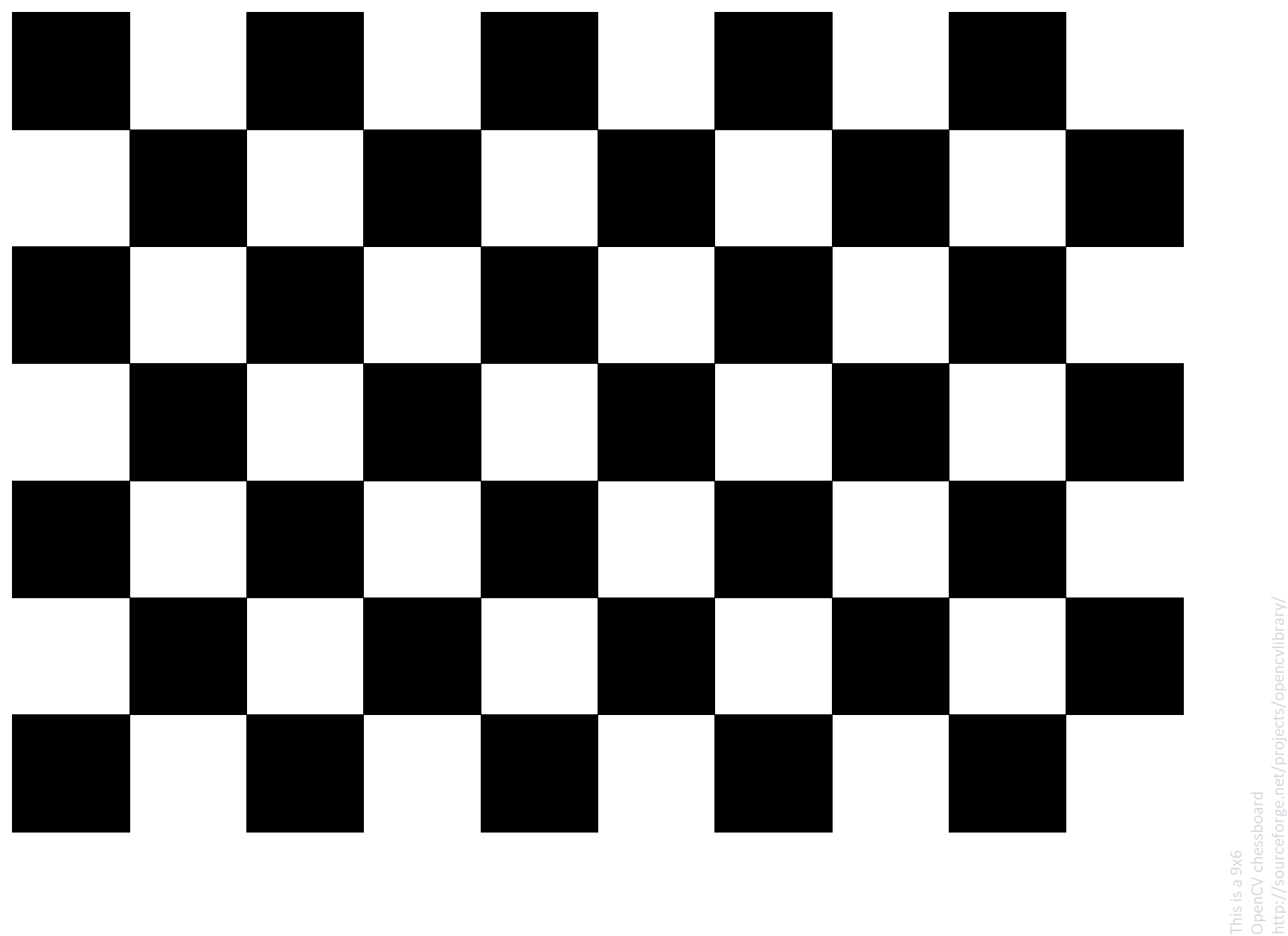
Print a 9 × 6 board (pattern.png), stick it to a flat board, measure a square
Take 20–30 pictures over the whole field of view, especially near the edges
Run calibrate.py --board 9x6 --square 24.5 → camera.yaml
Check RMS < 0.5–1 px and that straight lines are straight
# on the Pi (SSH + VNC), Raspberry Pi OS Bookworm
mkdir -p ~/calib && cd ~/calib
for f in pi_calibrate_20.py aruco_pose_test.py; do
  wget https://raw.githubusercontent.com/Kazimbalti/\
intelligent-vision-systems/main/LAB/Lab_6/$f; done
wget https://raw.githubusercontent.com/opencv/opencv/4.x/doc/pattern.png
sudo apt install -y python3-opencv python3-picamera2

# 1. calibrate: 26 mm squares, 640 x 480 (as in the video)
python3 pi_calibrate_20.py --mm 26 --width 640 --height 480

# 2. print a marker, measure it, test with a ruler
python3 aruco_pose_test.py --make-marker --id 72
python3 aruco_pose_test.py --size 200 --id 72 \
        --width 640 --height 480
Print pattern.png on A4, glue it flat, measure a square
The script keeps 20 good, different frames by itself: show the edges first, then near, far, tilted
It saves cameraMatrix.txt, cameraDistortion.txt, camera.yaml
Ruler test: centre an ArUco marker (x ≈ 0), slide it 6 cm: the program must say ≈ 60 mm







 Intrinsics & extrinsics
 Intrinsic camera calibration
 Zhang's method
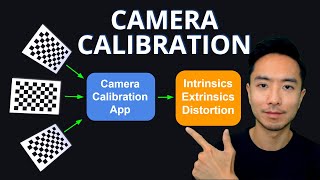 Camera calibration explained, step by step
 OpenCV Python calibration (intrinsic, extrinsic, distortion)
 Camera calibration in < 5 minutes
 Calibration with a Python script
 ChArUco board calibration
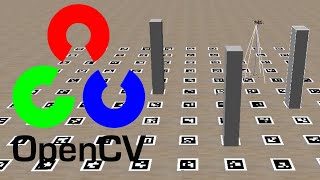 Calibrate an OpenCV camera in 15 minutes